| Filename | Latest commit message | Latest commit date |
|---|---|---|
| .. | ||
| ui | ||
| Program.cs | ||
| README.md | ||
| UsCity.cs | ||
| WeatherAppServer.csproj | ||
| WeatherResources.cs | ||
| WeatherTools.cs | ||
| WeatherUI.png | ||


Weather App Server
An MCP server that demonstrates the MCP Apps extension by serving an interactive weather forecast UI alongside weather tools.
What it shows
[McpAppUi]attribute — declaratively associates a UI resource with a toolWithMcpApps()— builder extension that processes[McpAppUi]attributes- UI resource — an HTML page served via
McpServerResourcewith MIME typetext/html;profile=mcp-app - Structured content — tool results include
StructuredContentfor the UI to render
Running
dotnet run
The server starts on http://localhost:5000 by default. Connect any MCP Apps-capable client to the /mcp endpoint.
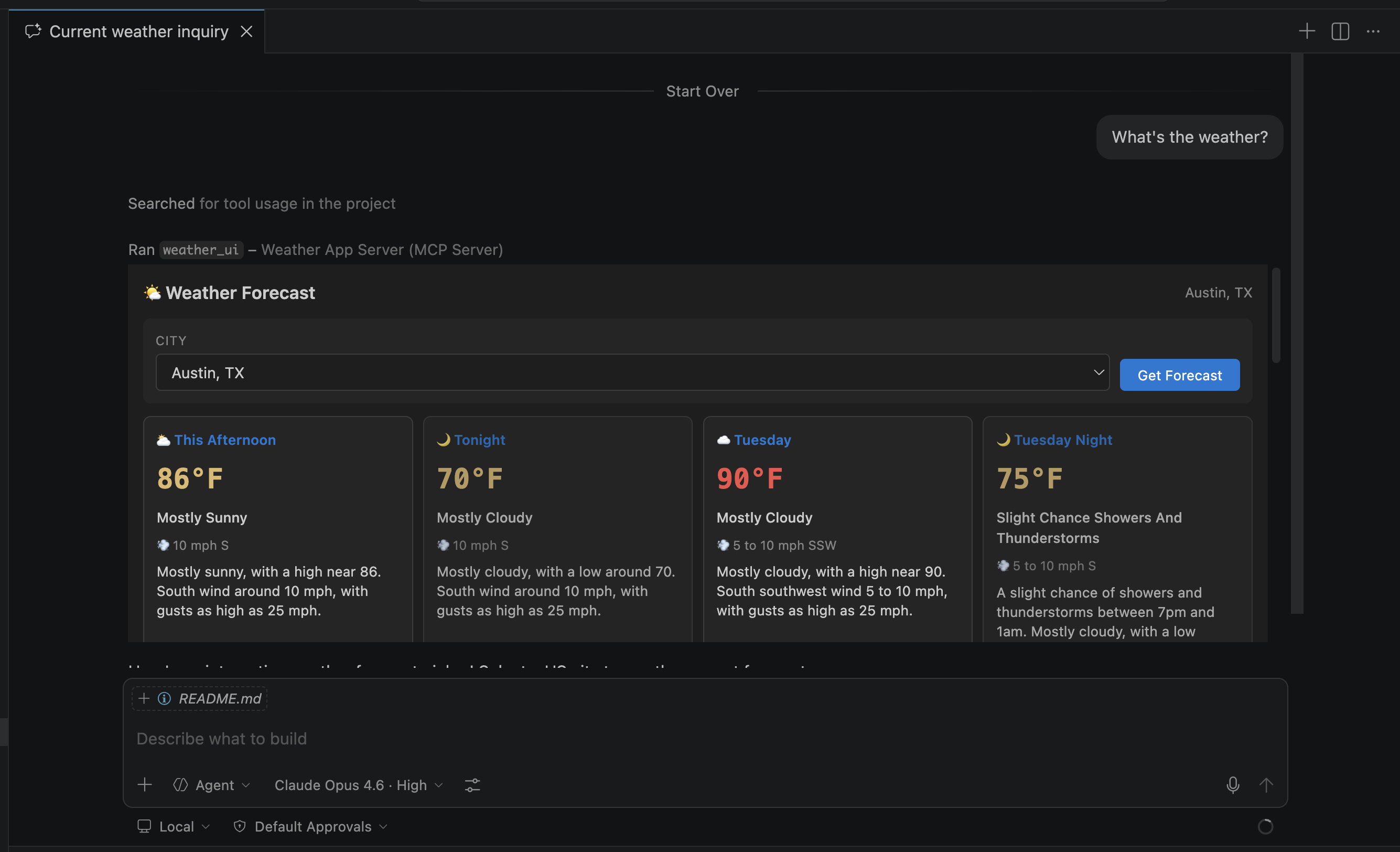
Then prompt that will cause the LLM to request the use of the "weather_ui" tool. A general prompt like "What's the weather?" will probably work, but if not you could try explicitly requesting the tool with something like "@weather_ui". This should load the Weather App UI in an iFrame that you can then interact with to get the weather forecast for a number of US cities.
Tools
| Tool | Description |
|---|---|
weather_ui |
Opens the weather forecast UI |
weather_forecast |
Gets a multi-period forecast from the National Weather Service for a US city |
Both tools are linked to the ui://weather-app/forecast resource via the [McpAppUi] attribute.
Resources
| URI | Description |
|---|---|
ui://weather-app/forecast |
Interactive weather forecast HTML UI |
data://weather-app/us-cities |
JSON list of supported US cities |