# @modelcontextprotocol/ext-apps
[](https://www.npmjs.com/package/@modelcontextprotocol/ext-apps) [](https://modelcontextprotocol.github.io/ext-apps/api/)
This repo contains the SDK and specification for MCP Apps Extension ([SEP-1865](https://github.com/modelcontextprotocol/modelcontextprotocol/pull/1865)).
## Specification
| Version | Status | Link |
| -------------- | ----------- | --------------------------------------------------------------------------------------------------------------------------------- |
| **2026-01-26** | Stable | [specification/2026-01-26/apps.mdx](https://github.com/modelcontextprotocol/ext-apps/blob/main/specification/2026-01-26/apps.mdx) |
| draft | Development | [specification/draft/apps.mdx](https://github.com/modelcontextprotocol/ext-apps/blob/main/specification/draft/apps.mdx) |
MCP Apps are a proposed standard inspired by [MCP-UI](https://mcpui.dev/) and [OpenAI's Apps SDK](https://developers.openai.com/apps-sdk/) to allow MCP Servers to display interactive UI elements in conversational MCP clients / chatbots.
## Why MCP Apps?
MCP tools return text and structured data. That works for many cases, but not when you need an interactive UI, like a chart, form, or video player.
MCP Apps provide a standardized way to deliver interactive UIs from MCP servers. Your UI renders inline in the conversation, in context, in any compliant host.
## How It Works
MCP Apps extend the Model Context Protocol by letting tools declare UI resources:
1. **Tool definition** — Your tool declares a `ui://` resource containing its HTML interface
2. **Tool call** — The LLM calls the tool on your server
3. **Host renders** — The host fetches the resource and displays it in a sandboxed iframe
4. **Bidirectional communication** — The host passes tool data to the UI via notifications, and the UI can call other tools through the host
## Using the SDK
This SDK serves two audiences:
### For App Developers
Build interactive UIs that run inside MCP-enabled chat clients.
- **SDK for Apps**: `@modelcontextprotocol/ext-apps` — [API Docs](https://modelcontextprotocol.github.io/ext-apps/api/modules/app.html)
- **React hooks**: `@modelcontextprotocol/ext-apps/react` — [API Docs](https://modelcontextprotocol.github.io/ext-apps/api/modules/_modelcontextprotocol_ext-apps_react.html)
### For Host Developers
Embed and communicate with MCP Apps in your chat application.
- **SDK for Hosts**: `@modelcontextprotocol/ext-apps/app-bridge` — [API Docs](https://modelcontextprotocol.github.io/ext-apps/api/modules/app-bridge.html)
There's no _supported_ host implementation in this repo (beyond the [examples/basic-host](https://github.com/modelcontextprotocol/ext-apps/tree/main/examples/basic-host) example).
The [MCP-UI](https://github.com/idosal/mcp-ui) client SDK offers a fully-featured MCP Apps framework used by a few hosts. Clients may choose to use it or roll their own implementation.
## Installation
```bash
npm install -S @modelcontextprotocol/ext-apps
```
### Install Agent Skills
This repository provides two [Agent Skills](https://agentskills.io/) for building MCP Apps. You can install the skills as a Claude Code plugin:
```
/plugin marketplace add modelcontextprotocol/ext-apps
/plugin install mcp-apps@modelcontextprotocol-ext-apps
```
For more information, including instructions for installing the skills in your favorite AI coding agent, see the [agent skills guide](./docs/agent-skills.md).
## Examples
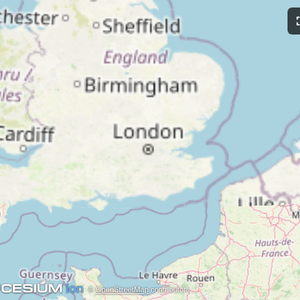
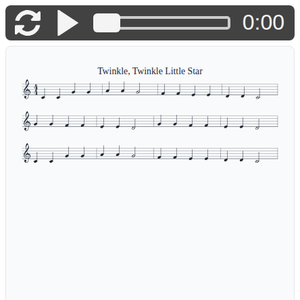
The [`examples/`](https://github.com/modelcontextprotocol/ext-apps/tree/main/examples) directory contains demo apps showcasing real-world use cases.
| | | |
|:---:|:---:|:---:|
| [](https://github.com/modelcontextprotocol/ext-apps/tree/main/examples/map-server) | [](https://github.com/modelcontextprotocol/ext-apps/tree/main/examples/threejs-server) | [](https://github.com/modelcontextprotocol/ext-apps/tree/main/examples/shadertoy-server) |
| [**Map**](https://github.com/modelcontextprotocol/ext-apps/tree/main/examples/map-server) | [**Three.js**](https://github.com/modelcontextprotocol/ext-apps/tree/main/examples/threejs-server) | [**ShaderToy**](https://github.com/modelcontextprotocol/ext-apps/tree/main/examples/shadertoy-server) |
| [](https://github.com/modelcontextprotocol/ext-apps/tree/main/examples/sheet-music-server) | [](https://github.com/modelcontextprotocol/ext-apps/tree/main/examples/wiki-explorer-server) | [](https://github.com/modelcontextprotocol/ext-apps/tree/main/examples/cohort-heatmap-server) |
| [**Sheet Music**](https://github.com/modelcontextprotocol/ext-apps/tree/main/examples/sheet-music-server) | [**Wiki Explorer**](https://github.com/modelcontextprotocol/ext-apps/tree/main/examples/wiki-explorer-server) | [**Cohort Heatmap**](https://github.com/modelcontextprotocol/ext-apps/tree/main/examples/cohort-heatmap-server) |
| [](https://github.com/modelcontextprotocol/ext-apps/tree/main/examples/scenario-modeler-server) | [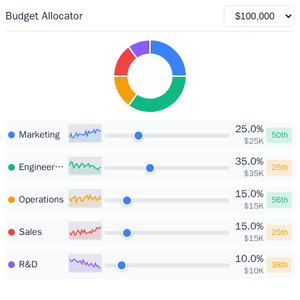](https://github.com/modelcontextprotocol/ext-apps/tree/main/examples/budget-allocator-server) | [](https://github.com/modelcontextprotocol/ext-apps/tree/main/examples/customer-segmentation-server) |
| [**Scenario Modeler**](https://github.com/modelcontextprotocol/ext-apps/tree/main/examples/scenario-modeler-server) | [**Budget Allocator**](https://github.com/modelcontextprotocol/ext-apps/tree/main/examples/budget-allocator-server) | [**Customer Segmentation**](https://github.com/modelcontextprotocol/ext-apps/tree/main/examples/customer-segmentation-server) |
| [](https://github.com/modelcontextprotocol/ext-apps/tree/main/examples/system-monitor-server) | [](https://github.com/modelcontextprotocol/ext-apps/tree/main/examples/transcript-server) | [](https://github.com/modelcontextprotocol/ext-apps/tree/main/examples/video-resource-server) |
| [**System Monitor**](https://github.com/modelcontextprotocol/ext-apps/tree/main/examples/system-monitor-server) | [**Transcript**](https://github.com/modelcontextprotocol/ext-apps/tree/main/examples/transcript-server) | [**Video Resource**](https://github.com/modelcontextprotocol/ext-apps/tree/main/examples/video-resource-server) |
| [](https://github.com/modelcontextprotocol/ext-apps/tree/main/examples/pdf-server) | [](https://github.com/modelcontextprotocol/ext-apps/tree/main/examples/qr-server) | [](https://github.com/modelcontextprotocol/ext-apps/tree/main/examples/say-server) |
| [**PDF Server**](https://github.com/modelcontextprotocol/ext-apps/tree/main/examples/pdf-server) | [**QR Code (Python)**](https://github.com/modelcontextprotocol/ext-apps/tree/main/examples/qr-server) | [**Say Demo**](https://github.com/modelcontextprotocol/ext-apps/tree/main/examples/say-server) |
### Starter Templates
| | |
|:---:|:---|
| [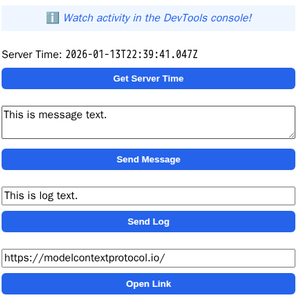](https://github.com/modelcontextprotocol/ext-apps/tree/main/examples/basic-server-react) | The same app built with different frameworks — pick your favorite!
[React](https://github.com/modelcontextprotocol/ext-apps/tree/main/examples/basic-server-react) · [Vue](https://github.com/modelcontextprotocol/ext-apps/tree/main/examples/basic-server-vue) · [Svelte](https://github.com/modelcontextprotocol/ext-apps/tree/main/examples/basic-server-svelte) · [Preact](https://github.com/modelcontextprotocol/ext-apps/tree/main/examples/basic-server-preact) · [Solid](https://github.com/modelcontextprotocol/ext-apps/tree/main/examples/basic-server-solid) · [Vanilla JS](https://github.com/modelcontextprotocol/ext-apps/tree/main/examples/basic-server-vanillajs) |
### Running the Examples
#### With basic-host
To run all examples locally using [basic-host](https://github.com/modelcontextprotocol/ext-apps/tree/main/examples/basic-host) (the reference host implementation included in this repo):
```bash
git clone https://github.com/modelcontextprotocol/ext-apps.git
cd ext-apps
npm install
npm start
```
Then open http://localhost:8080/.
#### With MCP Clients
To use these examples with MCP clients that support the stdio transport (such as Claude Desktop or VS Code), add this MCP server configuration to your client's settings:
MCP client configuration for all examples (using stdio)
```json
{
"mcpServers": {
"basic-react": {
"command": "npx",
"args": [
"-y",
"--silent",
"--registry=https://registry.npmjs.org/",
"@modelcontextprotocol/server-basic-react",
"--stdio"
]
},
"basic-vanillajs": {
"command": "npx",
"args": [
"-y",
"--silent",
"--registry=https://registry.npmjs.org/",
"@modelcontextprotocol/server-basic-vanillajs",
"--stdio"
]
},
"basic-vue": {
"command": "npx",
"args": [
"-y",
"--silent",
"--registry=https://registry.npmjs.org/",
"@modelcontextprotocol/server-basic-vue",
"--stdio"
]
},
"basic-svelte": {
"command": "npx",
"args": [
"-y",
"--silent",
"--registry=https://registry.npmjs.org/",
"@modelcontextprotocol/server-basic-svelte",
"--stdio"
]
},
"basic-preact": {
"command": "npx",
"args": [
"-y",
"--silent",
"--registry=https://registry.npmjs.org/",
"@modelcontextprotocol/server-basic-preact",
"--stdio"
]
},
"basic-solid": {
"command": "npx",
"args": [
"-y",
"--silent",
"--registry=https://registry.npmjs.org/",
"@modelcontextprotocol/server-basic-solid",
"--stdio"
]
},
"budget-allocator": {
"command": "npx",
"args": [
"-y",
"--silent",
"--registry=https://registry.npmjs.org/",
"@modelcontextprotocol/server-budget-allocator",
"--stdio"
]
},
"cohort-heatmap": {
"command": "npx",
"args": [
"-y",
"--silent",
"--registry=https://registry.npmjs.org/",
"@modelcontextprotocol/server-cohort-heatmap",
"--stdio"
]
},
"customer-segmentation": {
"command": "npx",
"args": [
"-y",
"--silent",
"--registry=https://registry.npmjs.org/",
"@modelcontextprotocol/server-customer-segmentation",
"--stdio"
]
},
"map": {
"command": "npx",
"args": [
"-y",
"--silent",
"--registry=https://registry.npmjs.org/",
"@modelcontextprotocol/server-map",
"--stdio"
]
},
"pdf": {
"command": "npx",
"args": [
"-y",
"--silent",
"--registry=https://registry.npmjs.org/",
"@modelcontextprotocol/server-pdf",
"--stdio"
]
},
"scenario-modeler": {
"command": "npx",
"args": [
"-y",
"--silent",
"--registry=https://registry.npmjs.org/",
"@modelcontextprotocol/server-scenario-modeler",
"--stdio"
]
},
"shadertoy": {
"command": "npx",
"args": [
"-y",
"--silent",
"--registry=https://registry.npmjs.org/",
"@modelcontextprotocol/server-shadertoy",
"--stdio"
]
},
"sheet-music": {
"command": "npx",
"args": [
"-y",
"--silent",
"--registry=https://registry.npmjs.org/",
"@modelcontextprotocol/server-sheet-music",
"--stdio"
]
},
"system-monitor": {
"command": "npx",
"args": [
"-y",
"--silent",
"--registry=https://registry.npmjs.org/",
"@modelcontextprotocol/server-system-monitor",
"--stdio"
]
},
"threejs": {
"command": "npx",
"args": [
"-y",
"--silent",
"--registry=https://registry.npmjs.org/",
"@modelcontextprotocol/server-threejs",
"--stdio"
]
},
"transcript": {
"command": "npx",
"args": [
"-y",
"--silent",
"--registry=https://registry.npmjs.org/",
"@modelcontextprotocol/server-transcript",
"--stdio"
]
},
"video-resource": {
"command": "npx",
"args": [
"-y",
"--silent",
"--registry=https://registry.npmjs.org/",
"@modelcontextprotocol/server-video-resource",
"--stdio"
]
},
"wiki-explorer": {
"command": "npx",
"args": [
"-y",
"--silent",
"--registry=https://registry.npmjs.org/",
"@modelcontextprotocol/server-wiki-explorer",
"--stdio"
]
},
"qr": {
"command": "uv",
"args": [
"run",
"/path/to/ext-apps/examples/qr-server/server.py",
"--stdio"
]
},
"say": {
"command": "uv",
"args": [
"run",
"--default-index",
"https://pypi.org/simple",
"https://raw.githubusercontent.com/modelcontextprotocol/ext-apps/refs/heads/main/examples/say-server/server.py",
"--stdio"
]
}
}
}
```
> [!NOTE]
> The `qr` server requires cloning the repository first. See [qr-server README](https://github.com/modelcontextprotocol/ext-apps/tree/main/examples/qr-server) for details.
#### Local Development
To test local modifications with MCP clients, first clone and install the repository:
```bash
git clone https://github.com/modelcontextprotocol/ext-apps.git
cd ext-apps
npm install
```
Then configure your MCP client to build and run the local server. Replace `~/code/ext-apps` with your actual clone path:
MCP client configuration for local development (all examples)
```json
{
"mcpServers": {
"basic-react": {
"command": "bash",
"args": [
"-c",
"cd ~/code/ext-apps/examples/basic-server-react && npm run build >&2 && node dist/index.js --stdio"
]
},
"basic-vanillajs": {
"command": "bash",
"args": [
"-c",
"cd ~/code/ext-apps/examples/basic-server-vanillajs && npm run build >&2 && node dist/index.js --stdio"
]
},
"basic-vue": {
"command": "bash",
"args": [
"-c",
"cd ~/code/ext-apps/examples/basic-server-vue && npm run build >&2 && node dist/index.js --stdio"
]
},
"basic-svelte": {
"command": "bash",
"args": [
"-c",
"cd ~/code/ext-apps/examples/basic-server-svelte && npm run build >&2 && node dist/index.js --stdio"
]
},
"basic-preact": {
"command": "bash",
"args": [
"-c",
"cd ~/code/ext-apps/examples/basic-server-preact && npm run build >&2 && node dist/index.js --stdio"
]
},
"basic-solid": {
"command": "bash",
"args": [
"-c",
"cd ~/code/ext-apps/examples/basic-server-solid && npm run build >&2 && node dist/index.js --stdio"
]
},
"budget-allocator": {
"command": "bash",
"args": [
"-c",
"cd ~/code/ext-apps/examples/budget-allocator-server && npm run build >&2 && node dist/index.js --stdio"
]
},
"cohort-heatmap": {
"command": "bash",
"args": [
"-c",
"cd ~/code/ext-apps/examples/cohort-heatmap-server && npm run build >&2 && node dist/index.js --stdio"
]
},
"customer-segmentation": {
"command": "bash",
"args": [
"-c",
"cd ~/code/ext-apps/examples/customer-segmentation-server && npm run build >&2 && node dist/index.js --stdio"
]
},
"map": {
"command": "bash",
"args": [
"-c",
"cd ~/code/ext-apps/examples/map-server && npm run build >&2 && node dist/index.js --stdio"
]
},
"pdf": {
"command": "bash",
"args": [
"-c",
"cd ~/code/ext-apps/examples/pdf-server && npm run build >&2 && node dist/index.js --stdio"
]
},
"scenario-modeler": {
"command": "bash",
"args": [
"-c",
"cd ~/code/ext-apps/examples/scenario-modeler-server && npm run build >&2 && node dist/index.js --stdio"
]
},
"shadertoy": {
"command": "bash",
"args": [
"-c",
"cd ~/code/ext-apps/examples/shadertoy-server && npm run build >&2 && node dist/index.js --stdio"
]
},
"sheet-music": {
"command": "bash",
"args": [
"-c",
"cd ~/code/ext-apps/examples/sheet-music-server && npm run build >&2 && node dist/index.js --stdio"
]
},
"system-monitor": {
"command": "bash",
"args": [
"-c",
"cd ~/code/ext-apps/examples/system-monitor-server && npm run build >&2 && node dist/index.js --stdio"
]
},
"threejs": {
"command": "bash",
"args": [
"-c",
"cd ~/code/ext-apps/examples/threejs-server && npm run build >&2 && node dist/index.js --stdio"
]
},
"transcript": {
"command": "bash",
"args": [
"-c",
"cd ~/code/ext-apps/examples/transcript-server && npm run build >&2 && node dist/index.js --stdio"
]
},
"video-resource": {
"command": "bash",
"args": [
"-c",
"cd ~/code/ext-apps/examples/video-resource-server && npm run build >&2 && node dist/index.js --stdio"
]
},
"wiki-explorer": {
"command": "bash",
"args": [
"-c",
"cd ~/code/ext-apps/examples/wiki-explorer-server && npm run build >&2 && node dist/index.js --stdio"
]
},
"qr": {
"command": "bash",
"args": [
"-c",
"uv run ~/code/ext-apps/examples/qr-server/server.py --stdio"
]
},
"say": {
"command": "bash",
"args": [
"-c",
"uv run --index https://pypi.org/simple ~/code/ext-apps/examples/say-server/server.py --stdio"
]
}
}
}
```
This configuration rebuilds each server on launch, ensuring your local changes are picked up.
## Resources
- [Quickstart Guide](https://modelcontextprotocol.github.io/ext-apps/api/documents/Quickstart.html)
- [API Documentation](https://modelcontextprotocol.github.io/ext-apps/api/)
- [Specification (2026-01-26)](https://github.com/modelcontextprotocol/ext-apps/blob/main/specification/2026-01-26/apps.mdx) ([Draft](https://github.com/modelcontextprotocol/ext-apps/blob/main/specification/draft/apps.mdx))
- [SEP-1865 Discussion](https://github.com/modelcontextprotocol/modelcontextprotocol/pull/1865)