| Filename | Latest commit message | Latest commit date |
|---|---|---|
 b594fc2dbd
After commit
|
||
| .. | ||
| src | ||
| .gitignore | ||
| grid-cell.png | ||
| main.ts | ||
| mcp-app.html | ||
| package.json | ||
| README.md | ||
| screenshot.png | ||
| server.ts | ||
| tsconfig.json | ||
| tsconfig.server.json | ||
| vite.config.ts | ||


Example: Customer Segmentation Explorer
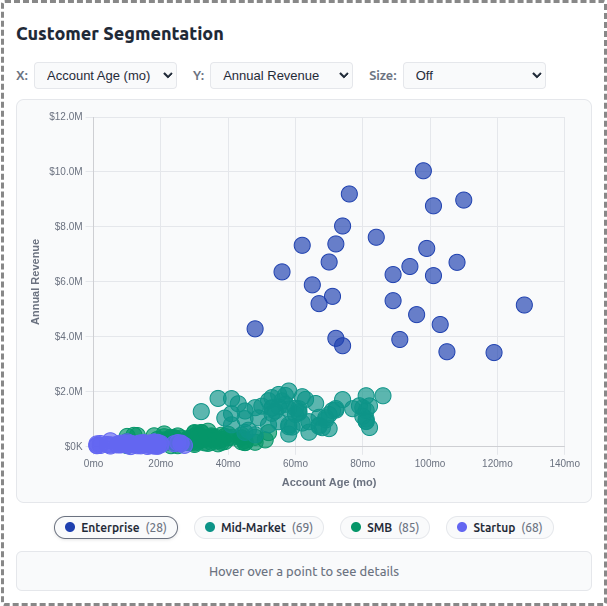
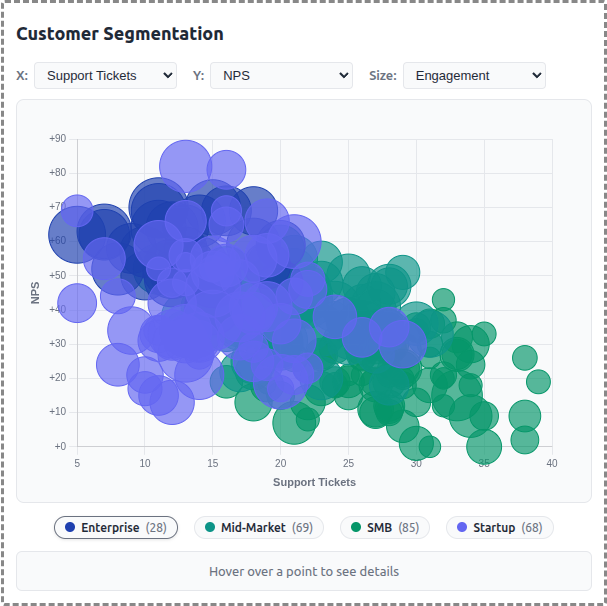
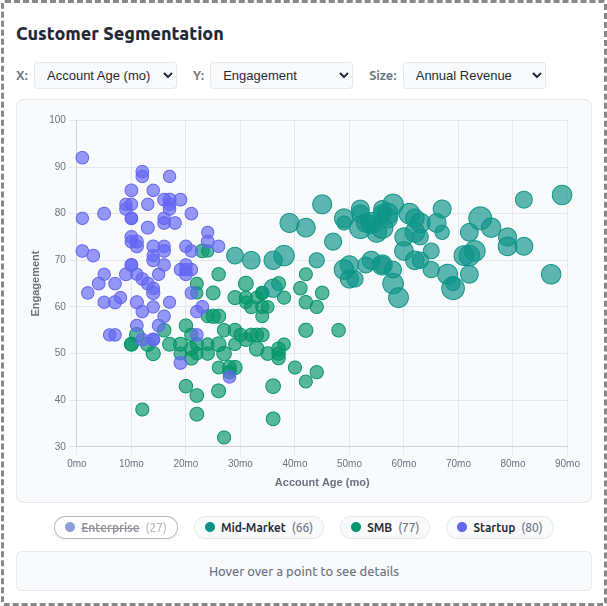
A demo MCP App that displays customer data as an interactive scatter/bubble chart with segment-based clustering. Users can explore different metrics, filter by segment, and click to see detailed customer information.
 |
 |
 |
MCP Client Configuration
Add to your MCP client configuration (stdio transport):
{
  "mcpServers": {
    "customer-segmentation": {
      "command": "npx",
      "args": [
        "-y",
        "--silent",
        "--registry=https://registry.npmjs.org/",
        "@modelcontextprotocol/server-customer-segmentation",
        "--stdio"
      ]
    }
  }
}
Features
- Interactive Scatter Plot: Bubble chart visualization using Chart.js with configurable X/Y axes
- Segment Clustering: 250 customers grouped into 4 segments (Enterprise, Mid-Market, SMB, Startup)
- Axis Selection: Choose from 6 metrics for each axis (Revenue, Employees, Account Age, Engagement, Tickets, NPS)
- Size Mapping: Optional bubble sizing by a third metric for additional data dimension
- Legend Filtering: Click segment pills to show/hide customer groups
- Detail Panel: Hover or click customers to see name, segment, revenue, engagement, and NPS
- Theme Support: Adapts to light/dark mode preferences
Running
-
Install dependencies:
npm install -
Build and start the server:
npm run start:http # for Streamable HTTP transport # OR npm run start:stdio # for stdio transport -
View using the
basic-hostexample or another MCP Apps-compatible host.
Architecture
Server (server.ts)
Exposes a single get-customer-data tool that returns:
- Array of 250 generated customer records with segment assignments
- Segment summary with counts and colors for each group
- Optional segment filter parameter
The tool is linked to a UI resource via _meta.ui.resourceUri.
App (src/mcp-app.ts)
- Uses Chart.js bubble chart for the visualization
- Fetches data once on connection
- Dropdown controls update chart axes and bubble sizing
- Custom legend with clickable segment toggles
- Detail panel updates on hover/click interactions
Data Generator (src/data-generator.ts)
- Generates realistic customer data with Gaussian clustering around segment centers
- Each segment has characteristic ranges for revenue, employees, engagement, etc.
- Company names generated from word-list combinations (e.g., "Apex Data Corp")
- Data cached in memory for consistency across requests