| Filename | Latest commit message | Latest commit date |
|---|---|---|
 27196b3b05
Single quotes in `concurrently` commands work on Unix shells but not on
Windows Command Shell (`cmd.exe`), causing the `INPUT` environment
variable to not be set and npm scripts to fail with errors like:
'cross-env' is not recognized as an internal or external command
Error: INPUT environment variable is not set
Replace single quotes with escaped double quotes (`\"`) in npm scripts
in all example `package.json` files.
Co-Authored-By: Claude Opus 4.5 <noreply@anthropic.com>
|
||
| .. | ||
| src | ||
| .gitignore | ||
| grid-cell.png | ||
| main.ts | ||
| mcp-app.html | ||
| package.json | ||
| README.md | ||
| screenshot.png | ||
| server.ts | ||
| test-standalone.html | ||
| tsconfig.json | ||
| tsconfig.server.json | ||
| vite.config.ts | ||


Example: Interactive Map
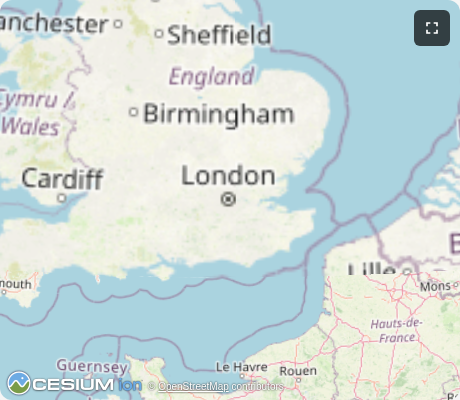
Interactive 3D globe viewer using CesiumJS with OpenStreetMap tiles. Demonstrates geocoding integration and full MCP App capabilities.
MCP Client Configuration
Add to your MCP client configuration (stdio transport):
{
  "mcpServers": {
    "map": {
      "command": "npx",
      "args": [
        "-y",
        "--silent",
        "--registry=https://registry.npmjs.org/",
        "@modelcontextprotocol/server-map",
        "--stdio"
      ]
    }
  }
}
Local Development
To test local modifications, use this configuration (replace ~/code/ext-apps with your clone path):
{
  "mcpServers": {
    "map": {
      "command": "bash",
      "args": [
        "-c",
        "cd ~/code/ext-apps/examples/map-server && npm run build >&2 && node dist/index.js --stdio"
      ]
    }
  }
}
Features
- 3D Globe Rendering: Interactive CesiumJS globe with rotation, zoom, and 3D perspective
- Geocoding: Search for places using OpenStreetMap Nominatim (no API key required)
- OpenStreetMap Tiles: Uses free OSM tile server (no Cesium Ion token needed)
- Dynamic Loading: CesiumJS loaded from CDN at runtime for smaller bundle size
Running
-
Install dependencies:
npm install -
Build and start the server:
npm run start:http # for Streamable HTTP transport # OR npm run start:stdio # for stdio transport -
View using the
basic-hostexample or another MCP Apps-compatible host.
Tools
geocode
Search for places by name or address. Returns coordinates and bounding boxes.
{
  "query": "Eiffel Tower"
}
Returns up to 5 matches with lat/lon coordinates and bounding boxes.
show-map
Display the 3D globe zoomed to a bounding box.
{
  "west": 2.29,
  "south": 48.85,
  "east": 2.3,
  "north": 48.86,
  "label": "Eiffel Tower"
}
Defaults to London if no coordinates provided.
Architecture
Server (server.ts)
Exposes two tools:
geocode- Queries OpenStreetMap Nominatim API with rate limitingshow-map- Renders the CesiumJS globe UI at a specified location
Configures Content Security Policy to allow fetching tiles from OSM and Cesium CDN.
App (src/mcp-app.ts)
Vanilla TypeScript app that:
- Dynamically loads CesiumJS from CDN
- Initializes globe with OpenStreetMap imagery (no Ion token)
- Receives tool inputs via the MCP App SDK
- Handles camera navigation to specified bounding boxes
Key Files
server.ts- MCP server with geocode and show-map toolsmcp-app.html/src/mcp-app.ts- CesiumJS globe UIserver-utils.ts- HTTP server utilities
Notes
- Rate limiting is applied to Nominatim requests (1 request per second per their usage policy)
- The globe works in sandboxed iframes with appropriate CSP configuration
- No external API keys required - uses only open data sources