- TypeScript 76.4%
- MDX 19.3%
- JavaScript 4.3%
| Filename | Latest commit message | Latest commit date |
|---|---|---|
 281a26b021
* pdf-server: support folders in cli + files in roots * fix(pdf-server): use path.relative for robust ancestor dir matching - Replace string prefix matching (startsWith) with path.relative-based isAncestorDir() which correctly handles trailing slashes, path normalization, and prevents both .. traversal and prefix attacks. - Use path.resolve consistently when adding paths to allowedLocalFiles and allowedLocalDirs (main.ts was missing this). - Use resolved path for exact file match check in validateUrl. - Improve error message formatting for easier debugging. - Add tests for trailing slashes, grandparent dirs, and isAncestorDir. * chore(pdf-server): remove JSONL interaction logging Remove the withLogging transport wrapper, logInteraction helper, InteractionLogger type, and all log parameter threading that were added for debugging. * fix(pdf-server): support computer:// URL scheme for local files Some clients (e.g. Claude Code) use computer:// instead of file:// for local file references. Handle both schemes in isFileUrl and fileUrlToPath. * fix(pdf-server): add debug logging for rejected files, ignore .jsonl logs * fix(pdf-server): accept bare file paths in addition to file:// URLs Clients like Claude Desktop may pass raw absolute paths (e.g. /Users/.../file.pdf) instead of file:// URLs. Handle these in validateUrl and readPdfRange. * debug(pdf-server): add hex char diagnostics for path mismatch * fix(pdf-server): resolve symlinks to handle sandbox path remapping Use fs.realpathSync to resolve symlinks/bind mounts when comparing file paths against allowed directories. This fixes the path namespace mismatch where Claude Desktop sends container paths (e.g. /sessions/...) while MCP roots use host paths (e.g. /Users/...). Both the file path and directory paths are resolved through symlinks before comparison, so either side can be a symlink. Also stores realpath of roots in allowedLocalDirs/Files so matching works in both directions. Removes verbose hex diagnostics (no longer needed). * fix(pdf-server): decode percent-encoded bare paths (e.g. %20 for spaces) Clients may send bare file paths with percent-encoded characters (e.g., Application%20Support). Apply decodeURIComponent to bare paths before resolving, matching the behavior already used for file:// URLs. * fix(pdf-server): add full diagnostics to client-facing error message Include url, resolved path, realpath, allowedFiles, and per-directory path.relative results in the error returned to the client, so we can diagnose why isAncestorDir fails when paths look identical. * debug(pdf-server): add hex dump to diagnose invisible char differences path.relative returns 10 levels of .. despite paths looking identical, meaning they differ at the byte level. Add hex dump of first 30 chars of both paths to catch invisible Unicode or encoding differences. * fix(pdf-server): use inode comparison for bind-mount path matching The cowork VM remaps paths via bind mounts: the tool input uses VM-internal paths (/sessions/...) while MCP roots use host paths (/Users/...). Since path.relative can't match across bind mounts, compare directory inodes instead (dev+ino from fs.statSync). Walks up the file's parent directories checking each against allowed dirs by inode, which works regardless of path namespace differences. * fix(pdf-server): resolve VM-internal paths via directory basename matching When the MCP server runs on the host but receives unrewritten VM paths (e.g., /sessions/name/mnt/uploads/file.pdf), the tool call url argument isn't rewritten by the cowork VM proxy because it doesn't know which arguments are file paths. Fix: when path validation fails, try to match the file by finding the directory basename (e.g., 'uploads') in the VM path and looking for the relative path suffix under each allowed directory on the host. Also returns the resolved host path so readPdfRange reads the correct file on the host filesystem. * revert(pdf-server): remove resolveVmPath hack The VM path mismatch (VM-internal paths not rewritten in tool call arguments) should be fixed in the cowork VM proxy layer, not worked around in the MCP server. Removes: - resolveVmPath() function - resolvedPath field from validateUrl return type - effectiveUrl remapping in tool handlers - VM path resolution test * nit |
||
| .claude-plugin | ||
| .github/workflows | ||
| .husky | ||
| docs | ||
| examples | ||
| media | ||
| plugins/mcp-apps | ||
| scripts | ||
| specification | ||
| src | ||
| tests/e2e | ||
| .gitattributes | ||
| .gitignore | ||
| .prettierignore | ||
| .prettierrc.json | ||
| AGENTS.md | ||
| build.bun.ts | ||
| CLAUDE.md | ||
| CONTRIBUTING.md | ||
| LICENSE | ||
| package-lock.json | ||
| package.json | ||
| playwright.config.ts | ||
| README.md | ||
| RELEASES.md | ||
| tsconfig.json | ||
| typedoc.config.mjs | ||


MCP Apps
Build interactive UIs for MCP tools — charts, forms, dashboards — that render inline in Claude, ChatGPT and any other compliant chat client.
Why
·
Quickstart
·
API Docs
·
Spec
·
Contributing







Excalidraw built with MCP Apps, running in Claude
Table of Contents
- Build with Agent Skills
- Supported Clients
- Why MCP Apps?
- How It Works
- Getting Started
- Using the SDK
- Examples
- Specification
- Resources
- Contributing
Build with Agent Skills
The fastest way to build an MCP App is to let your AI coding agent do it. This repo ships four Agent Skills — install them once, then just ask:
| Skill | What it does | Try it |
|---|---|---|
create-mcp-app |
Scaffolds a new MCP App with an interactive UI from scratch | "Create an MCP App" |
migrate-oai-app |
Converts an existing OpenAI App to use MCP Apps | "Migrate from OpenAI Apps SDK" |
add-app-to-server |
Adds interactive UI to an existing MCP server's tools | "Add UI to my MCP server" |
convert-web-app |
Turns an existing web app into a hybrid web + MCP App | "Add MCP App support to my web app" |
Install the Skills
Claude Code — install via the plugin marketplace:
/plugin marketplace add modelcontextprotocol/ext-apps
/plugin install mcp-apps@modelcontextprotocol-ext-apps
Other agents — any AI coding agent that supports Agent Skills can use these skills. See the agent skills guide for manual installation instructions.
Once installed, verify by asking your agent "What skills do you have?" — you
should see create-mcp-app, migrate-oai-app, add-app-to-server, and
convert-web-app in the list. Then just ask it to create or migrate an app and
it will guide you through the rest.
Supported Clients




Note
MCP Apps is an extension to the core MCP specification. Host support varies — see the clients page for the full list.
Why MCP Apps?
MCP tools return text and structured data. That works for many cases, but not when you need an interactive UI, like a chart, form, design canvas or video player.
MCP Apps provide a standardized way to deliver interactive UIs from MCP servers. Your UI renders inline in the conversation, in context, in any compliant host.
How It Works
MCP Apps extend the Model Context Protocol by letting tools declare UI resources:
- Tool definition — Your tool declares a
ui://resource containing its HTML interface - Tool call — The LLM calls the tool on your server
- Host renders — The host fetches the resource and displays it in a sandboxed iframe
- Bidirectional communication — The host passes tool data to the UI via notifications, and the UI can call other tools through the host
Getting Started
npm install -S @modelcontextprotocol/ext-apps
New here? Start with the Quickstart Guide to build your first MCP App.
Using the SDK
The SDK serves three roles: app developers building interactive Views, host developers embedding those Views, and MCP server authors registering tools with UI metadata.
| Package | Purpose | Docs |
|---|---|---|
@modelcontextprotocol/ext-apps |
Build interactive Views (App class, PostMessageTransport) | API Docs → |
@modelcontextprotocol/ext-apps/react |
React hooks for Views (useApp, useHostStyles, etc.) | API Docs → |
@modelcontextprotocol/ext-apps/app-bridge |
Embed and communicate with Views in your chat client | API Docs → |
@modelcontextprotocol/ext-apps/server |
Register tools and resources on your MCP server | API Docs → |
There's no supported host implementation in this repo (beyond the examples/basic-host example).
The MCP-UI client SDK offers a fully-featured MCP Apps framework used by a few hosts. Clients may choose to use it or roll their own implementation.
Examples
The
examples/
directory contains demo apps showcasing real-world use cases.
 |
 |
 |
| Map | Three.js | ShaderToy |
 |
 |
 |
| Sheet Music | Wiki Explorer | Cohort Heatmap |
 |
 |
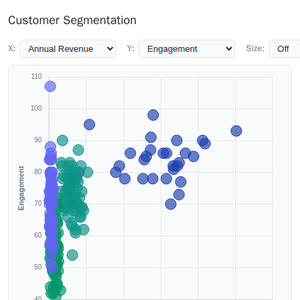 |
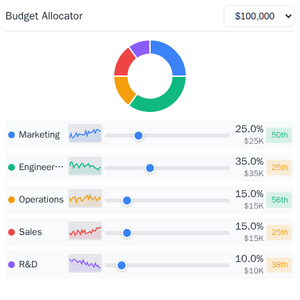
| Scenario Modeler | Budget Allocator | Customer Segmentation |
 |
 |
 |
| System Monitor | Transcript | Video Resource |
 |
 |
 |
| PDF Server | QR Code (Python) | Say Demo |
Starter Templates
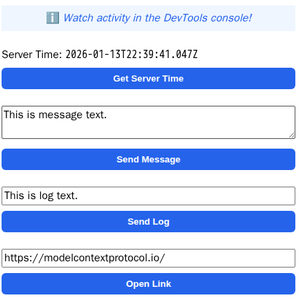 |
The same app built with different frameworks — pick your favorite! React · Vue · Svelte · Preact · Solid · Vanilla JS |
Running the Examples
With basic-host
To run all examples locally using basic-host (the reference host implementation included in this repo):
git clone https://github.com/modelcontextprotocol/ext-apps.git
cd ext-apps
npm install
npm start
Then open http://localhost:8080/.
With MCP Clients
Every Node.js example is published as @modelcontextprotocol/server-<name>. To
add one to an MCP client that supports stdio (Claude Desktop, VS Code, etc.),
use this pattern:
{
  "mcpServers": {
    "<name>": {
      "command": "npx",
      "args": ["-y", "@modelcontextprotocol/server-<name>", "--stdio"]
    }
  }
}
For example, to add the map server: @modelcontextprotocol/server-map. The
Python examples (qr-server, say-server) use uv run instead — see their
READMEs for details.
Local Development
To test local modifications with an MCP client, clone the repo, install, then point your client at a local build:
{
  "mcpServers": {
    "<name>": {
      "command": "bash",
      "args": [
        "-c",
        "cd ~/code/ext-apps/examples/<name>-server && npm run build >&2 && node dist/index.js --stdio"
      ]
    }
  }
}
Specification
| Version | Status | Link |
|---|---|---|
| 2026-01-26 | Stable | specification/2026-01-26/apps.mdx |
| draft | Development | specification/draft/apps.mdx |
Resources
Contributing
Contributions are welcome! Please read CONTRIBUTING.md for guidelines on how to get started, submit pull requests, and report issues.