| Filename | Latest commit message | Latest commit date |
|---|---|---|
 bb4e5c57f3
* fix(pdf-server): handle HTTP 200 fallback in remote range requests When a remote server ignores the Range header and returns HTTP 200 with the full body, readPdfRange previously passed the entire file (potentially 10MB+) through as a single chunk. This bypassed the 512KB limit because: 1. The error check `!response.ok && status !== 206` short-circuits on 200 (ok is true), so the full body is read via arrayBuffer() 2. No Content-Range header on a 200 response leaves totalBytes at 0 3. hasMore becomes `offset + fullSize < 0` = false, so the client stops after one oversized message Fix: detect HTTP 200, cache the full body in memory (to avoid re-downloading on every subsequent chunk request), then slice to the requested range. The 512KB per-message limit is now enforced for all remote URLs regardless of Range request support. * Add session-based PDF caching with timeout cleanup and size limits - Add dual timeout strategy for cache cleanup: - 10s inactivity timeout (resets on each access) - 60s max lifetime (absolute timeout from creation) - Add 50MB max size limit with both Content-Length and actual size checks - Add unit tests for caching behavior including: - Cache on HTTP 200 response (no range support) - No cache on HTTP 206 response (range supported) - Slice cached data for subsequent range requests - Reject PDFs exceeding size limits - Export getCacheSize() and clearCache() for testing * refactor(pdf-server): make PDF cache session-local via factory pattern - Replace module-level global cache with createPdfCache() factory - Each server instance now gets its own isolated cache - Export PdfCache interface for type-safe usage - Update tests to use per-test cache instances - Add test verifying cache isolation between sessions --------- Co-authored-by: Claude <noreply@anthropic.com> |
||
| .. | ||
| src | ||
| .gitignore | ||
| grid-cell.png | ||
| main.ts | ||
| mcp-app.html | ||
| package.json | ||
| pdf-icon.svg | ||
| README.md | ||
| screenshot.png | ||
| server.test.ts | ||
| server.ts | ||
| tsconfig.json | ||
| tsconfig.server.json | ||
| vite.config.ts | ||


PDF Server
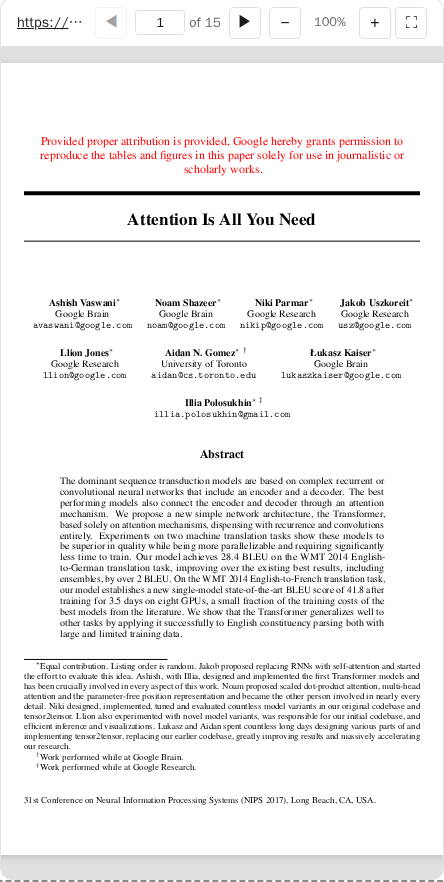
An interactive PDF viewer using PDF.js. Supports local files and remote URLs from academic sources (arxiv, biorxiv, zenodo, etc).
MCP Client Configuration
Add to your MCP client configuration (stdio transport):
{
  "mcpServers": {
    "pdf": {
      "command": "npx",
      "args": [
        "-y",
        "--silent",
        "--registry=https://registry.npmjs.org/",
        "@modelcontextprotocol/server-pdf",
        "--stdio"
      ]
    }
  }
}
Local Development
To test local modifications, use this configuration (replace ~/code/ext-apps with your clone path):
{
  "mcpServers": {
    "pdf": {
      "command": "bash",
      "args": [
        "-c",
        "cd ~/code/ext-apps/examples/pdf-server && npm run build >&2 && node dist/index.js --stdio"
      ]
    }
  }
}
What This Example Demonstrates
1. Chunked Data Through Size-Limited Tool Calls
On some host platforms, tool calls have size limits, so large PDFs cannot be sent in a single response. This example streams PDFs in chunks using HTTP Range requests:
Server side (server.ts):
// Returns chunks with pagination metadata
{
  (bytes, offset, byteCount, totalBytes, hasMore);
}
Client side (mcp-app.ts):
// Load in chunks with progress
while (hasMore) {
  const chunk = await app.callServerTool("read_pdf_bytes", { url, offset });
  chunks.push(base64ToBytes(chunk.bytes));
  offset += chunk.byteCount;
  hasMore = chunk.hasMore;
  updateProgress(offset, chunk.totalBytes);
}
2. Model Context Updates
The viewer keeps the model informed about what the user is seeing:
app.updateModelContext({
  content: [
    {
      type: "text",
      text: `PDF viewer | "${title}" | Current Page: ${page}/${total}\n\nPage content:\n${pageText}`,
    },
  ],
});
This enables the model to answer questions about the current page or selected text.
3. Display Modes: Fullscreen vs Inline
- Inline mode: App requests height changes to fit content
- Fullscreen mode: App fills the screen with internal scrolling
// Request fullscreen
app.requestDisplayMode({ mode: "fullscreen" });

// Listen for mode changes
app.ondisplaymodechange = (mode) => {
  if (mode === "fullscreen") enableScrolling();
  else disableScrolling();
};
4. External Links (openLink)
The viewer demonstrates opening external links (e.g., to the original arxiv page):
titleEl.onclick = () => app.openLink(sourceUrl);
5. View Persistence
Page position is saved per-view using viewUUID and localStorage.
6. Dark Mode / Theming
The viewer syncs with the host's theme using CSS light-dark() and the SDK's theming APIs:
app.onhostcontextchanged = (ctx) => {
  if (ctx.theme) applyDocumentTheme(ctx.theme);
  if (ctx.styles?.variables) applyHostStyleVariables(ctx.styles.variables);
};
Usage
# Default: loads a sample arxiv paper
bun examples/pdf-server/main.ts

# Load local files (converted to file:// URLs)
bun examples/pdf-server/main.ts ./docs/paper.pdf /path/to/thesis.pdf

# Load from URLs
bun examples/pdf-server/main.ts https://arxiv.org/pdf/2401.00001.pdf

# Mix local and remote
bun examples/pdf-server/main.ts ./local.pdf https://arxiv.org/pdf/2401.00001.pdf

# stdio mode for MCP clients
bun examples/pdf-server/main.ts --stdio ./papers/
Allowed Sources
- Local files: Must be passed as CLI arguments
- Remote URLs: arxiv.org, biorxiv.org, medrxiv.org, chemrxiv.org, zenodo.org, osf.io, hal.science, ssrn.com, and more
Tools
| Tool | Visibility | Purpose |
|---|---|---|
list_pdfs |
Model | List available local files and origins |
display_pdf |
Model + UI | Display interactive viewer |
read_pdf_bytes |
App only | Stream PDF data in chunks |
Architecture
server.ts      # MCP server + tools
main.ts        # CLI entry point
src/
└── mcp-app.ts # Interactive viewer UI (PDF.js)
Key Patterns Shown
| Pattern | Implementation |
|---|---|
| App-only tools | _meta: { ui: { visibility: ["app"] } } |
| Chunked responses | hasMore + offset pagination |
| Model context | app.updateModelContext() |
| Display modes | app.requestDisplayMode() |
| External links | app.openLink() |
| View persistence | viewUUID + localStorage |
| Theming | applyDocumentTheme() + CSS light-dark() |
Dependencies
pdfjs-dist: PDF rendering (frontend only)@modelcontextprotocol/ext-apps: MCP Apps SDK