- TypeScript 76.4%
- MDX 19.3%
- JavaScript 4.3%
| Filename | Latest commit message | Latest commit date |
|---|---|---|
 65a62a9fae
* feat: compile example servers to JavaScript for npm consumption
Add TypeScript compilation for server code so the example packages can be
imported and used by consumers without requiring TypeScript compilation.
Changes:
- Add tsconfig.server.json to each example for compiling server code
- Update package.json exports to point to compiled dist/server/server.js
- Add types field pointing to dist/server/server.d.ts
- Update build scripts to include server compilation step
- Fix .ts import extensions to .js in customer-segmentation-server
This enables importing the createServer function from published packages:
import { createServer } from '@modelcontextprotocol/server-basic-react';
* fix: add type assertion for Nominatim API response
* chore: regenerate schemas
* refactor: split server examples into library and binary entry points
- server.ts: exports createServer() only (library entry point)
- main.ts: entry point with main() that runs the server (binary)
- package.json: adds bin field for npx support, uses inline bun build
- tsconfig.server.json: emitDeclarationOnly, outputs to dist/
This allows:
1. Importing the server as a library: import { createServer } from '@modelcontextprotocol/server-basic-react'
2. Running with npx: npx @modelcontextprotocol/server-basic-react [--stdio]
Added migration script at scripts/migrate-server-examples.ts
* refactor: migrate remaining server examples to library/binary structure
Apply the same refactoring to all 13 remaining server examples:
- scenario-modeler-server, shadertoy-server, map-server
- cohort-heatmap-server, customer-segmentation-server, video-resource-server
- system-monitor-server, budget-allocator-server, sheet-music-server
- threejs-server, integration-server, transcript-server, wiki-explorer-server
Each now has:
- server.ts: exports createServer() (library)
- main.ts: runs the server (binary with shebang)
- bin field in package.json for npx support
* chore: remove unused server-utils.ts from video-resource-server/src
* update
* fix(build): make Windows-compatible by removing chmod and fixing bun externals
- Remove 'chmod +x dist/index.js' which doesn't exist on Windows
- Add '--external ./server.js' to prevent bun from treating the import as a second entry point
* fix(build): use .ts import for bun compatibility
- Change import from './server.js' to './server.ts' in main.ts files
- Remove --external flag since bun should inline everything
- Fixes Windows build where bun couldn't resolve .js to .ts properly
* fix(build): use --external for Windows bun compatibility
Bun on Windows incorrectly treats imported .ts files as entry points.
Use --external './server.js' to work around this, creating a runtime
dependency between index.js and server.js.
* style: fix prettier formatting in pdf-server/main.ts
* fix(build): remove quotes from --external for Windows cmd.exe compatibility
* fix(build): use glob pattern for --external to work on all platforms
The literal path --external ./server.js was not matching the import.
Using glob pattern --external "./server*" correctly externalizes the server module.
* fix(build): use */server.js pattern for --external
The "./server*" pattern was not matching on Windows.
Using "*/server.js" matches any path ending in /server.js which works cross-platform.
* fix(build): use *server.js pattern without slash for Windows compatibility
* update package-lock
* chore: regenerate package-lock.json for cross-platform compatibility
* fix(build): use ./server.js instead of glob pattern for Windows compatibility
* fix(build): use double quotes for banner to fix Windows cmd.exe compatibility
---------
Co-authored-by: Olivier Chafik <ochafik@anthropic.com>
|
||
| .github/workflows | ||
| .husky | ||
| docs | ||
| examples | ||
| plugins/mcp-apps | ||
| scripts | ||
| specification/draft | ||
| src | ||
| tests/e2e | ||
| .gitattributes | ||
| .gitignore | ||
| .prettierignore | ||
| .prettierrc.json | ||
| AGENTS.md | ||
| build.bun.ts | ||
| CLAUDE.md | ||
| CONTRIBUTING.md | ||
| LICENSE | ||
| package-lock.json | ||
| package.json | ||
| playwright.config.ts | ||
| README.md | ||
| RELEASES.md | ||
| tsconfig.json | ||
| typedoc.config.mjs | ||
@modelcontextprotocol/ext-apps


This repo contains the SDK and specification for MCP Apps Extension (SEP-1865).
MCP Apps are a proposed standard inspired by MCP-UI and OpenAI's Apps SDK to allow MCP Servers to display interactive UI elements in conversational MCP clients / chatbots.
How It Works
MCP Apps extend the Model Context Protocol to let servers deliver interactive UIs to MCP hosts. Here's how it works:
- Tool call — The LLM calls a tool on your server
- UI Resource — The tool's definition links to a predeclared
ui://resource containing its HTML interface - Host renders — The host fetches the resource and displays it in a sandboxed iframe
- Bidirectional communication — The host passes tool data to the UI via notifications, and the UI can call other tools through the host
This enables dashboards, forms, visualizations, and other rich experiences inside chat interfaces.
Overview
This SDK serves two audiences:
App Developers
Build interactive UIs that run inside MCP-enabled chat clients.
- SDK for Apps:
@modelcontextprotocol/ext-apps— API Docs - React hooks:
@modelcontextprotocol/ext-apps/react— API Docs
Host Developers
Embed and communicate with MCP Apps in your chat application.
- SDK for Hosts:
@modelcontextprotocol/ext-apps/app-bridge— API Docs
There's no supported host implementation in this repo (beyond the examples/basic-host example).
We have contributed a tentative implementation of hosting / iframing / sandboxing logic to the MCP-UI repository, and expect OSS clients may use it, while other clients might roll their own hosting logic.
Installation
npm install -S @modelcontextprotocol/ext-apps
Or edit your package.json manually:
{
  "dependencies": {
    "@modelcontextprotocol/ext-apps": "^0.0.1"
  }
}
Examples
 |
 |
 |
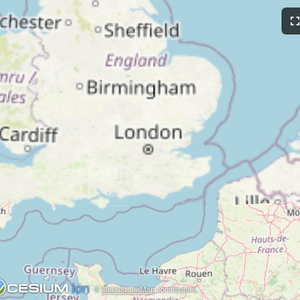
| Map | Three.js | ShaderToy |
 |
 |
 |
| Sheet Music | Wiki Explorer | Cohort Heatmap |
 |
 |
 |
| Scenario Modeler | Budget Allocator | Customer Segmentation |
 |
 |
 |
| System Monitor | Transcript | Video Resource |
 |
||
| PDF Server |
Starter Templates
 |
The same app built with different frameworks — pick your favorite! React · Vue · Svelte · Preact · Solid · Vanilla JS |
The examples/ directory contains additional demo apps showcasing real-world use cases.
To run all examples:
npm install
npm start
Then open http://localhost:8080/.