| Filename | Latest commit message | Latest commit date |
|---|---|---|
 94bc708963
Update all example servers to use the new recommended metadata format for associating UI resources with tools. The old `RESOURCE_URI_META_KEY` constant is deprecated in favor of the nested `_meta.ui.resourceUri` structure. Co-Authored-By: Claude Opus 4.5 <noreply@anthropic.com> |
||
| .. | ||
| src | ||
| mcp-app.html | ||
| package.json | ||
| README.md | ||
| server-utils.ts | ||
| server.ts | ||
| tsconfig.json | ||
| vite.config.ts | ||
Example: System Monitor App
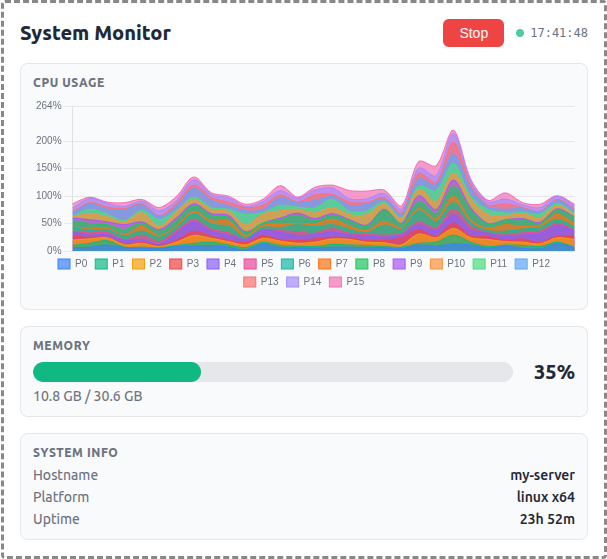
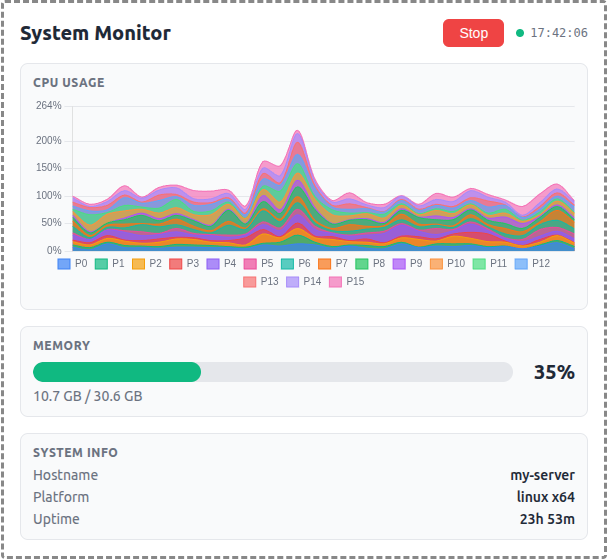
A demo MCP App that displays real-time OS metrics with a stacked area chart for per-core CPU usage and a bar gauge for memory.
 |
 |
 |
Features
- Per-Core CPU Monitoring: Stacked area chart showing individual CPU core utilization over a 1-minute sliding window
- Memory Usage: Horizontal bar gauge with color-coded thresholds (green/yellow/red)
- System Info: Hostname, platform, and uptime display
- Auto-Polling: Automatically starts monitoring on load with 2-second refresh interval
- Theme Support: Adapts to light/dark mode preferences
Running
-
Install dependencies:
npm install -
Build and start the server:
npm run start:http # for Streamable HTTP transport # OR npm run start:stdio # for stdio transport -
View using the
basic-hostexample or another MCP Apps-compatible host.
Architecture
Server (server.ts)
Exposes a single get-system-stats tool that returns:
- Raw per-core CPU timing data (idle/total counters)
- Memory usage (used/total/percentage)
- System info (hostname, platform, uptime)
The tool is linked to a UI resource via _meta.ui.resourceUri.
App (src/mcp-app.ts)
- Uses Chart.js for the stacked area chart visualization
- Polls the server tool every 2 seconds
- Computes CPU usage percentages client-side from timing deltas
- Maintains a 30-point history (1 minute at 2s intervals)
- Updates all UI elements on each poll