| Filename | Latest commit message | Latest commit date |
|---|---|---|
 9f09932baf
* build app-with-deps
* make registerAppTool more interchangeable w/ server.registerTool
* feat: use structuredContent in all example servers
All servers now return structuredContent alongside JSON text content.
All mcp-apps now read structuredContent directly (no JSON.parse fallback).
Updated servers:
- basic-server-vanillajs
- budget-allocator-server
- cohort-heatmap-server
- customer-segmentation-server
- integration-server
- scenario-modeler-server
- system-monitor-server
- threejs-server
- video-resource-server
- wiki-explorer-server
* feat: add outputSchema to all example servers
Define output schemas for structuredContent validation:
- basic-server-vanillajs: { time: string }
- budget-allocator-server: BudgetDataResponseSchema
- cohort-heatmap-server: CohortDataSchema
- customer-segmentation-server: customers/segments schema
- integration-server: { time: string }
- scenario-modeler-server: templates/defaultInputs schema
- system-monitor-server: SystemStatsSchema
- threejs-server: { code, height }
- video-resource-server: { videoUri, description }
- wiki-explorer-server: { page, links, error }
* prettier:fix
* make registerAppTool more interchangeable w/ server.registerTool
* feat: use structuredContent in all example servers
All servers now return structuredContent alongside JSON text content.
All mcp-apps now read structuredContent directly (no JSON.parse fallback).
Updated servers:
- basic-server-vanillajs
- budget-allocator-server
- cohort-heatmap-server
- customer-segmentation-server
- integration-server
- scenario-modeler-server
- system-monitor-server
- threejs-server
- video-resource-server
- wiki-explorer-server
* feat: add outputSchema to all example servers
Define output schemas for structuredContent validation:
- basic-server-vanillajs: { time: string }
- budget-allocator-server: BudgetDataResponseSchema
- cohort-heatmap-server: CohortDataSchema
- customer-segmentation-server: customers/segments schema
- integration-server: { time: string }
- scenario-modeler-server: templates/defaultInputs schema
- system-monitor-server: SystemStatsSchema
- threejs-server: { code, height }
- video-resource-server: { videoUri, description }
- wiki-explorer-server: { page, links, error }
* prettier:fix
* revert: remove unrelated workflow, version, and arch changes
* chore: update package-lock.json
* refactor(basic-server-vanillajs): address PR review comments
- Simplify server.ts to return plain time string in text content (not JSON),
matching the quickstart guide pattern
- Add defensive coding in mcp-app.ts with optional chaining and fallback
to handle potential type mismatches gracefully
* refactor: restore rich text formatting for LLM-readable content
Restore the human-readable text formatting functions that were removed,
providing meaningful summaries in the text content while keeping
structuredContent for programmatic UI consumption:
- budget-allocator-server: formatBudgetSummary with config overview
- cohort-heatmap-server: formatCohortSummary with retention stats
- scenario-modeler-server: formatScenarioSummary with financial metrics
|
||
| .. | ||
| src | ||
| mcp-app.html | ||
| package.json | ||
| README.md | ||
| server-utils.ts | ||
| server.ts | ||
| tsconfig.json | ||
| vite.config.ts | ||
Example: Wiki Explorer
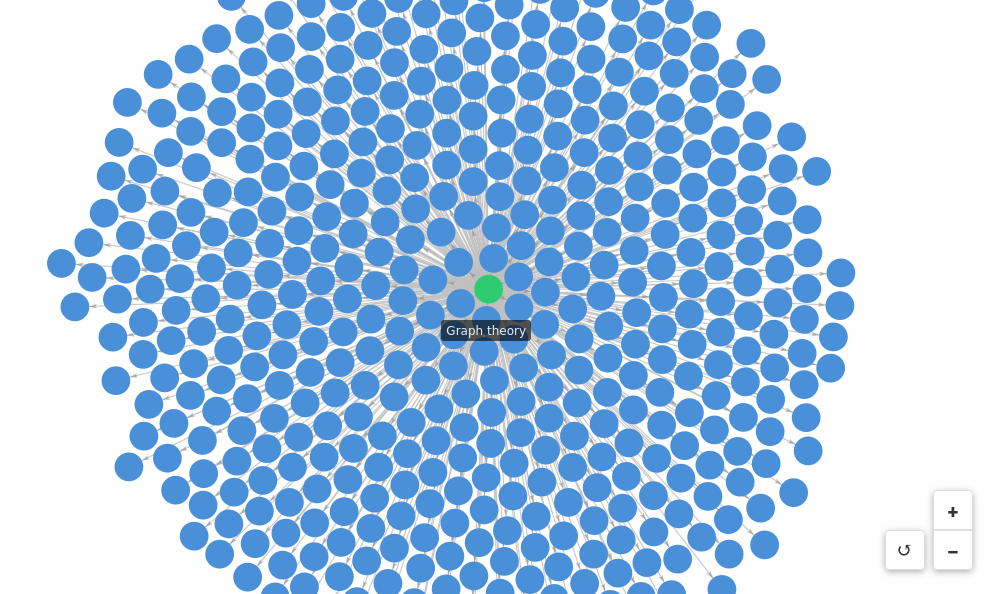
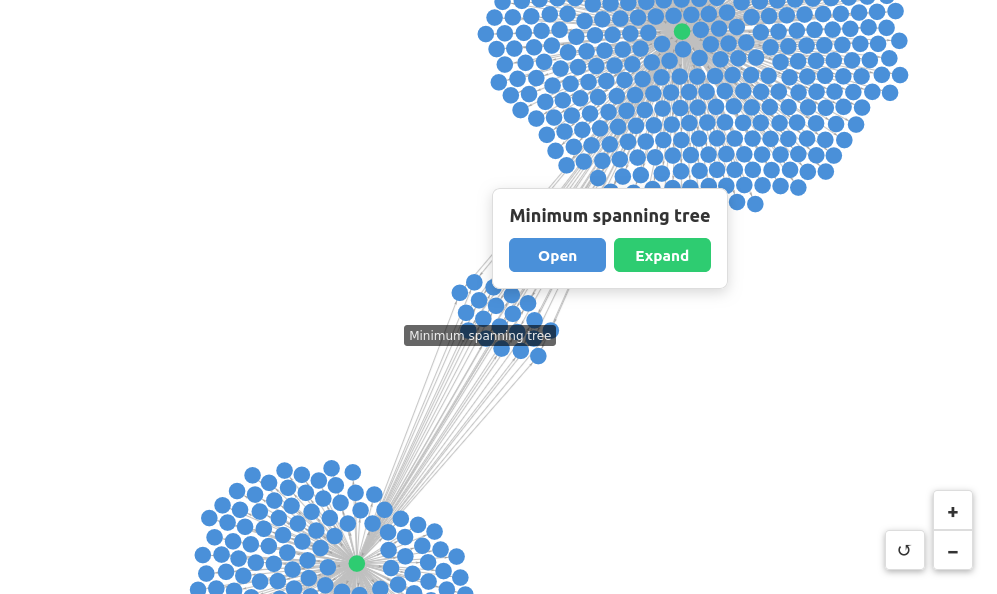
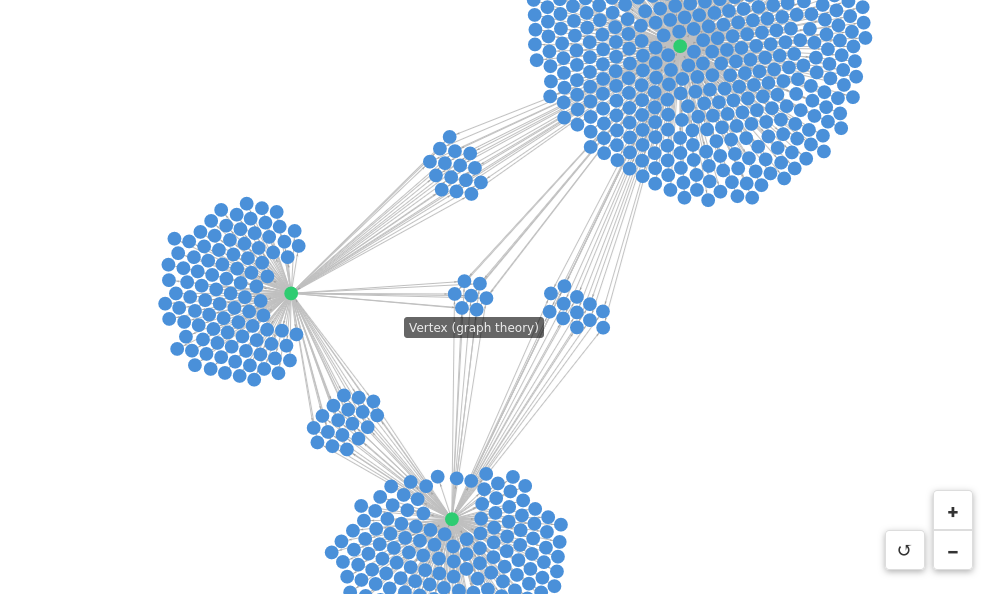
Visualizes Wikipedia link graphs using a force-directed layout. Explore how Wikipedia pages are connected by expanding nodes to reveal first-degree links.
 |
 |
 |
Features
- Force-directed graph visualization: Interactive graph powered by
force-graph - Node expansion: Click any node to expand and see all pages it links to
- Visual state tracking: Nodes change color based on state (blue = default, green = expanded, red = error)
- Direct page access: Open any Wikipedia page in your browser
Running
-
Install dependencies:
npm install -
Build and start the server:
npm run start:http # for Streamable HTTP transport # OR npm run start:stdio # for stdio transport -
View using the
basic-hostexample or another MCP Apps-compatible host.
Tool Input
To test the example, call the get-first-degree-links tool with a Wikipedia URL:
{
  "url": "https://en.wikipedia.org/wiki/Graph_theory"
}
Click nodes in the graph to Open (view in browser) or Expand (visualize linked pages).
Architecture
Server (server.ts)
MCP server that fetches Wikipedia pages and extracts internal links.
Exposes one tool:
get-first-degree-links- Returns links to other Wikipedia pages from a given page
App (src/mcp-app.ts)
Vanilla TypeScript app using force-graph for visualization that:
- Receives tool inputs via the MCP App SDK
- Renders an interactive force-directed graph
- Supports node expansion to explore link relationships