| Filename | Latest commit message | Latest commit date |
|---|---|---|
 8550545ccb
According to spec, mimeType should be present in both the resource declaration and the resource content. This adds the missing mimeType to the registerResource() declaration (third parameter) in all example servers and the quickstart documentation. 🤖 Generated with [Claude Code](https://claude.com/claude-code) Co-authored-by: Claude <noreply@anthropic.com> Co-authored-by: ochafik <olivier.chafik@gmail.com> |
||
| .. | ||
| src | ||
| mcp-app.html | ||
| package.json | ||
| README.md | ||
| server.ts | ||
| tsconfig.json | ||
| vite.config.ts | ||
Example: System Monitor App
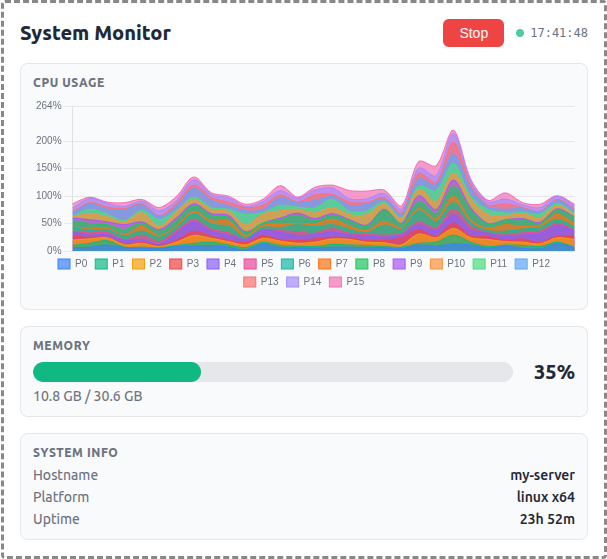
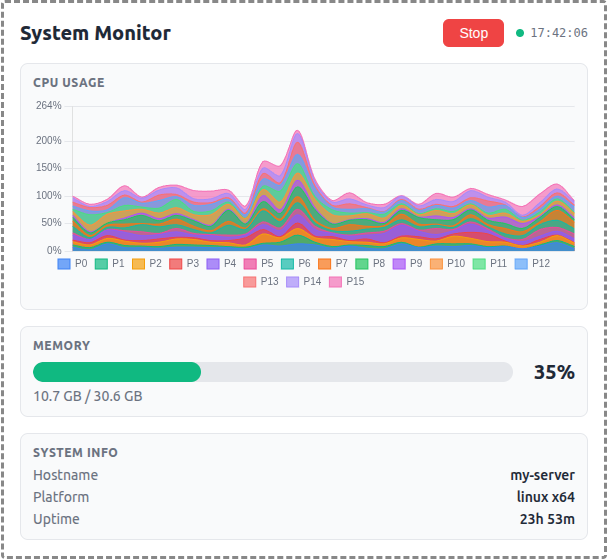
A demo MCP App that displays real-time OS metrics with a stacked area chart for per-core CPU usage and a bar gauge for memory.
 |
 |
 |
Features
- Per-Core CPU Monitoring: Stacked area chart showing individual CPU core utilization over a 1-minute sliding window
- Memory Usage: Horizontal bar gauge with color-coded thresholds (green/yellow/red)
- System Info: Hostname, platform, and uptime display
- Auto-Polling: Automatically starts monitoring on load with 2-second refresh interval
- Theme Support: Adapts to light/dark mode preferences
Running
-
Install dependencies:
npm install -
Build and start the server:
npm run start:http # for Streamable HTTP transport # OR npm run start:stdio # for stdio transport -
View using the
basic-hostexample or another MCP Apps-compatible host.
Architecture
Server (server.ts)
Exposes a single get-system-stats tool that returns:
- Raw per-core CPU timing data (idle/total counters)
- Memory usage (used/total/percentage)
- System info (hostname, platform, uptime)
The tool is linked to a UI resource via _meta[RESOURCE_URI_META_KEY].
App (src/mcp-app.ts)
- Uses Chart.js for the stacked area chart visualization
- Polls the server tool every 2 seconds
- Computes CPU usage percentages client-side from timing deltas
- Maintains a 30-point history (1 minute at 2s intervals)
- Updates all UI elements on each poll