- TypeScript 76.4%
- MDX 19.3%
- JavaScript 4.3%
| Filename | Latest commit message | Latest commit date |
|---|---|---|
 89f58bf555
* Add appCapabilities.availableDisplayModes documentation to spec Document the availableDisplayModes field in McpUiAppCapabilities that allows apps to declare which display modes they support. This enables hosts to compute the intersection of host and app capabilities and only offer appropriate display mode controls. 🤖 Generated with [Claude Code](https://claude.com/claude-code) Co-Authored-By: Claude <noreply@anthropic.com> * Address PR review feedback - Change "Guest UI" to "View" terminology - Add "View" prefix to availableDisplayModes heading for disambiguation - Remove intersection logic - host only checks its own supported modes - Remove assumption that apps must support inline mode - Simplify host behavior to honor/reject based on its own capabilities 🤖 Generated with [Claude Code](https://claude.com/claude-code) Co-Authored-By: Claude <noreply@anthropic.com> * Add appCapabilities.availableDisplayModes to types - Add `availableDisplayModes` field to `McpUiAppCapabilities` so apps can declare which display modes they support - Change `HostContext.availableDisplayModes` type from `string[]` to `McpUiDisplayMode[]` for type safety - Regenerate schemas 🤖 Generated with [Claude Code](https://claude.com/claude-code) Co-Authored-By: Claude <noreply@anthropic.com> * Address Olivier's feedback - consolidate display mode docs - Remove separate "App Capabilities" section for availableDisplayModes - Add display mode requirements to existing ui/request-display-mode section: - Host MUST NOT switch View to mode not in appCapabilities.availableDisplayModes - Host MAY decline requests from Views that didn't declare modes - View MUST declare supported modes during initialization 🤖 Generated with [Claude Code](https://claude.com/claude-code) Co-Authored-By: Claude <noreply@anthropic.com> * Restore McpUiAppCapabilities docs and fix display mode clause - Restore McpUiAppCapabilities interface documentation with availableDisplayModes - Restore "View MUST check if the requested mode is in availableDisplayModes from host context" clause that was accidentally removed 🤖 Generated with [Claude Code](https://claude.com/claude-code) Co-Authored-By: Claude <noreply@anthropic.com> * Create unified Display Modes section Consolidate all display mode documentation into a single section: - Display mode types (inline, fullscreen, pip) - Declaring support from View (appCapabilities.availableDisplayModes) - Declaring support from Host (HostContext.availableDisplayModes) - Requesting changes (ui/request-display-mode) - Notifying changes (ui/notifications/host-context-changed) - All MUST/SHOULD requirements for View and Host behavior The ui/request-display-mode in Requests section now references the Display Modes section for behavior details. 🤖 Generated with [Claude Code](https://claude.com/claude-code) Co-Authored-By: Claude <noreply@anthropic.com> * Remove mode coercion clause from display modes 🤖 Generated with [Claude Code](https://claude.com/claude-code) Co-Authored-By: Claude <noreply@anthropic.com> * Regenerate schemas with correct version 🤖 Generated with [Claude Code](https://claude.com/claude-code) Co-Authored-By: Claude <noreply@anthropic.com> --------- Co-authored-by: Claude <noreply@anthropic.com> |
||
| .claude-plugin | ||
| .github/workflows | ||
| .husky | ||
| docs | ||
| examples | ||
| plugins/mcp-apps | ||
| scripts | ||
| specification/draft | ||
| src | ||
| tests/e2e | ||
| .gitattributes | ||
| .gitignore | ||
| .prettierignore | ||
| .prettierrc.json | ||
| AGENTS.md | ||
| build.bun.ts | ||
| CLAUDE.md | ||
| CONTRIBUTING.md | ||
| LICENSE | ||
| package-lock.json | ||
| package.json | ||
| playwright.config.ts | ||
| README.md | ||
| RELEASES.md | ||
| tsconfig.json | ||
| typedoc.config.mjs | ||
@modelcontextprotocol/ext-apps


This repo contains the SDK and specification for MCP Apps Extension (SEP-1865).
MCP Apps are a proposed standard inspired by MCP-UI and OpenAI's Apps SDK to allow MCP Servers to display interactive UI elements in conversational MCP clients / chatbots.
How It Works
MCP Apps extend the Model Context Protocol to let servers deliver interactive UIs to MCP hosts. Here's how it works:
- Tool call — The LLM calls a tool on your server
- UI Resource — The tool's definition links to a predeclared
ui://resource containing its HTML interface - Host renders — The host fetches the resource and displays it in a sandboxed iframe
- Bidirectional communication — The host passes tool data to the UI via notifications, and the UI can call other tools through the host
This enables dashboards, forms, visualizations, and other rich experiences inside chat interfaces.
Overview
This SDK serves two audiences:
App Developers
Build interactive UIs that run inside MCP-enabled chat clients.
- SDK for Apps:
@modelcontextprotocol/ext-apps— API Docs - React hooks:
@modelcontextprotocol/ext-apps/react— API Docs
Host Developers
Embed and communicate with MCP Apps in your chat application.
- SDK for Hosts:
@modelcontextprotocol/ext-apps/app-bridge— API Docs
There's no supported host implementation in this repo (beyond the examples/basic-host example).
We have contributed a tentative implementation of hosting / iframing / sandboxing logic to the MCP-UI repository, and expect OSS clients may use it, while other clients might roll their own hosting logic.
Installation
npm install -S @modelcontextprotocol/ext-apps
Claude Code Plugin
A Claude Code plugin is available to help create MCP Apps. To install, run these commands inside Claude Code:
/plugin marketplace add modelcontextprotocol/ext-apps
/plugin install mcp-apps@modelcontextprotocol-ext-apps
Examples
 |
 |
 |
| Map | Three.js | ShaderToy |
 |
 |
 |
| Sheet Music | Wiki Explorer | Cohort Heatmap |
 |
 |
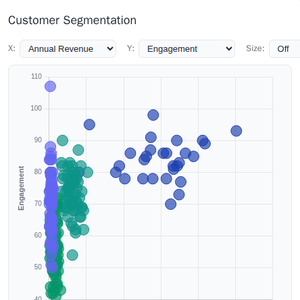 |
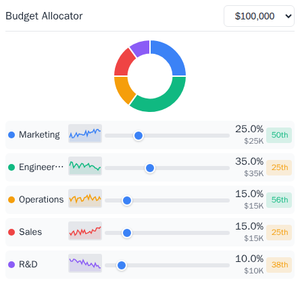
| Scenario Modeler | Budget Allocator | Customer Segmentation |
 |
 |
 |
| System Monitor | Transcript | Video Resource |
 |
 |
 |
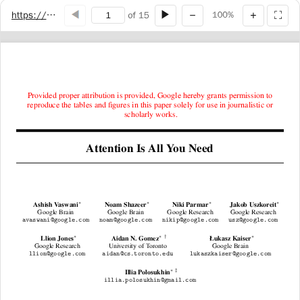
| PDF Server | QR Code (Python) | Say Demo |
Starter Templates
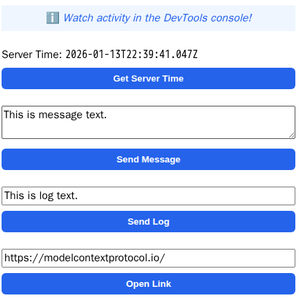 |
The same app built with different frameworks — pick your favorite! React · Vue · Svelte · Preact · Solid · Vanilla JS |
The examples/ directory contains additional demo apps showcasing real-world use cases.
MCP client configuration for all examples
Add to your MCP client configuration (stdio transport):
{
  "mcpServers": {
    "basic-react": {
      "command": "npx",
      "args": [
        "-y",
        "--silent",
        "--registry=https://registry.npmjs.org/",
        "@modelcontextprotocol/server-basic-react",
        "--stdio"
      ]
    },
    "basic-vanillajs": {
      "command": "npx",
      "args": [
        "-y",
        "--silent",
        "--registry=https://registry.npmjs.org/",
        "@modelcontextprotocol/server-basic-vanillajs",
        "--stdio"
      ]
    },
    "basic-vue": {
      "command": "npx",
      "args": [
        "-y",
        "--silent",
        "--registry=https://registry.npmjs.org/",
        "@modelcontextprotocol/server-basic-vue",
        "--stdio"
      ]
    },
    "basic-svelte": {
      "command": "npx",
      "args": [
        "-y",
        "--silent",
        "--registry=https://registry.npmjs.org/",
        "@modelcontextprotocol/server-basic-svelte",
        "--stdio"
      ]
    },
    "basic-preact": {
      "command": "npx",
      "args": [
        "-y",
        "--silent",
        "--registry=https://registry.npmjs.org/",
        "@modelcontextprotocol/server-basic-preact",
        "--stdio"
      ]
    },
    "basic-solid": {
      "command": "npx",
      "args": [
        "-y",
        "--silent",
        "--registry=https://registry.npmjs.org/",
        "@modelcontextprotocol/server-basic-solid",
        "--stdio"
      ]
    },
    "budget-allocator": {
      "command": "npx",
      "args": [
        "-y",
        "--silent",
        "--registry=https://registry.npmjs.org/",
        "@modelcontextprotocol/server-budget-allocator",
        "--stdio"
      ]
    },
    "cohort-heatmap": {
      "command": "npx",
      "args": [
        "-y",
        "--silent",
        "--registry=https://registry.npmjs.org/",
        "@modelcontextprotocol/server-cohort-heatmap",
        "--stdio"
      ]
    },
    "customer-segmentation": {
      "command": "npx",
      "args": [
        "-y",
        "--silent",
        "--registry=https://registry.npmjs.org/",
        "@modelcontextprotocol/server-customer-segmentation",
        "--stdio"
      ]
    },
    "map": {
      "command": "npx",
      "args": [
        "-y",
        "--silent",
        "--registry=https://registry.npmjs.org/",
        "@modelcontextprotocol/server-map",
        "--stdio"
      ]
    },
    "pdf": {
      "command": "npx",
      "args": [
        "-y",
        "--silent",
        "--registry=https://registry.npmjs.org/",
        "@modelcontextprotocol/server-pdf",
        "--stdio"
      ]
    },
    "scenario-modeler": {
      "command": "npx",
      "args": [
        "-y",
        "--silent",
        "--registry=https://registry.npmjs.org/",
        "@modelcontextprotocol/server-scenario-modeler",
        "--stdio"
      ]
    },
    "shadertoy": {
      "command": "npx",
      "args": [
        "-y",
        "--silent",
        "--registry=https://registry.npmjs.org/",
        "@modelcontextprotocol/server-shadertoy",
        "--stdio"
      ]
    },
    "sheet-music": {
      "command": "npx",
      "args": [
        "-y",
        "--silent",
        "--registry=https://registry.npmjs.org/",
        "@modelcontextprotocol/server-sheet-music",
        "--stdio"
      ]
    },
    "system-monitor": {
      "command": "npx",
      "args": [
        "-y",
        "--silent",
        "--registry=https://registry.npmjs.org/",
        "@modelcontextprotocol/server-system-monitor",
        "--stdio"
      ]
    },
    "threejs": {
      "command": "npx",
      "args": [
        "-y",
        "--silent",
        "--registry=https://registry.npmjs.org/",
        "@modelcontextprotocol/server-threejs",
        "--stdio"
      ]
    },
    "transcript": {
      "command": "npx",
      "args": [
        "-y",
        "--silent",
        "--registry=https://registry.npmjs.org/",
        "@modelcontextprotocol/server-transcript",
        "--stdio"
      ]
    },
    "video-resource": {
      "command": "npx",
      "args": [
        "-y",
        "--silent",
        "--registry=https://registry.npmjs.org/",
        "@modelcontextprotocol/server-video-resource",
        "--stdio"
      ]
    },
    "wiki-explorer": {
      "command": "npx",
      "args": [
        "-y",
        "--silent",
        "--registry=https://registry.npmjs.org/",
        "@modelcontextprotocol/server-wiki-explorer",
        "--stdio"
      ]
    },
    "qr": {
      "command": "uv",
      "args": [
        "run",
        "/path/to/ext-apps/examples/qr-server/server.py",
        "--stdio"
      ]
    },
    "say": {
      "command": "uv",
      "args": [
        "run",
        "--default-index",
        "https://pypi.org/simple",
        "https://raw.githubusercontent.com/modelcontextprotocol/ext-apps/refs/heads/main/examples/say-server/server.py",
        "--stdio"
      ]
    }
  }
}
Note: The
qrserver requires cloning the repository first. See qr-server README for details.
To run all examples locally in dev mode:
npm install
npm start
Then open http://localhost:8080/.