- TypeScript 76.4%
- MDX 19.3%
- JavaScript 4.3%
| Filename | Latest commit message | Latest commit date |
|---|---|---|
 8a877b36b4
* feat(examples): add debug-server example A comprehensive debug/development server for testing MCP Apps SDK features: - Vanilla TypeScript UI with collapsible panels - Message visualization (sent, received, errors) - Server tool calling interface - Multiple tool endpoints for testing * refactor(debug-server): convert to React - Replace vanilla TypeScript with React components - Add comprehensive Host Styles panel showing all CSS variables grouped by category - Use React hooks (useApp, useHostStyles, useAutoResize) - Cleaner state management with useReducer for event log - Collapsible sections for better organization - CSS modules for scoped styling * fix(debug-server): correct server name in main.ts * Revert "refactor(debug-server): convert to React" This reverts commit 5d22d2daa9a98ba412892447202ef10fbdb62f5b. * fix(debug-server): update default values for multipleBlocks and includeMeta * fix(debug-server): correct serve script and server name - serve script now runs main.ts instead of server.ts - Updated server name to 'Debug Server' - Fixed npx command in comment * fix: increase maxHeight to 6000px and add tools capability to debug app - basic-host: Increase maxHeight from 600 to 6000px - debug-server: Add tools capability to enable oncalltool/onlisttools handlers * fix(debug-server): use consistent callback names for event tracking Event types now match callback names (ontoolinput, ontoolresult, etc.) so the Callback Status panel shows correct counts and payloads. * feat(debug-server): add Update (Image) button for model context * feat(debug-server): add expandable event log entries - Click on any event log row to expand/collapse - Arrow indicator rotates when expanded - Full JSON payload shown indented in pre block - Max height with scroll for large payloads * style(debug-server): format long line in fullPayload function * test(debug-server): add to E2E tests and screenshot specs * chore: regenerate package-lock.json for cross-platform compatibility * update dep |
||
| .claude-plugin | ||
| .github/workflows | ||
| .husky | ||
| docs | ||
| examples | ||
| plugins/mcp-apps | ||
| scripts | ||
| specification/draft | ||
| src | ||
| tests/e2e | ||
| .gitattributes | ||
| .gitignore | ||
| .prettierignore | ||
| .prettierrc.json | ||
| AGENTS.md | ||
| build.bun.ts | ||
| CLAUDE.md | ||
| CONTRIBUTING.md | ||
| LICENSE | ||
| package-lock.json | ||
| package.json | ||
| playwright.config.ts | ||
| README.md | ||
| RELEASES.md | ||
| tsconfig.json | ||
| typedoc.config.mjs | ||
@modelcontextprotocol/ext-apps


This repo contains the SDK and specification for MCP Apps Extension (SEP-1865).
MCP Apps are a proposed standard inspired by MCP-UI and OpenAI's Apps SDK to allow MCP Servers to display interactive UI elements in conversational MCP clients / chatbots.
How It Works
MCP Apps extend the Model Context Protocol to let servers deliver interactive UIs to MCP hosts. Here's how it works:
- Tool call — The LLM calls a tool on your server
- UI Resource — The tool's definition links to a predeclared
ui://resource containing its HTML interface - Host renders — The host fetches the resource and displays it in a sandboxed iframe
- Bidirectional communication — The host passes tool data to the UI via notifications, and the UI can call other tools through the host
This enables dashboards, forms, visualizations, and other rich experiences inside chat interfaces.
Overview
This SDK serves two audiences:
App Developers
Build interactive UIs that run inside MCP-enabled chat clients.
- SDK for Apps:
@modelcontextprotocol/ext-apps— API Docs - React hooks:
@modelcontextprotocol/ext-apps/react— API Docs
Host Developers
Embed and communicate with MCP Apps in your chat application.
- SDK for Hosts:
@modelcontextprotocol/ext-apps/app-bridge— API Docs
There's no supported host implementation in this repo (beyond the examples/basic-host example).
We have contributed a tentative implementation of hosting / iframing / sandboxing logic to the MCP-UI repository, and expect OSS clients may use it, while other clients might roll their own hosting logic.
Installation
npm install -S @modelcontextprotocol/ext-apps
Claude Code Plugin
A Claude Code plugin is available to help create MCP Apps. To install, run these commands inside Claude Code:
/plugin marketplace add modelcontextprotocol/ext-apps
/plugin install mcp-apps@modelcontextprotocol-ext-apps
Examples
 |
 |
 |
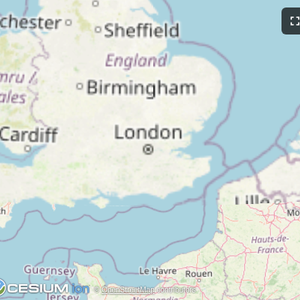
| Map | Three.js | ShaderToy |
 |
 |
 |
| Sheet Music | Wiki Explorer | Cohort Heatmap |
 |
 |
 |
| Scenario Modeler | Budget Allocator | Customer Segmentation |
 |
 |
 |
| System Monitor | Transcript | Video Resource |
 |
 |
 |
| PDF Server | QR Code (Python) | Say Demo |
Starter Templates
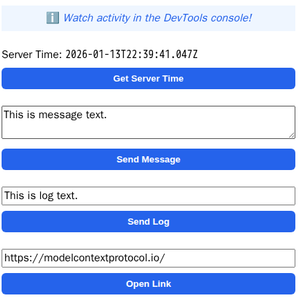 |
The same app built with different frameworks — pick your favorite! React · Vue · Svelte · Preact · Solid · Vanilla JS |
The examples/ directory contains additional demo apps showcasing real-world use cases.
MCP client configuration for all examples
Add to your MCP client configuration (stdio transport):
{
  "mcpServers": {
    "basic-react": {
      "command": "npx",
      "args": [
        "-y",
        "--silent",
        "--registry=https://registry.npmjs.org/",
        "@modelcontextprotocol/server-basic-react",
        "--stdio"
      ]
    },
    "basic-vanillajs": {
      "command": "npx",
      "args": [
        "-y",
        "--silent",
        "--registry=https://registry.npmjs.org/",
        "@modelcontextprotocol/server-basic-vanillajs",
        "--stdio"
      ]
    },
    "basic-vue": {
      "command": "npx",
      "args": [
        "-y",
        "--silent",
        "--registry=https://registry.npmjs.org/",
        "@modelcontextprotocol/server-basic-vue",
        "--stdio"
      ]
    },
    "basic-svelte": {
      "command": "npx",
      "args": [
        "-y",
        "--silent",
        "--registry=https://registry.npmjs.org/",
        "@modelcontextprotocol/server-basic-svelte",
        "--stdio"
      ]
    },
    "basic-preact": {
      "command": "npx",
      "args": [
        "-y",
        "--silent",
        "--registry=https://registry.npmjs.org/",
        "@modelcontextprotocol/server-basic-preact",
        "--stdio"
      ]
    },
    "basic-solid": {
      "command": "npx",
      "args": [
        "-y",
        "--silent",
        "--registry=https://registry.npmjs.org/",
        "@modelcontextprotocol/server-basic-solid",
        "--stdio"
      ]
    },
    "budget-allocator": {
      "command": "npx",
      "args": [
        "-y",
        "--silent",
        "--registry=https://registry.npmjs.org/",
        "@modelcontextprotocol/server-budget-allocator",
        "--stdio"
      ]
    },
    "cohort-heatmap": {
      "command": "npx",
      "args": [
        "-y",
        "--silent",
        "--registry=https://registry.npmjs.org/",
        "@modelcontextprotocol/server-cohort-heatmap",
        "--stdio"
      ]
    },
    "customer-segmentation": {
      "command": "npx",
      "args": [
        "-y",
        "--silent",
        "--registry=https://registry.npmjs.org/",
        "@modelcontextprotocol/server-customer-segmentation",
        "--stdio"
      ]
    },
    "map": {
      "command": "npx",
      "args": [
        "-y",
        "--silent",
        "--registry=https://registry.npmjs.org/",
        "@modelcontextprotocol/server-map",
        "--stdio"
      ]
    },
    "pdf": {
      "command": "npx",
      "args": [
        "-y",
        "--silent",
        "--registry=https://registry.npmjs.org/",
        "@modelcontextprotocol/server-pdf",
        "--stdio"
      ]
    },
    "scenario-modeler": {
      "command": "npx",
      "args": [
        "-y",
        "--silent",
        "--registry=https://registry.npmjs.org/",
        "@modelcontextprotocol/server-scenario-modeler",
        "--stdio"
      ]
    },
    "shadertoy": {
      "command": "npx",
      "args": [
        "-y",
        "--silent",
        "--registry=https://registry.npmjs.org/",
        "@modelcontextprotocol/server-shadertoy",
        "--stdio"
      ]
    },
    "sheet-music": {
      "command": "npx",
      "args": [
        "-y",
        "--silent",
        "--registry=https://registry.npmjs.org/",
        "@modelcontextprotocol/server-sheet-music",
        "--stdio"
      ]
    },
    "system-monitor": {
      "command": "npx",
      "args": [
        "-y",
        "--silent",
        "--registry=https://registry.npmjs.org/",
        "@modelcontextprotocol/server-system-monitor",
        "--stdio"
      ]
    },
    "threejs": {
      "command": "npx",
      "args": [
        "-y",
        "--silent",
        "--registry=https://registry.npmjs.org/",
        "@modelcontextprotocol/server-threejs",
        "--stdio"
      ]
    },
    "transcript": {
      "command": "npx",
      "args": [
        "-y",
        "--silent",
        "--registry=https://registry.npmjs.org/",
        "@modelcontextprotocol/server-transcript",
        "--stdio"
      ]
    },
    "video-resource": {
      "command": "npx",
      "args": [
        "-y",
        "--silent",
        "--registry=https://registry.npmjs.org/",
        "@modelcontextprotocol/server-video-resource",
        "--stdio"
      ]
    },
    "wiki-explorer": {
      "command": "npx",
      "args": [
        "-y",
        "--silent",
        "--registry=https://registry.npmjs.org/",
        "@modelcontextprotocol/server-wiki-explorer",
        "--stdio"
      ]
    },
    "qr": {
      "command": "uv",
      "args": [
        "run",
        "/path/to/ext-apps/examples/qr-server/server.py",
        "--stdio"
      ]
    },
    "say": {
      "command": "uv",
      "args": [
        "run",
        "--default-index",
        "https://pypi.org/simple",
        "https://raw.githubusercontent.com/modelcontextprotocol/ext-apps/refs/heads/main/examples/say-server/server.py",
        "--stdio"
      ]
    }
  }
}
Note: The
qrserver requires cloning the repository first. See qr-server README for details.
To run all examples locally in dev mode:
npm install
npm start
Then open http://localhost:8080/.