| Filename | Latest commit message | Latest commit date |
|---|---|---|
 3fb521b71f
* feat: Add tool registration and bidirectional tool support This PR adds comprehensive tool support for MCP Apps, enabling apps to register their own tools and handle tool calls from the host. - Add `registerTool()` method for registering tools with input/output schemas - Add `oncalltool` setter for handling tool call requests from host - Add `onlisttools` setter for handling tool list requests from host - Add `sendToolListChanged()` for notifying host of tool updates - Registered tools support enable/disable/update/remove operations - Add `sendCallTool()` method for calling tools on the app - Add `sendListTools()` method for listing available app tools - Fix: Use correct ListToolsResultSchema (was ListToolsRequestSchema) - Add comprehensive tests for tool registration lifecycle - Add tests for input/output schema validation - Add tests for bidirectional tool call communication - Add tests for tool list change notifications - All 27 tests passing 🤖 Generated with [Claude Code](https://claude.com/claude-code) Co-Authored-By: Claude <noreply@anthropic.com> * nits * Update apps.mdx * feat: Add automatic request handlers for app tool registration Implement automatic `oncalltool` and `onlisttools` handlers that are initialized when apps register tools. This removes the need for manual handler setup and ensures tools work seamlessly out of the box. - Add automatic `oncalltool` handler that routes calls to registered tools - Add automatic `onlisttools` handler that returns full Tool objects with JSON schemas - Convert Zod schemas to MCP-compliant JSON Schema using `zod-to-json-schema` - Add 27 comprehensive tests covering automatic handlers and tool lifecycle - Test coverage includes error handling, schema validation, and multi-app isolation 🤖 Generated with [Claude Code](https://claude.com/claude-code) Co-Authored-By: Claude <noreply@anthropic.com> * type updates * fix: Ensure tools/list returns valid JSON Schema for all tools - Always return inputSchema as object (never undefined) - Keep filter for enabled tools only in list - Update test to match behavior (only enabled tools in list) 🤖 Generated with [Claude Code](https://claude.com/claude-code) Co-Authored-By: Claude <noreply@anthropic.com> * type updates * rm zod-to-json-schema * fix: Update RegisteredTool to use 'handler' instead of 'callback' (SDK API change) * refactor: Rename sendCallTool/sendListTools to callTool/listTools Avoid double-verb naming pattern for consistency with existing API. * feat: Add screenshot and click support to SDK - Add McpUiScreenshotRequest/Result and McpUiClickRequest/Result types - Add onscreenshot and onclick handlers to App class - Add screenshot() and click() methods to AppBridge class - Generate updated Zod schemas * feat(map-server): Enable registerTool with navigate-to and get-current-view - Uncomment and fix the navigate-to tool for animated navigation - Add get-current-view tool to query camera position and bounding box - Add flyToBoundingBox function for smooth camera animation - Add setLabel function for displaying location labels * feat(pdf-server): Add widget interaction tools - get-document-info: Get title, current page, total pages, zoom level - go-to-page: Navigate to a specific page - get-page-text: Extract text from a page - search-text: Search for text across the document - set-zoom: Adjust zoom level * feat(shadertoy-server): Add widget interaction tools * feat(examples): Add widget interaction tools to budget-allocator, shadertoy, wiki-explorer, and threejs budget-allocator: - get-allocations: Get current budget allocations - set-allocation: Set allocation for a category - set-total-budget: Adjust total budget - set-company-stage: Change stage for benchmarks - get-benchmark-comparison: Compare against benchmarks shadertoy: - set-shader-source: Update shader source code - get-shader-info: Get shader source and compilation status - Sends errors via updateModelContext wiki-explorer: - search-article: Search for Wikipedia articles - get-current-article: Get current article info - highlight-node: Highlight a graph node - get-visible-nodes: List visible nodes threejs: - set-scene-source: Update the Three.js scene source code - get-scene-info: Get current scene state and any errors - Sends syntax errors to model via updateModelContext * feat: Add expand-node tool to wiki-explorer and update tool descriptions Wiki Explorer: - Add expand-node tool - the critical missing tool for graph exploration - Claude can now programmatically expand nodes to discover linked articles Server descriptions updated to mention widget tools: - map-server: navigate-to, get-current-view - pdf-server: go-to-page, get-page-text, search-text, set-zoom, get-document-info - budget-allocator: get-allocations, set-allocation, set-total-budget, etc. - shadertoy: set-shader-source, get-shader-info - wiki-explorer: expand-node, search-article, highlight-node, etc. All descriptions now mention 'Use list_widget_tools to discover available actions.' * refactor: Simplify tool descriptions - remove client implementation details The server tool descriptions now just mention that widgets are interactive and can be controlled, without teaching the model about list_widget_tools (which is the client's responsibility to teach). Before: 'The widget exposes tools: X, Y, Z. Use list_widget_tools to discover...' After: 'The widget is interactive and exposes tools for X and Y.' * Remove ui/screenshot and ui/click protocol methods These will be proposed separately from the app tool registration changes. * fix(app): auto-register tools capability in registerTool When registerTool is called before connect() on an App created without explicit tools capability, setRequestHandler's capability assertion would throw, breaking app initialization at module load. Auto-register { tools: { listChanged: true } } on first registerTool call (pre-connect only), mirroring McpServer.registerTool behavior. Fixes pdf-annotations e2e failures where the PDF canvas never rendered because registerTool threw at module scope. * pdf-server: replace app-tools with 1:1 interact command mapping Converts the 5 placeholder app-registered tools into 12 tools that map directly to the server's interact commands (navigate, search, find, search_navigate, zoom, add_annotations, update_annotations, remove_annotations, highlight_text, fill_form, get_text, get_screenshot) plus the existing get-document-info. Implementation stays DRY by dispatching through the existing processCommands() handler — each tool callback constructs a PdfCommand and runs it via a small runCommand() wrapper. For get_text and get_screenshot, the page-data collection is extracted from handleGetPages into a shared collectPageData() helper so results can be returned directly instead of round-tripping through the server. Tool names and zod schemas mirror the interact command parameter shapes from server.ts so the model sees the same surface whether it goes through interact or app-tools. The server-side interact tool is unchanged and remains available for hosts without app-tool support. * chore: drop unused test vars and stale Request/Result imports * docs(spec): address review feedback on app tool registration - Add outputSchema to Tool struct (matches SDK + core MCP) - Reword "black box" bullets: drop stale screenshots reference, clarify no DOM access - Clarify push vs pull contrast with explicit setWidgetState + ui/update-model-context refs - Add Task-reference future-work bullet for tools outliving render lifecycle * docs(spec): clarify app DOM is not host-introspectable; frame tools as pull complementing update-model-context push * fix(app): emit title and omit absent outputSchema in tools/list * feat(app): accept Standard Schema in registerTool/registerAppTool App.registerTool and registerAppTool now accept any schema implementing the Standard Schema spec (Zod ≥3.25, ArkType, Valibot, …) instead of zod-only. Uses ~standard.validate / ~standard.jsonSchema directly, so app.ts no longer imports zod at runtime — zod is now an optional peer. Mirrors the StandardSchemaWithJSON type from modelcontextprotocol/typescript-sdk#1689 so bumping to SDK v2 is a drop-in import swap. Adds @standard-schema/spec (types-only) and a hand-rolled non-zod test. * docs(spec): reference core MCP Tasks for long-running app tools App tools/call MAY be task-augmented per the core MCP Tasks utility (spec 2025-11-25). Adds a Long-Running App Tools subsection: hosts proxy tasks/* while the app is mounted; apps SHOULD delegate long-lived work to the server so the task survives iframe teardown. Removes the stale 'future extension' bullet — Tasks is shipped. * docs(spec): note Schema Validation accepts any Standard Schema library * chore: clean unused-var and no-op-await diagnostics in app.ts and tests * refactor(app): fold error prefix into validateStandardSchema; clarify registerAppTool runtime caveat * chore(typedoc): mark RequestHandlerExtra as intentionally not exported AppToolCallback (introduced with the Standard Schema migration) references the local RequestHandlerExtra alias in its parameter type. The alias is a private Parameters<> derivation and isn't part of the public API surface, so add it to intentionallyNotExported alongside AppOptions/MethodSchema. * fix(app): restore zod v3.25 compat via lazy z.toJSONSchema fallback zod v3.25.x implements ~standard.validate but not ~standard.jsonSchema, so constraining to StandardSchemaWithJSON broke the ^3.25.0 peer range. Widen registerTool to StandardSchemaV1 and fall back to a lazy zod/v4 import for serialization when ~standard.jsonSchema is absent and vendor==='zod'. Non-zod schemas without jsonSchema get a clear error. * docs(spec): slim Long-Running App Tools to a pointer into core MCP Tasks * chore: add TODO(sdk-v2) marker in standard-schema.ts * fix(app): align registerTool runtime with declared types - Handler reads registeredTool.{input,output}Schema so update() takes effect - Call cb(extra) when no inputSchema, matching AppToolCallback<undefined> - Throw on duplicate name; guard list_changed pre-connect; notify on register - Drop misleading zod optional peer (still required by generated/schema.ts) - examples: fix pdf search/find stale match count; threejs set-scene-source re-render - spec: Zod → Standard Schema; clarify tools availability via tools/list after init * feat(app): type structuredContent from outputSchema in registerTool AppToolCallback gains an Out param: when outputSchema is provided, structuredContent is required and typed via StandardSchemaV1.InferOutput, with an `isError: true` escape hatch. Without outputSchema, return type is unchanged (CallToolResult). Uses intersection rather than Omit since CallToolResult's index signature swallows Omit's known keys. Also drops the `as any` casts on z.object(...) in tests — zod 4 satisfies StandardSchemaV1 directly. * fix(app): registerTool edge cases + example tool correctness App.registerTool: - Skip outputSchema validation when result.isError (matches AppToolResult type) - Pin callback arity to original config.inputSchema; only the validation schema is mutable via update() - Default missing tools/call arguments to {} - remove() is a no-op if the handle is stale (re-registered or already removed) - Gate list_changed notifications on the listChanged capability Examples: - threejs: propagate executeThreeCode failures to onSceneError/onSceneRendering; catch updateModelContext rejection - wiki-explorer: search-article preserves graph on no-match - budget-allocator: fix category/stage values in tool descriptions * feat(app,app-bridge): guard requests sent before handshake completes (#620) * feat(app,app-bridge): guard requests sent before handshake completes Calling host-bound methods before the ui/initialize → ui/notifications/initialized handshake completes can race the handshake on strict hosts and leave the iframe permanently hidden. App (View side): - All 8 host-bound methods (callServerTool, readServerResource, listServerResources, sendMessage, updateModelContext, openLink, downloadFile, requestDisplayMode) now check that connect() has sent the initialized notification. - New AppOptions.strict (default false): console.error when false, throw when true. AppOptions is now exported. - useApp() forwards strict to the App constructor. - Flag resets on reconnect. AppBridge (Host side): - replaceRequestHandler is overridden to wrap every host-bound handler with a console.warn if the request arrives before ui/notifications/initialized. Never throws. ui/initialize and ping use setRequestHandler directly and are exempt; notifications are unaffected. - Catches Views that hand-roll postMessage without the SDK. - Flag resets on reconnect. Refs anthropics/claude-ai-mcp#61, anthropics/claude-ai-mcp#149. * fix(docs): drop AppOptions from intentionallyNotExported now that it is exported --------- Co-authored-by: Claude <noreply@anthropic.com> |
||
| .. | ||
| src | ||
| .gitignore | ||
| .mcpbignore | ||
| build-mcpb.mjs | ||
| grid-cell.png | ||
| icon.png | ||
| main.ts | ||
| manifest.json | ||
| mcp-app.html | ||
| package.json | ||
| pdf-icon.svg | ||
| pdfjs-polyfill.ts | ||
| README.md | ||
| screenshot.png | ||
| server.test.ts | ||
| server.ts | ||
| tsconfig.json | ||
| tsconfig.server.json | ||
| vite.config.ts | ||


PDF Server
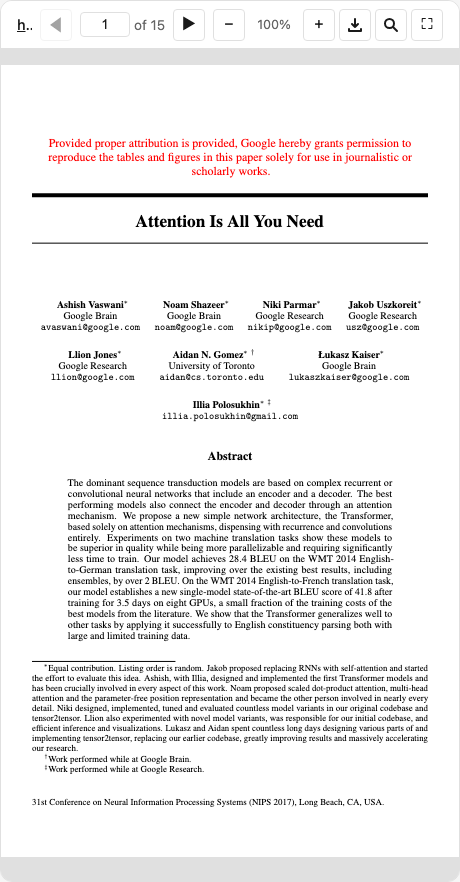
An interactive PDF viewer using PDF.js. Supports local files and remote URLs from academic sources (arxiv, biorxiv, zenodo, etc).
MCP Client Configuration
Add to your MCP client configuration (stdio transport):
{
  "mcpServers": {
    "pdf": {
      "command": "npx",
      "args": [
        "-y",
        "--silent",
        "--registry=https://registry.npmjs.org/",
        "@modelcontextprotocol/server-pdf",
        "--stdio"
      ]
    }
  }
}
Local Development
To test local modifications, use this configuration (replace ~/code/ext-apps with your clone path):
{
  "mcpServers": {
    "pdf": {
      "command": "bash",
      "args": [
        "-c",
        "cd ~/code/ext-apps/examples/pdf-server && npm run build >&2 && node dist/index.js --stdio"
      ]
    }
  }
}
What This Example Demonstrates
1. Chunked Data Through Size-Limited Tool Calls
On some host platforms, tool calls have size limits, so large PDFs cannot be sent in a single response. This example streams PDFs in chunks using HTTP Range requests:
Server side (server.ts):
// Returns chunks with pagination metadata
{
  (bytes, offset, byteCount, totalBytes, hasMore);
}
Client side (mcp-app.ts):
// Load in chunks with progress
while (hasMore) {
  const chunk = await app.callServerTool({
    name: "read_pdf_bytes",
    arguments: { url, offset },
  });
  chunks.push(base64ToBytes(chunk.bytes));
  offset += chunk.byteCount;
  hasMore = chunk.hasMore;
  updateProgress(offset, chunk.totalBytes);
}
2. Model Context Updates
The viewer keeps the model informed about what the user is seeing:
app.updateModelContext({
  content: [
    {
      type: "text",
      text: `PDF viewer | "${title}" | Current Page: ${page}/${total}\n\nPage content:\n${pageText}`,
    },
  ],
});
This enables the model to answer questions about the current page or selected text.
3. Display Modes: Fullscreen vs Inline
- Inline mode: App requests height changes to fit content
- Fullscreen mode: App fills the screen with internal scrolling
// Request fullscreen
app.requestDisplayMode({ mode: "fullscreen" });

// Listen for mode changes
app.ondisplaymodechange = (mode) => {
  if (mode === "fullscreen") enableScrolling();
  else disableScrolling();
};
4. External Links (openLink)
The viewer demonstrates opening external links (e.g., to the original arxiv page):
titleEl.onclick = () => app.openLink(sourceUrl);
5. View Persistence
Page position is saved per-view using viewUUID and localStorage.
6. Dark Mode / Theming
The viewer syncs with the host's theme using CSS light-dark() and the SDK's theming APIs:
app.onhostcontextchanged = (ctx) => {
  if (ctx.theme) applyDocumentTheme(ctx.theme);
  if (ctx.styles?.variables) applyHostStyleVariables(ctx.styles.variables);
};
Usage
# Default: loads a sample arxiv paper
bun examples/pdf-server/main.ts

# Load local files (converted to file:// URLs)
bun examples/pdf-server/main.ts ./docs/paper.pdf /path/to/thesis.pdf

# Load from URLs
bun examples/pdf-server/main.ts https://arxiv.org/pdf/2401.00001.pdf

# Mix local and remote
bun examples/pdf-server/main.ts ./local.pdf https://arxiv.org/pdf/2401.00001.pdf

# stdio mode for MCP clients
bun examples/pdf-server/main.ts --stdio ./papers/
Additional Flags
--debug— Enable verbose server-side logging.--enable-interact— Enable theinteracttool in HTTP mode (see Deployment). Not needed for stdio.--writeable-uploads-root— Allow saving annotated PDFs back to files under client roots nameduploads(Claude Desktop mounts attachments there; writes are refused by default).
Deployment
The interact tool relies on an in-memory command queue (server enqueues → viewer polls). This constrains how the server can be deployed:
- stdio (Claude Desktop) —
interactis always enabled. The server runs as a single long-lived process, so the in-memory queue works. - HTTP, single instance — Pass
--enable-interactto opt in. Works as long as all requests land on the same process. - HTTP, stateless / multi-instance —
interactwill not work. Commands enqueued on one instance are invisible to viewers polling another. Leave the flag off; the tool will not be registered.
Security: Client Roots
MCP clients may advertise roots — file:// URIs pointing to directories on the client's file system. The server uses these to allow access to local files under those directories.
- Stdio mode (
--stdio): Client roots are always enabled — the client is typically on the same machine (e.g. Claude Desktop), so the roots are safe. - HTTP mode (default): Client roots are ignored by default — the client may be remote, and its roots would be resolved against the server's filesystem. To opt in, pass
--use-client-roots:
# Trust that the HTTP client is local and its roots are safe
bun examples/pdf-server/main.ts --use-client-roots
When roots are ignored the server logs:
[pdf-server] Client roots are ignored (default for remote transports). Pass --use-client-roots to allow the client to expose local directories.
Allowed Sources
- Local files: Must be passed as CLI arguments (or via client roots when enabled)
- Remote URLs: arxiv.org, biorxiv.org, medrxiv.org, chemrxiv.org, zenodo.org, osf.io, hal.science, ssrn.com, and more
Tools
| Tool | Visibility | Purpose |
|---|---|---|
list_pdfs |
Model | List available local files and origins |
display_pdf |
Model + UI | Display interactive viewer |
interact¹ |
Model | Navigate, annotate, search, extract pages, fill forms, save to file |
read_pdf_bytes |
App only | Stream PDF data in chunks |
save_pdf |
App only | Save annotated PDF back to local file |
¹ stdio only by default; in HTTP mode requires --enable-interact — see Deployment.
Example Prompts
After the model calls display_pdf, it receives the viewUUID and a description of all capabilities. Here are example prompts and follow-ups that exercise annotation features:
Annotating
User: Show me the Attention Is All You Need paper
Model calls
display_pdf→ viewer opensUser: Highlight the title and add an APPROVED stamp on the first page.
Model calls
interactwithhighlight_textfor the title andadd_annotationswith a stamp
User: Can you annotate this PDF? Mark important sections for me.
Model calls
interactwithget_textto read content first, thenadd_annotationswith highlights/notes
User: Add a note on page 1 saying "Key contribution" at position (200, 500), and highlight the abstract.
Model calls
interactwithadd_annotationscontaining anoteand eitherhighlight_textor ahighlightannotation
Navigation & Search
User: Search for "self-attention" in the paper.
Model calls
interactwith actionsearch, query"self-attention"
User: Go to page 5.
Model calls
interactwith actionnavigate, page5
Page Extraction
User: Give me the text of pages 1–3.
Model calls
interactwith actionget_text, intervals[{start:1, end:3}]
User: Take a screenshot of the first page.
Model calls
interactwith actionget_screenshot, page1
Stamps & Form Filling
User: Stamp this document as CONFIDENTIAL on every page.
Model calls
interactwithadd_annotationscontainingstampannotations on each page
User: Fill in the "Name" field with "Alice" and "Date" with "2026-02-26".
Model calls
interactwith actionfill_form, fields[{name:"Name", value:"Alice"}, {name:"Date", value:"2026-02-26"}]
Saving
User: Save the annotated version as
/docs/contract-signed.pdf.Model calls
interactwith actionsave_as, path/docs/contract-signed.pdf. Fails if the file exists; passoverwrite: trueto replace. The target path must be under a mounted directory root.
User: Save my changes back to the file.
Model calls
interactwith actionsave_as,overwrite: true(nopath). Overwrites the original — same writability gate as the viewer's save button. Only works for local files; remote PDFs need an explicitpath.
Testing
E2E Tests (Playwright)
# Run annotation E2E tests (renders annotations in a real browser)
npx playwright test tests/e2e/pdf-annotations.spec.ts

# Run all PDF server tests
npx playwright test -g "PDF Server"
API Prompt Discovery Tests
These tests verify that Claude can discover and use annotation capabilities by calling the Anthropic Messages API with the tool schemas. They are disabled by default — skipped unless ANTHROPIC_API_KEY is set:
ANTHROPIC_API_KEY=sk-ant-... npx playwright test tests/e2e/pdf-annotations-api.spec.ts
The API tests simulate a conversation where display_pdf has already been called, then send a follow-up user message and verify the model uses annotation actions (or at least the interact tool). Three scenarios are tested:
| Scenario | User prompt | Expected model behavior |
|---|---|---|
| Direct annotation | "Highlight the title and add an APPROVED stamp" | Uses highlight_text or add_annotations |
| Capability discovery | "Can you annotate this PDF?" | Uses interact or mentions annotations |
| Specific notes | "Add a note saying 'Key contribution' and highlight the abstract" | Uses interact tool |
Architecture
server.ts                  # MCP server + tools
main.ts                    # CLI entry point
src/
├── mcp-app.ts             # Interactive viewer UI (PDF.js)
├── pdf-annotations.ts     # Annotation types, diff model, PDF import/export
└── pdf-annotations.test.ts # Unit tests for annotation module
Key Patterns Shown
| Pattern | Implementation |
|---|---|
| App-only tools | _meta: { ui: { visibility: ["app"] } } |
| Chunked responses | hasMore + offset pagination |
| Model context | app.updateModelContext() |
| Display modes | app.requestDisplayMode() |
| External links | app.openLink() |
| View persistence | viewUUID + localStorage |
| Theming | applyDocumentTheme() + CSS light-dark() |
| Annotations | DOM overlays synced with proper PDF annotation dicts |
| Annotation import | Load existing PDF annotations via PDF.js getAnnotations() |
| Diff-based persistence | localStorage stores only additions/removals vs PDF baseline |
| Proper PDF export | pdf-lib low-level API creates real /Type /Annot dictionaries |
| Save to file | App-only save_pdf tool writes annotated bytes back to disk |
| Dirty flag | * prefix on title when unsaved local changes exist |
| Command queue | Server enqueues → client polls + processes |
| File download | app.downloadFile() for annotated PDF |
| Floating panel with anchoring | Magnetic corner-snapping panel for annotation list |
| Drag, resize, rotate | Interactive annotation handles with undo/redo |
| Keyboard shortcuts | Ctrl+Z/Y (undo/redo), Ctrl+S (save), Ctrl+F (search), ⌘Enter |
Annotation Types
Supported annotation types (synced with PDF.js):
| Type | Properties | PDF Subtype |
|---|---|---|
highlight |
rects, color?, content? |
/Highlight |
underline |
rects, color? |
/Underline |
strikethrough |
rects, color? |
/StrikeOut |
note |
x, y, content, color? |
/Text |
rectangle |
x, y, width, height, color?, etc. |
/Square |
circle |
x, y, width, height, color?, etc. |
/Circle |
line |
x1, y1, x2, y2, color? |
/Line |
freetext |
x, y, content, fontSize?, color? |
/FreeText |
stamp |
x, y, label, color?, rotation? |
/Stamp |
image |
x, y, width, height, imageData?/imageUrl?, rotation? |
/Stamp |
Dependencies
pdfjs-dist: PDF rendering and annotation import (frontend only)pdf-lib: Client-side PDF modification — creates proper PDF annotation dictionaries for export@modelcontextprotocol/ext-apps: MCP Apps SDK