| Filename | Latest commit message | Latest commit date |
|---|---|---|
 89a684546b
* fix(examples): resolve DIST_DIR path for npm package execution When servers are compiled to dist/server.js and published to npm, `import.meta.dirname` already points to dist/, so joining with "dist" results in dist/dist/ which doesn't exist. This fix detects whether we're running from TypeScript source or compiled JavaScript and adjusts the path accordingly: - From source (server.ts): use dist/ subdirectory - From compiled (dist/server.js): use current directory Fixes ENOENT errors like: "ENOENT: no such file or directory, open '.../dist/dist/mcp-app.html'" 🤖 Generated with [Claude Code](https://claude.com/claude-code) Co-Authored-By: Claude Opus 4.5 <noreply@anthropic.com> * fix(pdf-server): mark pdfjs-dist as external in bundle The pdf.worker.mjs file wasn't being found when running from npm because bun bundled pdfjs-dist but didn't include the worker file. By marking pdfjs-dist as external, it uses the installed package from node_modules at runtime where the worker is available. 🤖 Generated with [Claude Code](https://claude.com/claude-code) Co-Authored-By: Claude Opus 4.5 <noreply@anthropic.com> --------- Co-authored-by: Claude Opus 4.5 <noreply@anthropic.com> |
||
| .. | ||
| src | ||
| .gitignore | ||
| grid-cell.png | ||
| main.ts | ||
| mcp-app.html | ||
| package.json | ||
| README.md | ||
| screenshot.png | ||
| server.ts | ||
| tsconfig.json | ||
| tsconfig.server.json | ||
| vite.config.ts | ||


Example: Wiki Explorer
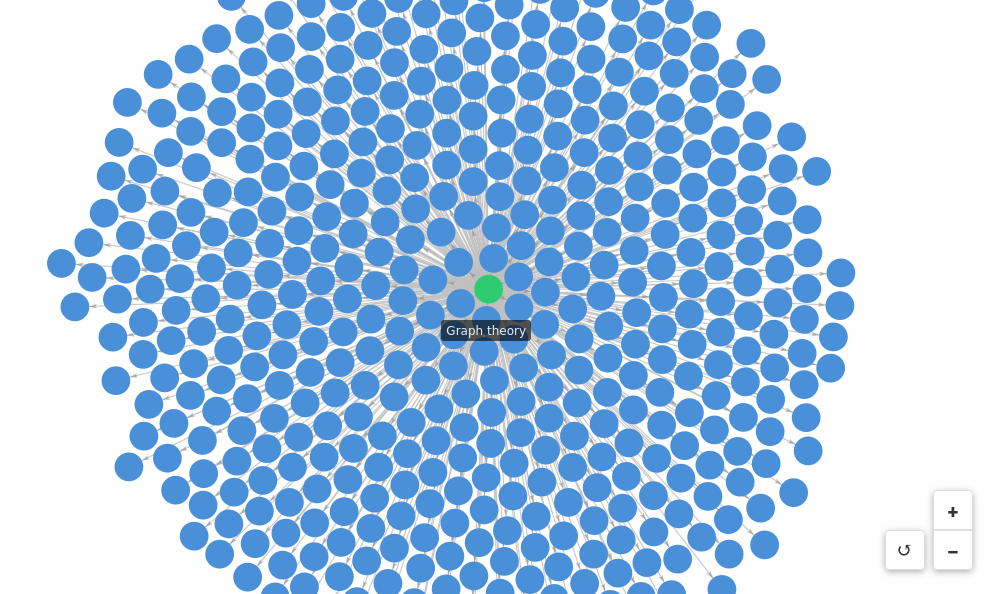
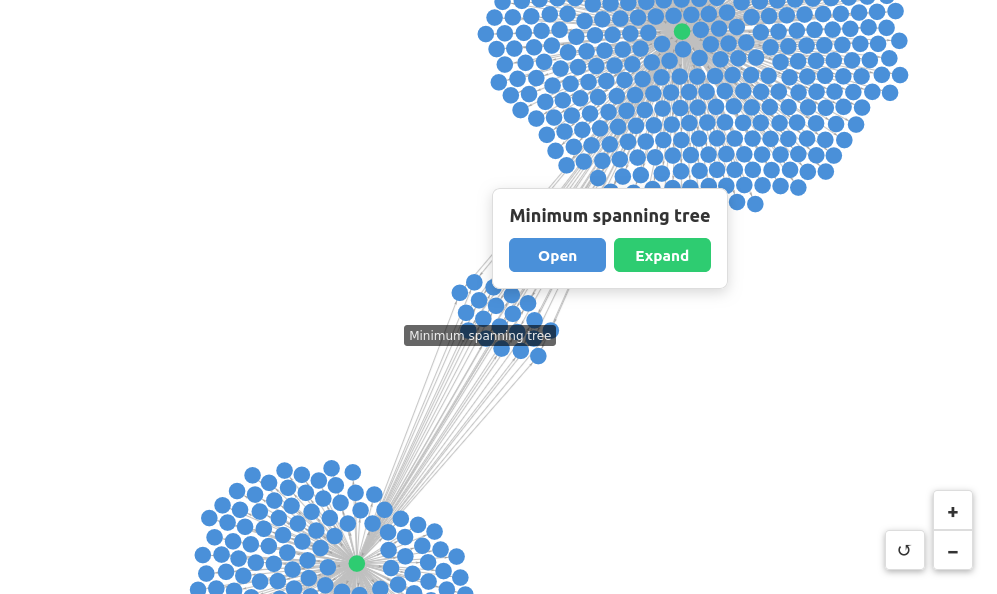
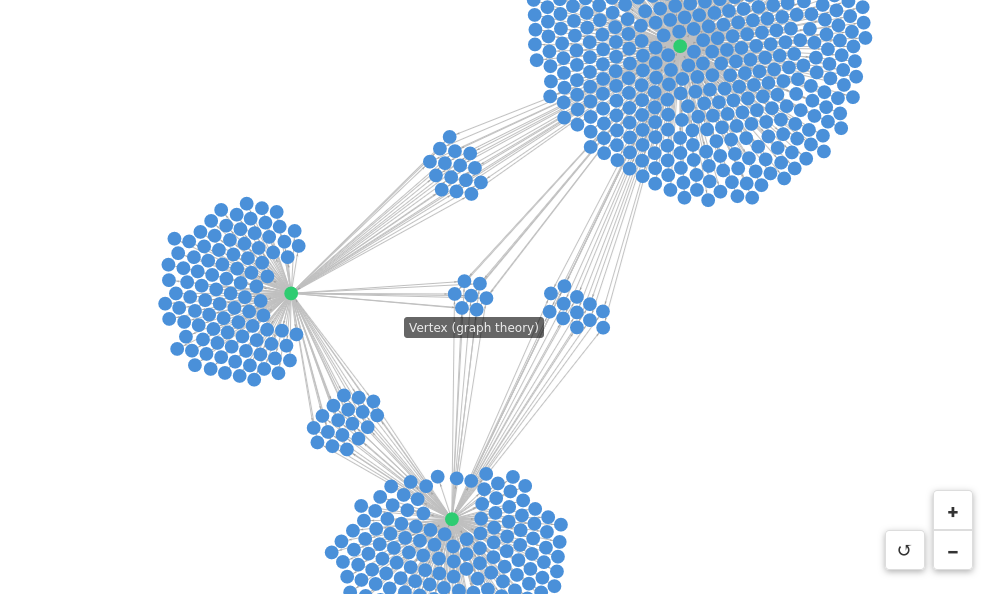
Visualizes Wikipedia link graphs using a force-directed layout. Explore how Wikipedia pages are connected by expanding nodes to reveal first-degree links.
 |
 |
 |
Features
- Force-directed graph visualization: Interactive graph powered by
force-graph - Node expansion: Click any node to expand and see all pages it links to
- Visual state tracking: Nodes change color based on state (blue = default, green = expanded, red = error)
- Direct page access: Open any Wikipedia page in your browser
Running
-
Install dependencies:
npm install -
Build and start the server:
npm run start:http # for Streamable HTTP transport # OR npm run start:stdio # for stdio transport -
View using the
basic-hostexample or another MCP Apps-compatible host.
Tool Input
To test the example, call the get-first-degree-links tool with a Wikipedia URL:
{
  "url": "https://en.wikipedia.org/wiki/Graph_theory"
}
Click nodes in the graph to Open (view in browser) or Expand (visualize linked pages).
Architecture
Server (server.ts)
MCP server that fetches Wikipedia pages and extracts internal links.
Exposes one tool:
get-first-degree-links- Returns links to other Wikipedia pages from a given page
App (src/mcp-app.ts)
Vanilla TypeScript app using force-graph for visualization that:
- Receives tool inputs via the MCP App SDK
- Renders an interactive force-directed graph
- Supports node expansion to explore link relationships