- TypeScript 76.4%
- MDX 19.3%
- JavaScript 4.3%
| Filename | Latest commit message | Latest commit date |
|---|---|---|
 ba31be1f91
* perf(pdf-server): lazy form extraction via range transport + incremental viewer scans Server: display_pdf now opens the document via PDFDataRangeTransport (disableAutoFetch) and only runs the per-page form/annotation walk when getFieldObjects() is non-empty, so form-free PDFs are probed with ~10-25% of bytes instead of a full download. The unused viewFieldInfo Map is removed. Viewer: getDocument sets disableAutoFetch/disableStream; baseline annotation scan and field-name mapping run lazily per rendered page instead of walking every page after load, so first paint no longer schedules a full-file pull. E2E: new range-counting HTTPS fixture (W-9 for forms, generated text+image PDF for no-forms) with stallAfterBytes control, and four regression tests asserting form fields are returned, <30% served on no-forms display_pdf, first page renders while later ranges are stalled, and overlap stays bounded. * fix(pdf-server): handle separated field/widget trees in extractFormSchema pdfjs getFieldObjects() returns the full field-tree array. For PDFs with a separated structure (pdf-lib, some authoring tools) the typed widget sits at fields[1+] behind a typeless container at fields[0]; the previous code only inspected fields[0] and skipped them all. Pick the first entry with a non-empty type instead. Makes the e2e forms.pdf fixture fully generated (no checked-in third-party asset on the hot path); fw9.pdf stays as a unit-test fixture for the hierarchical/XFA case. * fix(pdf-server): address range-transport hangs and lazy-scan tombstone loss PdfCacheRangeTransport: - abort() is a no-op stub on PDFDataRangeTransport (it's the hook pdfjs calls *on* the transport, not an upstream error channel). Expose a .failed promise that rejects on the first fetch error and race every pdfjs await against it in display_pdf, so transient network errors surface into the existing catch instead of hanging the tool call. - pdfjs coalesces adjacent missing chunks into one unbounded requestDataRange; readPdfRange clamps each call to MAX_CHUNK_BYTES. Loop and deliver in slices so every requested chunk is marked loaded. Viewer (mcp-app.ts): - The lazy per-page baseline scan left pdfBaselineAnnotations incomplete, so persistAnnotations and getAnnotatedPdfBytes silently dropped restoredRemovedIds tombstones for unvisited pages. Union those ids into the computed diff and removedRefs. Test fixture: release stalled handlers before resetStats/close so a failing stalled test doesn't hang afterAll; fail fast if started with NODE_ENV=production. NODE_TLS_REJECT_UNAUTHORIZED scope documented (full per-process scoping needs a validateUrl localhost allow, tracked separately). * test(pdf-server): bridge coverage gaps and switch fixture to gated loopback HTTP PdfCacheRangeTransport.deliver(): pdf.js's reader is keyed by the original begin and removed after one delivery, so accumulate slices and call onDataRange once with the full buffer (the previous multi-call approach threw inside pdfjs). Covered by a new integration test that drives getDocument()/getPage(1) on a >1MB PDF through a clamping in-memory readPdfRange. validateUrl: allow http://127.0.0.1|localhost|[::1] only when PDF_SERVER_ALLOW_LOOPBACK_HTTP is set, so a remote deploy can't be made to probe its own ports. Covered by env-on/off unit tests. Fixture switched to plain HTTP (no openssl, no NODE_TLS_REJECT_UNAUTHORIZED). Adds /error.pdf (500s after 50KB) and two e2e tests: page 2 renders after stall release (>512KB object path), and display_pdf returns gracefully on mid-load 500. Existing <30% test now samples stats before the iframe loads. New unit tests: display_pdf returns (not hangs) on mid-load fetch failure via in-memory MCP client; computeDiff/serializeDiff contract tests pinning the restoredRemovedIds tombstone-preservation behaviour. * test(pdf-server): e2e for restoredRemovedIds tombstone preservation through viewer Adds /with-native-annot.pdf fixture (2 pages, native /Text annot on page 2) and a Playwright test that drives delete on page 2 → iframe reload → interact add_annotations on page 1 (persist with page 2 unscanned) → assert localStorage diff still contains the removed id → page 2 still shows it gone. Covers the mcp-app.ts glue the unit tests can't reach. * refactor(pdf-server): simplify per round-2 review and fix false-pass test server.ts: extract probeFormFields() so display_pdf calls one helper instead of inlining 40 lines of transport/orFail plumbing; make extractFormSchema's fieldObjects param required (the optional branch only existed for a test helper). server.test.ts: the >1MB integration test now forces the image XObject fetch via getOperatorList() and asserts max requestDataRange span > MAX_CHUNK_BYTES, so it can't go vacuous. Dedupe makeRandomJpeg by importing from the fixture. mcp-app.ts: restore per-annotation try/catch isolation in the lazy baseline scan (a throw was skipping AnnotationLayer.render); only carry forward restoredRemovedIds while the baseline scan is incomplete so a stale id can't pin dirty=true once every page is scanned. tests: bump fixture JPEG to 1.1MB; consolidate 7 e2e tests to 4 (merge overlap into the byte-budget test, merge stall+page-2, drop the error-e2e duplicate of the unit integration test); delete run-fixture.mjs; drop /error.pdf and ERROR_AFTER_BYTES; rename tombstone test's describe and clarify page-2 covers the viewer transport. * fix(pdf-server): preserve partial probeFormFields results when extractFormFieldInfo throws * test(pdf-server): fix tombstone e2e — deleted native annotations become a cleared card, not removed from DOM * test(pdf-server): mark tombstone e2e as fixme — needs basic-host iframe-reload replay support * test(pdf-server): link tombstone fixme to tracking issue #642 |
||
| .claude-plugin | ||
| .github/workflows | ||
| .husky | ||
| docs | ||
| examples | ||
| media | ||
| plugins/mcp-apps | ||
| scripts | ||
| specification | ||
| src | ||
| tests | ||
| .gitattributes | ||
| .gitignore | ||
| .npmrc | ||
| .prettierignore | ||
| .prettierrc.json | ||
| AGENTS.md | ||
| build.bun.ts | ||
| CLAUDE.md | ||
| CONTRIBUTING.md | ||
| LICENSE | ||
| package-lock.json | ||
| package.json | ||
| playwright.config.ts | ||
| README.md | ||
| RELEASES.md | ||
| SECURITY.md | ||
| tsconfig.json | ||
| typedoc.config.mjs | ||

MCP Apps
Build interactive UIs for MCP tools — charts, forms, dashboards — that render inline in Claude, ChatGPT and any other compliant chat client.
Why
·
Quickstart
·
API Docs
·
Spec
·
Contributing







Excalidraw built with MCP Apps, running in Claude
Table of Contents
- Build with Agent Skills
- Supported Clients
- Why MCP Apps?
- How It Works
- Getting Started
- Using the SDK
- Examples
- Specification
- Resources
- Contributing
Build with Agent Skills
The fastest way to build an MCP App is to let your AI coding agent do it. This repo ships four Agent Skills — install them once, then just ask:
| Skill | What it does | Try it |
|---|---|---|
create-mcp-app |
Scaffolds a new MCP App with an interactive UI from scratch | "Create an MCP App" |
migrate-oai-app |
Converts an existing OpenAI App to use MCP Apps | "Migrate from OpenAI Apps SDK" |
add-app-to-server |
Adds interactive UI to an existing MCP server's tools | "Add UI to my MCP server" |
convert-web-app |
Turns an existing web app into a hybrid web + MCP App | "Add MCP App support to my web app" |
Install the Skills
Claude Code — install via the plugin marketplace:
/plugin marketplace add modelcontextprotocol/ext-apps
/plugin install mcp-apps@modelcontextprotocol-ext-apps
Other agents — any AI coding agent that supports Agent Skills can use these skills. See the agent skills guide for manual installation instructions.
Once installed, verify by asking your agent "What skills do you have?" — you
should see create-mcp-app, migrate-oai-app, add-app-to-server, and
convert-web-app in the list. Then just ask it to create or migrate an app and
it will guide you through the rest.
Supported Clients




Note
MCP Apps is an extension to the core MCP specification. Host support varies — see the clients page for the full list.
Why MCP Apps?
MCP tools return text and structured data. That works for many cases, but not when you need an interactive UI, like a chart, form, design canvas or video player.
MCP Apps provide a standardized way to deliver interactive UIs from MCP servers. Your UI renders inline in the conversation, in context, in any compliant host.
How It Works
MCP Apps extend the Model Context Protocol by letting tools declare UI resources:
- Tool definition — Your tool declares a
ui://resource containing its HTML interface - Tool call — The LLM calls the tool on your server
- Host renders — The host fetches the resource and displays it in a sandboxed iframe
- Bidirectional communication — The host passes tool data to the UI via notifications, and the UI can call other tools through the host
Getting Started
npm install -S @modelcontextprotocol/ext-apps
New here? Start with the Quickstart Guide to build your first MCP App.
Using the SDK
The SDK serves three roles: app developers building interactive Views, host developers embedding those Views, and MCP server authors registering tools with UI metadata.
| Package | Purpose | Docs |
|---|---|---|
@modelcontextprotocol/ext-apps |
Build interactive Views (App class, PostMessageTransport) | API Docs → |
@modelcontextprotocol/ext-apps/react |
React hooks for Views (useApp, useHostStyles, etc.) | API Docs → |
@modelcontextprotocol/ext-apps/app-bridge |
Embed and communicate with Views in your chat client | API Docs → |
@modelcontextprotocol/ext-apps/server |
Register tools and resources on your MCP server | API Docs → |
There's no supported host implementation in this repo (beyond the examples/basic-host example).
The MCP-UI client SDK offers a fully-featured MCP Apps framework used by a few hosts. Clients may choose to use it or roll their own implementation.
Examples
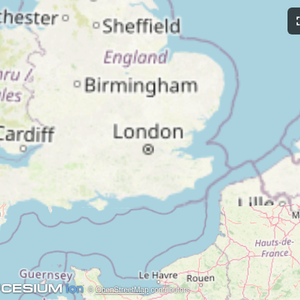
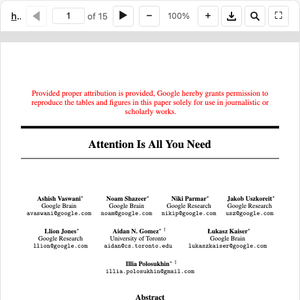
The
examples/
directory contains demo apps showcasing real-world use cases.
 |
 |
 |
| Map | Three.js | ShaderToy |
 |
 |
 |
| Sheet Music | Wiki Explorer | Cohort Heatmap |
 |
 |
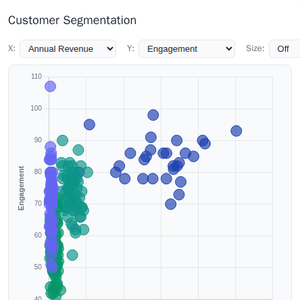 |
| Scenario Modeler | Budget Allocator | Customer Segmentation |
 |
 |
 |
| System Monitor | Transcript | Video Resource |
 |
 |
 |
| PDF Server | QR Code (Python) | Say Demo |
Starter Templates
 |
The same app built with different frameworks — pick your favorite! React · Vue · Svelte · Preact · Solid · Vanilla JS |
Running the Examples
With basic-host
To run all examples locally using basic-host (the reference host implementation included in this repo):
git clone https://github.com/modelcontextprotocol/ext-apps.git
cd ext-apps
npm install
npm start
Then open http://localhost:8080/.
With MCP Clients
Every Node.js example is published as @modelcontextprotocol/server-<name>. To
add one to an MCP client that supports stdio (Claude Desktop, VS Code, etc.),
use this pattern:
{
  "mcpServers": {
    "<name>": {
      "command": "npx",
      "args": ["-y", "@modelcontextprotocol/server-<name>", "--stdio"]
    }
  }
}
For example, to add the map server: @modelcontextprotocol/server-map. The
Python examples (qr-server, say-server) use uv run instead — see their
READMEs for details.
Local Development
To test local modifications with an MCP client, clone the repo, install, then point your client at a local build:
{
  "mcpServers": {
    "<name>": {
      "command": "bash",
      "args": [
        "-c",
        "cd ~/code/ext-apps/examples/<name>-server && npm run build >&2 && node dist/index.js --stdio"
      ]
    }
  }
}
Specification
| Version | Status | Link |
|---|---|---|
| 2026-01-26 | Stable | specification/2026-01-26/apps.mdx |
| draft | Development | specification/draft/apps.mdx |
Resources
Contributing
Contributions are welcome! Please read CONTRIBUTING.md for guidelines on how to get started, submit pull requests, and report issues.