- TypeScript 76.4%
- MDX 19.3%
- JavaScript 4.3%
| Filename | Latest commit message | Latest commit date |
|---|---|---|
 bb4e5c57f3
* fix(pdf-server): handle HTTP 200 fallback in remote range requests When a remote server ignores the Range header and returns HTTP 200 with the full body, readPdfRange previously passed the entire file (potentially 10MB+) through as a single chunk. This bypassed the 512KB limit because: 1. The error check `!response.ok && status !== 206` short-circuits on 200 (ok is true), so the full body is read via arrayBuffer() 2. No Content-Range header on a 200 response leaves totalBytes at 0 3. hasMore becomes `offset + fullSize < 0` = false, so the client stops after one oversized message Fix: detect HTTP 200, cache the full body in memory (to avoid re-downloading on every subsequent chunk request), then slice to the requested range. The 512KB per-message limit is now enforced for all remote URLs regardless of Range request support. * Add session-based PDF caching with timeout cleanup and size limits - Add dual timeout strategy for cache cleanup: - 10s inactivity timeout (resets on each access) - 60s max lifetime (absolute timeout from creation) - Add 50MB max size limit with both Content-Length and actual size checks - Add unit tests for caching behavior including: - Cache on HTTP 200 response (no range support) - No cache on HTTP 206 response (range supported) - Slice cached data for subsequent range requests - Reject PDFs exceeding size limits - Export getCacheSize() and clearCache() for testing * refactor(pdf-server): make PDF cache session-local via factory pattern - Replace module-level global cache with createPdfCache() factory - Each server instance now gets its own isolated cache - Export PdfCache interface for type-safe usage - Update tests to use per-test cache instances - Add test verifying cache isolation between sessions --------- Co-authored-by: Claude <noreply@anthropic.com> |
||
| .claude-plugin | ||
| .github/workflows | ||
| .husky | ||
| docs | ||
| examples | ||
| plugins/mcp-apps | ||
| scripts | ||
| specification | ||
| src | ||
| tests/e2e | ||
| .gitattributes | ||
| .gitignore | ||
| .prettierignore | ||
| .prettierrc.json | ||
| AGENTS.md | ||
| build.bun.ts | ||
| CLAUDE.md | ||
| CONTRIBUTING.md | ||
| LICENSE | ||
| package-lock.json | ||
| package.json | ||
| playwright.config.ts | ||
| README.md | ||
| RELEASES.md | ||
| tsconfig.json | ||
| typedoc.config.mjs | ||
@modelcontextprotocol/ext-apps


This repo contains the SDK and specification for MCP Apps Extension (SEP-1865).
Specification
| Version | Status | Link |
|---|---|---|
| 2026-01-26 | Stable | specification/2026-01-26/apps.mdx |
| draft | Development | specification/draft/apps.mdx |
MCP Apps are a proposed standard inspired by MCP-UI and OpenAI's Apps SDK to allow MCP Servers to display interactive UI elements in conversational MCP clients / chatbots.
Why MCP Apps?
MCP tools return text and structured data. That works for many cases, but not when you need an interactive UI, like a chart, form, or video player.
MCP Apps provide a standardized way to deliver interactive UIs from MCP servers. Your UI renders inline in the conversation, in context, in any compliant host.
How It Works
MCP Apps extend the Model Context Protocol by letting tools declare UI resources:
- Tool definition — Your tool declares a
ui://resource containing its HTML interface - Tool call — The LLM calls the tool on your server
- Host renders — The host fetches the resource and displays it in a sandboxed iframe
- Bidirectional communication — The host passes tool data to the UI via notifications, and the UI can call other tools through the host
Using the SDK
This SDK serves two audiences:
For App Developers
Build interactive UIs that run inside MCP-enabled chat clients.
- SDK for Apps:
@modelcontextprotocol/ext-apps— API Docs - React hooks:
@modelcontextprotocol/ext-apps/react— API Docs
For Host Developers
Embed and communicate with MCP Apps in your chat application.
- SDK for Hosts:
@modelcontextprotocol/ext-apps/app-bridge— API Docs
There's no supported host implementation in this repo (beyond the examples/basic-host example).
The MCP-UI client SDK offers a fully-featured MCP Apps framework used by a few hosts. Clients may choose to use it or roll their own implementation.
Installation
npm install -S @modelcontextprotocol/ext-apps
Install Agent Skills
This repository provides two Agent Skills for building MCP Apps. You can install the skills as a Claude Code plugin:
/plugin marketplace add modelcontextprotocol/ext-apps
/plugin install mcp-apps@modelcontextprotocol-ext-apps
For more information, including instructions for installing the skills in your favorite AI coding agent, see the agent skills guide.
Examples
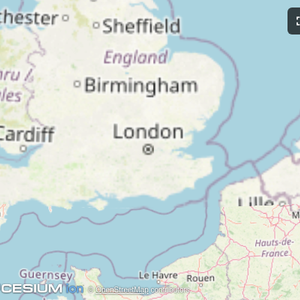
The examples/ directory contains demo apps showcasing real-world use cases.
 |
 |
 |
| Map | Three.js | ShaderToy |
 |
 |
 |
| Sheet Music | Wiki Explorer | Cohort Heatmap |
 |
 |
 |
| Scenario Modeler | Budget Allocator | Customer Segmentation |
 |
 |
 |
| System Monitor | Transcript | Video Resource |
 |
 |
 |
| PDF Server | QR Code (Python) | Say Demo |
Starter Templates
 |
The same app built with different frameworks — pick your favorite! React · Vue · Svelte · Preact · Solid · Vanilla JS |
Running the Examples
With basic-host
To run all examples locally using basic-host (the reference host implementation included in this repo):
git clone https://github.com/modelcontextprotocol/ext-apps.git
cd ext-apps
npm install
npm start
Then open http://localhost:8080/.
With MCP Clients
To use these examples with MCP clients that support the stdio transport (such as Claude Desktop or VS Code), add this MCP server configuration to your client's settings:
MCP client configuration for all examples (using stdio)
{
  "mcpServers": {
    "basic-react": {
      "command": "npx",
      "args": [
        "-y",
        "--silent",
        "--registry=https://registry.npmjs.org/",
        "@modelcontextprotocol/server-basic-react",
        "--stdio"
      ]
    },
    "basic-vanillajs": {
      "command": "npx",
      "args": [
        "-y",
        "--silent",
        "--registry=https://registry.npmjs.org/",
        "@modelcontextprotocol/server-basic-vanillajs",
        "--stdio"
      ]
    },
    "basic-vue": {
      "command": "npx",
      "args": [
        "-y",
        "--silent",
        "--registry=https://registry.npmjs.org/",
        "@modelcontextprotocol/server-basic-vue",
        "--stdio"
      ]
    },
    "basic-svelte": {
      "command": "npx",
      "args": [
        "-y",
        "--silent",
        "--registry=https://registry.npmjs.org/",
        "@modelcontextprotocol/server-basic-svelte",
        "--stdio"
      ]
    },
    "basic-preact": {
      "command": "npx",
      "args": [
        "-y",
        "--silent",
        "--registry=https://registry.npmjs.org/",
        "@modelcontextprotocol/server-basic-preact",
        "--stdio"
      ]
    },
    "basic-solid": {
      "command": "npx",
      "args": [
        "-y",
        "--silent",
        "--registry=https://registry.npmjs.org/",
        "@modelcontextprotocol/server-basic-solid",
        "--stdio"
      ]
    },
    "budget-allocator": {
      "command": "npx",
      "args": [
        "-y",
        "--silent",
        "--registry=https://registry.npmjs.org/",
        "@modelcontextprotocol/server-budget-allocator",
        "--stdio"
      ]
    },
    "cohort-heatmap": {
      "command": "npx",
      "args": [
        "-y",
        "--silent",
        "--registry=https://registry.npmjs.org/",
        "@modelcontextprotocol/server-cohort-heatmap",
        "--stdio"
      ]
    },
    "customer-segmentation": {
      "command": "npx",
      "args": [
        "-y",
        "--silent",
        "--registry=https://registry.npmjs.org/",
        "@modelcontextprotocol/server-customer-segmentation",
        "--stdio"
      ]
    },
    "map": {
      "command": "npx",
      "args": [
        "-y",
        "--silent",
        "--registry=https://registry.npmjs.org/",
        "@modelcontextprotocol/server-map",
        "--stdio"
      ]
    },
    "pdf": {
      "command": "npx",
      "args": [
        "-y",
        "--silent",
        "--registry=https://registry.npmjs.org/",
        "@modelcontextprotocol/server-pdf",
        "--stdio"
      ]
    },
    "scenario-modeler": {
      "command": "npx",
      "args": [
        "-y",
        "--silent",
        "--registry=https://registry.npmjs.org/",
        "@modelcontextprotocol/server-scenario-modeler",
        "--stdio"
      ]
    },
    "shadertoy": {
      "command": "npx",
      "args": [
        "-y",
        "--silent",
        "--registry=https://registry.npmjs.org/",
        "@modelcontextprotocol/server-shadertoy",
        "--stdio"
      ]
    },
    "sheet-music": {
      "command": "npx",
      "args": [
        "-y",
        "--silent",
        "--registry=https://registry.npmjs.org/",
        "@modelcontextprotocol/server-sheet-music",
        "--stdio"
      ]
    },
    "system-monitor": {
      "command": "npx",
      "args": [
        "-y",
        "--silent",
        "--registry=https://registry.npmjs.org/",
        "@modelcontextprotocol/server-system-monitor",
        "--stdio"
      ]
    },
    "threejs": {
      "command": "npx",
      "args": [
        "-y",
        "--silent",
        "--registry=https://registry.npmjs.org/",
        "@modelcontextprotocol/server-threejs",
        "--stdio"
      ]
    },
    "transcript": {
      "command": "npx",
      "args": [
        "-y",
        "--silent",
        "--registry=https://registry.npmjs.org/",
        "@modelcontextprotocol/server-transcript",
        "--stdio"
      ]
    },
    "video-resource": {
      "command": "npx",
      "args": [
        "-y",
        "--silent",
        "--registry=https://registry.npmjs.org/",
        "@modelcontextprotocol/server-video-resource",
        "--stdio"
      ]
    },
    "wiki-explorer": {
      "command": "npx",
      "args": [
        "-y",
        "--silent",
        "--registry=https://registry.npmjs.org/",
        "@modelcontextprotocol/server-wiki-explorer",
        "--stdio"
      ]
    },
    "qr": {
      "command": "uv",
      "args": [
        "run",
        "/path/to/ext-apps/examples/qr-server/server.py",
        "--stdio"
      ]
    },
    "say": {
      "command": "uv",
      "args": [
        "run",
        "--default-index",
        "https://pypi.org/simple",
        "https://raw.githubusercontent.com/modelcontextprotocol/ext-apps/refs/heads/main/examples/say-server/server.py",
        "--stdio"
      ]
    }
  }
}
Note
The
qrserver requires cloning the repository first. See qr-server README for details.
Local Development
To test local modifications with MCP clients, first clone and install the repository:
git clone https://github.com/modelcontextprotocol/ext-apps.git
cd ext-apps
npm install
Then configure your MCP client to build and run the local server. Replace ~/code/ext-apps with your actual clone path:
MCP client configuration for local development (all examples)
{
  "mcpServers": {
    "basic-react": {
      "command": "bash",
      "args": [
        "-c",
        "cd ~/code/ext-apps/examples/basic-server-react && npm run build >&2 && node dist/index.js --stdio"
      ]
    },
    "basic-vanillajs": {
      "command": "bash",
      "args": [
        "-c",
        "cd ~/code/ext-apps/examples/basic-server-vanillajs && npm run build >&2 && node dist/index.js --stdio"
      ]
    },
    "basic-vue": {
      "command": "bash",
      "args": [
        "-c",
        "cd ~/code/ext-apps/examples/basic-server-vue && npm run build >&2 && node dist/index.js --stdio"
      ]
    },
    "basic-svelte": {
      "command": "bash",
      "args": [
        "-c",
        "cd ~/code/ext-apps/examples/basic-server-svelte && npm run build >&2 && node dist/index.js --stdio"
      ]
    },
    "basic-preact": {
      "command": "bash",
      "args": [
        "-c",
        "cd ~/code/ext-apps/examples/basic-server-preact && npm run build >&2 && node dist/index.js --stdio"
      ]
    },
    "basic-solid": {
      "command": "bash",
      "args": [
        "-c",
        "cd ~/code/ext-apps/examples/basic-server-solid && npm run build >&2 && node dist/index.js --stdio"
      ]
    },
    "budget-allocator": {
      "command": "bash",
      "args": [
        "-c",
        "cd ~/code/ext-apps/examples/budget-allocator-server && npm run build >&2 && node dist/index.js --stdio"
      ]
    },
    "cohort-heatmap": {
      "command": "bash",
      "args": [
        "-c",
        "cd ~/code/ext-apps/examples/cohort-heatmap-server && npm run build >&2 && node dist/index.js --stdio"
      ]
    },
    "customer-segmentation": {
      "command": "bash",
      "args": [
        "-c",
        "cd ~/code/ext-apps/examples/customer-segmentation-server && npm run build >&2 && node dist/index.js --stdio"
      ]
    },
    "map": {
      "command": "bash",
      "args": [
        "-c",
        "cd ~/code/ext-apps/examples/map-server && npm run build >&2 && node dist/index.js --stdio"
      ]
    },
    "pdf": {
      "command": "bash",
      "args": [
        "-c",
        "cd ~/code/ext-apps/examples/pdf-server && npm run build >&2 && node dist/index.js --stdio"
      ]
    },
    "scenario-modeler": {
      "command": "bash",
      "args": [
        "-c",
        "cd ~/code/ext-apps/examples/scenario-modeler-server && npm run build >&2 && node dist/index.js --stdio"
      ]
    },
    "shadertoy": {
      "command": "bash",
      "args": [
        "-c",
        "cd ~/code/ext-apps/examples/shadertoy-server && npm run build >&2 && node dist/index.js --stdio"
      ]
    },
    "sheet-music": {
      "command": "bash",
      "args": [
        "-c",
        "cd ~/code/ext-apps/examples/sheet-music-server && npm run build >&2 && node dist/index.js --stdio"
      ]
    },
    "system-monitor": {
      "command": "bash",
      "args": [
        "-c",
        "cd ~/code/ext-apps/examples/system-monitor-server && npm run build >&2 && node dist/index.js --stdio"
      ]
    },
    "threejs": {
      "command": "bash",
      "args": [
        "-c",
        "cd ~/code/ext-apps/examples/threejs-server && npm run build >&2 && node dist/index.js --stdio"
      ]
    },
    "transcript": {
      "command": "bash",
      "args": [
        "-c",
        "cd ~/code/ext-apps/examples/transcript-server && npm run build >&2 && node dist/index.js --stdio"
      ]
    },
    "video-resource": {
      "command": "bash",
      "args": [
        "-c",
        "cd ~/code/ext-apps/examples/video-resource-server && npm run build >&2 && node dist/index.js --stdio"
      ]
    },
    "wiki-explorer": {
      "command": "bash",
      "args": [
        "-c",
        "cd ~/code/ext-apps/examples/wiki-explorer-server && npm run build >&2 && node dist/index.js --stdio"
      ]
    },
    "qr": {
      "command": "bash",
      "args": [
        "-c",
        "uv run ~/code/ext-apps/examples/qr-server/server.py --stdio"
      ]
    },
    "say": {
      "command": "bash",
      "args": [
        "-c",
        "uv run --index https://pypi.org/simple ~/code/ext-apps/examples/say-server/server.py --stdio"
      ]
    }
  }
}
This configuration rebuilds each server on launch, ensuring your local changes are picked up.