| Filename | Latest commit message | Latest commit date |
|---|---|---|
 8550545ccb
According to spec, mimeType should be present in both the resource declaration and the resource content. This adds the missing mimeType to the registerResource() declaration (third parameter) in all example servers and the quickstart documentation. 🤖 Generated with [Claude Code](https://claude.com/claude-code) Co-authored-by: Claude <noreply@anthropic.com> Co-authored-by: ochafik <olivier.chafik@gmail.com> |
||
| .. | ||
| src | ||
| mcp-app.html | ||
| package.json | ||
| README.md | ||
| server.ts | ||
| tsconfig.json | ||
| vite.config.ts | ||
Example: Budget Allocator App
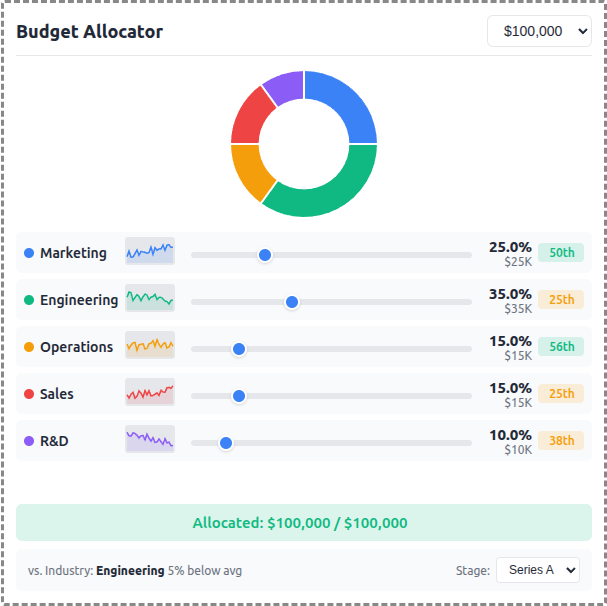
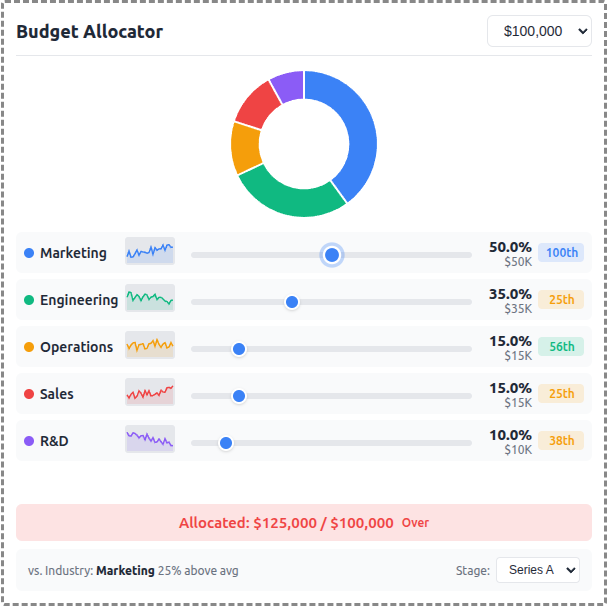
An interactive budget allocation tool demonstrating real-time data visualization with MCP Apps.
 |
 |
 |
Features
- Interactive Sliders: Adjust budget allocation across 5 categories (Marketing, Engineering, Operations, Sales, R&D)
- Donut Chart: Real-time visualization of allocation distribution using Chart.js
- Sparkline Trends: 24-month historical allocation data per category
- Percentile Badges: Compare your allocation vs. industry benchmarks
- Stage Selector: Switch between Seed, Series A, Series B, and Growth benchmarks
- Budget Presets: Quick selection of $50K, $100K, $250K, or $500K totals
Running
-
Install dependencies:
npm install -
Build and start the server:
npm run start:http # for Streamable HTTP transport # OR npm run start:stdio # for stdio transport -
View using the
basic-hostexample or another MCP Apps-compatible host.
Architecture
Server (server.ts)
Exposes a single get-budget-data tool that returns:
- Category definitions with colors and default allocations
- Historical data (~120 data points) - 24 months of allocation history per category
- Industry benchmarks (~60 data points) - Aggregated percentile data by company stage
The tool is linked to a UI resource via _meta[RESOURCE_URI_META_KEY].
App (src/mcp-app.ts)
- Uses Chart.js for the donut chart visualization
- Renders sparkline trends using inline SVG
- Computes percentile rankings client-side from benchmark data
- Updates all UI elements reactively on slider changes