| Filename | Latest commit message | Latest commit date |
|---|---|---|
 6723c8ff10
Changes since 1.2.2: - feat: add ui/notifications/request-teardown for view-initiated termination (#215) - feat(pdf-server): annotations, interact tool, page extraction & prompt engineering (#506) - fix(examples): improve mobile support for map, pdf, and threejs examples (#555) |
||
| .. | ||
| src | ||
| grid-cell.png | ||
| main.ts | ||
| mcp-app.html | ||
| package.json | ||
| README.md | ||
| screenshot.png | ||
| server.ts | ||
| tsconfig.json | ||
| tsconfig.server.json | ||
| vite.config.ts | ||


Transcript Server
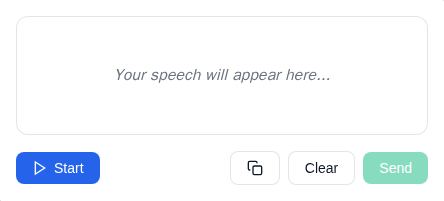
An MCP App Server for live speech transcription using the Web Speech API.
MCP Client Configuration
Add to your MCP client configuration (stdio transport):
{
  "mcpServers": {
    "transcript": {
      "command": "npx",
      "args": [
        "-y",
        "--silent",
        "--registry=https://registry.npmjs.org/",
        "@modelcontextprotocol/server-transcript",
        "--stdio"
      ]
    }
  }
}
Local Development
To test local modifications, use this configuration (replace ~/code/ext-apps with your clone path):
{
  "mcpServers": {
    "transcript": {
      "command": "bash",
      "args": [
        "-c",
        "cd ~/code/ext-apps/examples/transcript-server && npm run build >&2 && node dist/index.js --stdio"
      ]
    }
  }
}
Features
- Live Transcription: Real-time speech-to-text using browser's Web Speech API
- Transitional Model Context: Streams interim transcriptions to the model via
ui/update-model-context, allowing the model to see what the user is saying as they speak - Audio Level Indicator: Visual feedback showing microphone input levels
- Send to Host: Button to send completed transcriptions as a
ui/messageto the MCP host - Start/Stop Control: Toggle listening on and off
- Clear Transcript: Reset the transcript area
Setup
Prerequisites
- Node.js 18+
- Chrome, Edge, or Safari (Web Speech API support)
Installation
npm install
Running
# Development mode (with hot reload)
npm run dev

# Production build and serve
npm run start
Usage
The server exposes a single tool:
transcribe
Opens a live speech transcription interface.
Parameters: None
Example:
{
  "name": "transcribe",
  "arguments": {}
}
How It Works
- Click Start to begin listening
- Speak into your microphone
- Watch your speech appear as text in real-time (interim text is streamed to model context via
ui/update-model-context) - Click Send to send the transcript as a
ui/messageto the host (clears the model context) - Click Clear to reset the transcript
Architecture
transcript-server/
├── server.ts          # MCP server with transcribe tool
├── server-utils.ts    # HTTP transport utilities
├── mcp-app.html       # Transcript UI entry point
├── src/
│   ├── mcp-app.ts     # App logic, Web Speech API integration
│   ├── mcp-app.css    # Transcript UI styles
│   └── global.css     # Base styles
└── dist/              # Built output (single HTML file)
Notes
- Microphone Permission: Requires
allow="microphone"on the sandbox iframe (configured viapermissions: { microphone: {} }in the resource_meta.ui) - Browser Support: Web Speech API is well-supported in Chrome/Edge, with Safari support. Firefox has limited support.
- Continuous Mode: Recognition automatically restarts when it ends, for seamless transcription
Future Enhancements
- Language selection dropdown
- Whisper-based offline transcription (see TRANSCRIPTION.md)
- Export transcript to file
- Timestamps toggle