| Filename | Latest commit message | Latest commit date |
|---|---|---|
 e13732ad38
Changes since 1.2.0: - fix: bundle SDK+zod in react-with-deps (was byte-identical to ./react) (#539) - fix(build): copy schema.json to dist and externalize zod (#534) - fix: skip debug log for high-frequency tool-input-partial notifications (#546) - fix(deps): drop @hono/node-server override to patch GHSA-wc8c-qw6v-h7f6 (#535) - fix(readme): use picture element for theme-aware logo (#545) - fix(ci): require maintainer association for /update-snapshots trigger (#532) - fix: pre-commit stages only originally-staged files; add .npmrc (#538) - ci: use npm ci with caching, validate typedoc links, align Node versions (#533) - test: exclude screenshot-gen from default E2E run; wire pdf-server tests (#537) |
||
| .. | ||
| src | ||
| .gitignore | ||
| grid-cell.png | ||
| main.ts | ||
| mcp-app.html | ||
| package.json | ||
| README.md | ||
| screenshot.png | ||
| server.ts | ||
| tsconfig.json | ||
| tsconfig.server.json | ||
| vite.config.ts | ||


Example: Budget Allocator App
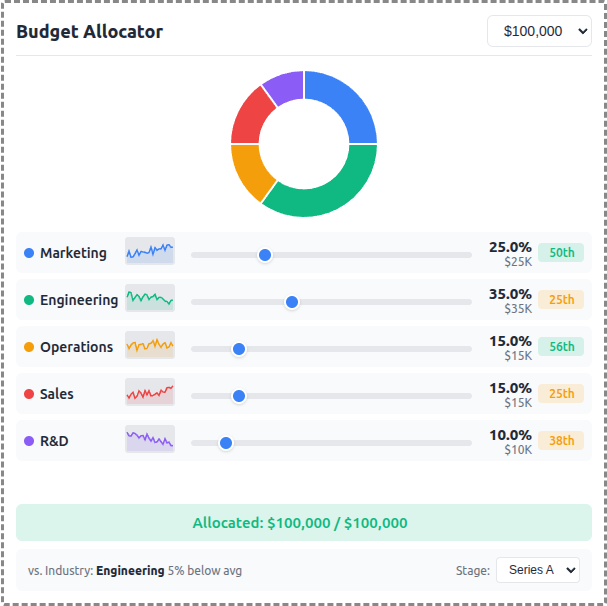
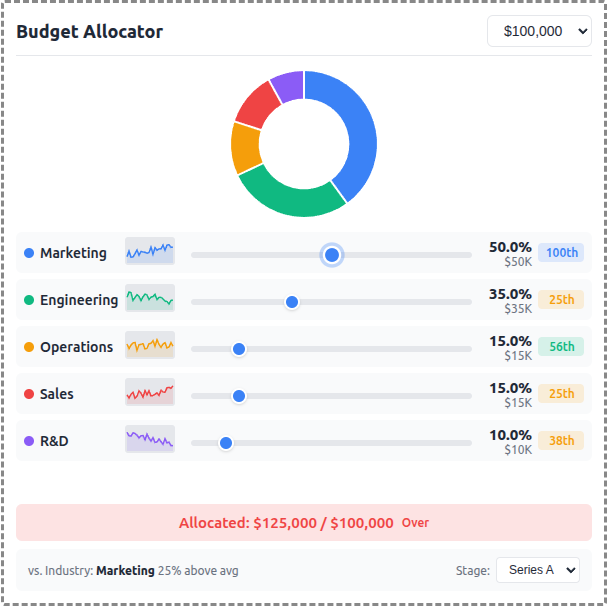
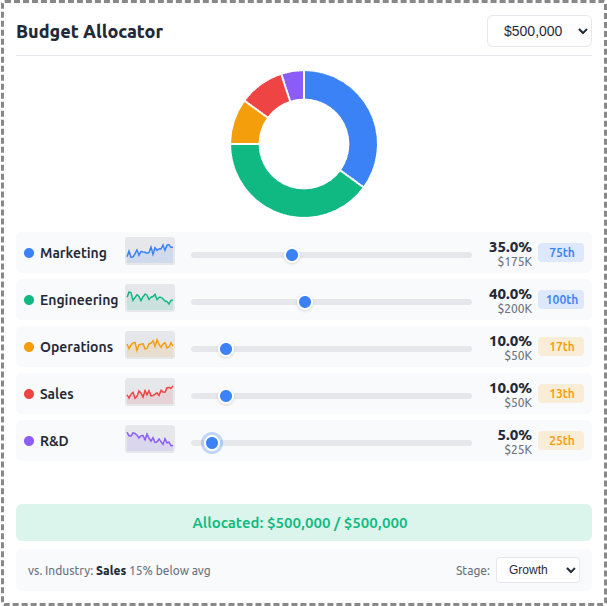
An interactive budget allocation tool demonstrating real-time data visualization with MCP Apps.
 |
 |
 |
MCP Client Configuration
Add to your MCP client configuration (stdio transport):
{
  "mcpServers": {
    "budget-allocator": {
      "command": "npx",
      "args": [
        "-y",
        "--silent",
        "--registry=https://registry.npmjs.org/",
        "@modelcontextprotocol/server-budget-allocator",
        "--stdio"
      ]
    }
  }
}
Local Development
To test local modifications, use this configuration (replace ~/code/ext-apps with your clone path):
{
  "mcpServers": {
    "budget-allocator": {
      "command": "bash",
      "args": [
        "-c",
        "cd ~/code/ext-apps/examples/budget-allocator-server && npm run build >&2 && node dist/index.js --stdio"
      ]
    }
  }
}
Features
- Interactive Sliders: Adjust budget allocation across 5 categories (Marketing, Engineering, Operations, Sales, R&D)
- Donut Chart: Real-time visualization of allocation distribution using Chart.js
- Sparkline Trends: 24-month historical allocation data per category
- Percentile Badges: Compare your allocation vs. industry benchmarks
- Stage Selector: Switch between Seed, Series A, Series B, and Growth benchmarks
- Budget Presets: Quick selection of $50K, $100K, $250K, or $500K totals
Running
-
Install dependencies:
npm install -
Build and start the server:
npm run start:http # for Streamable HTTP transport # OR npm run start:stdio # for stdio transport -
View using the
basic-hostexample or another MCP Apps-compatible host.
Architecture
Server (server.ts)
Exposes a single get-budget-data tool that returns:
- Category definitions with colors and default allocations
- Historical data (~120 data points) - 24 months of allocation history per category
- Industry benchmarks (~60 data points) - Aggregated percentile data by company stage
The tool is linked to a UI resource via _meta.ui.resourceUri.
App (src/mcp-app.ts)
- Uses Chart.js for the donut chart visualization
- Renders sparkline trends using inline SVG
- Computes percentile rankings client-side from benchmark data
- Updates all UI elements reactively on slider changes