| Filename | Latest commit message | Latest commit date |
|---|---|---|
 8550545ccb
According to spec, mimeType should be present in both the resource declaration and the resource content. This adds the missing mimeType to the registerResource() declaration (third parameter) in all example servers and the quickstart documentation. 🤖 Generated with [Claude Code](https://claude.com/claude-code) Co-authored-by: Claude <noreply@anthropic.com> Co-authored-by: ochafik <olivier.chafik@gmail.com> |
||
| .. | ||
| src | ||
| mcp-app.html | ||
| package.json | ||
| README.md | ||
| server.ts | ||
| tsconfig.json | ||
| vite.config.ts | ||
Example: Customer Segmentation Explorer
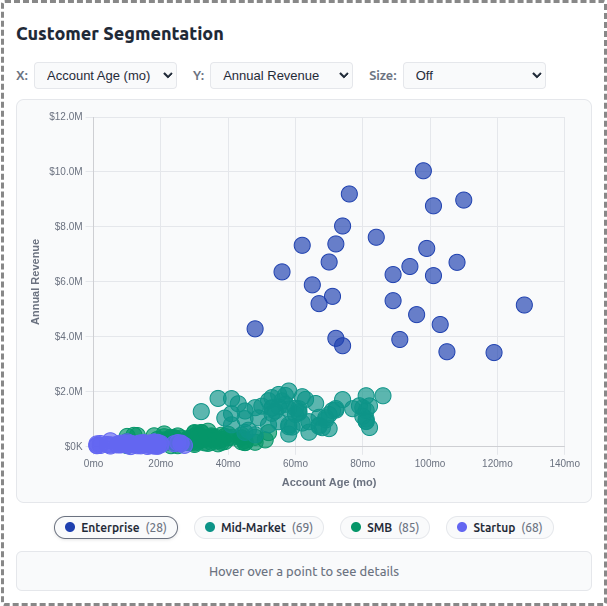
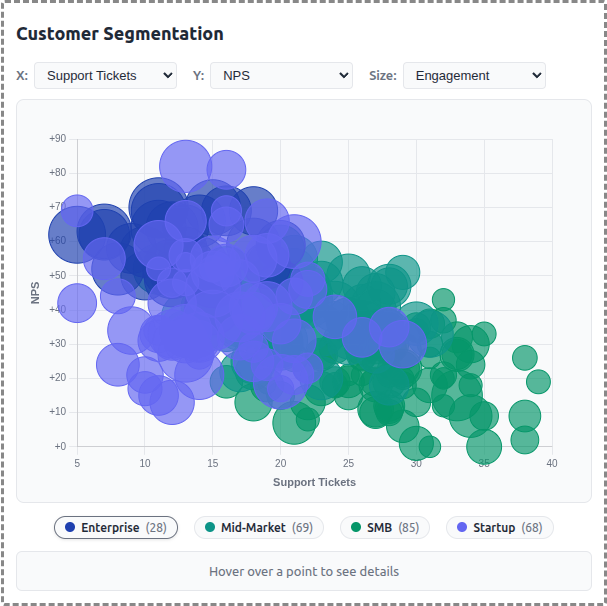
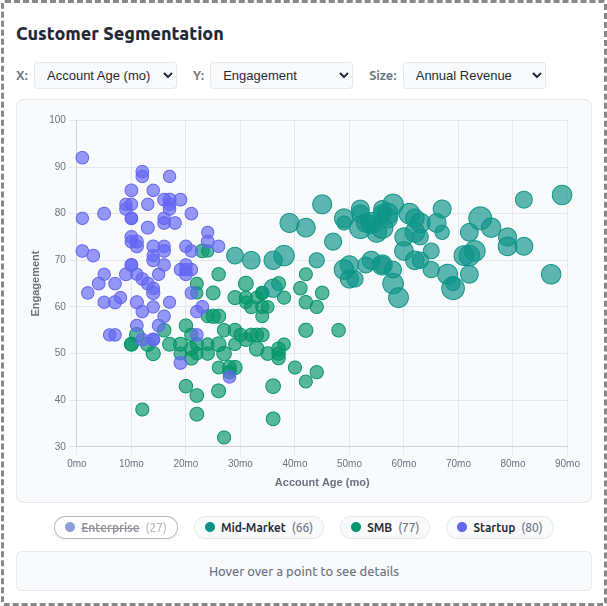
A demo MCP App that displays customer data as an interactive scatter/bubble chart with segment-based clustering. Users can explore different metrics, filter by segment, and click to see detailed customer information.
 |
 |
 |
Features
- Interactive Scatter Plot: Bubble chart visualization using Chart.js with configurable X/Y axes
- Segment Clustering: 250 customers grouped into 4 segments (Enterprise, Mid-Market, SMB, Startup)
- Axis Selection: Choose from 6 metrics for each axis (Revenue, Employees, Account Age, Engagement, Tickets, NPS)
- Size Mapping: Optional bubble sizing by a third metric for additional data dimension
- Legend Filtering: Click segment pills to show/hide customer groups
- Detail Panel: Hover or click customers to see name, segment, revenue, engagement, and NPS
- Theme Support: Adapts to light/dark mode preferences
Running
-
Install dependencies:
npm install -
Build and start the server:
npm run start:http # for Streamable HTTP transport # OR npm run start:stdio # for stdio transport -
View using the
basic-hostexample or another MCP Apps-compatible host.
Architecture
Server (server.ts)
Exposes a single get-customer-data tool that returns:
- Array of 250 generated customer records with segment assignments
- Segment summary with counts and colors for each group
- Optional segment filter parameter
The tool is linked to a UI resource via _meta[RESOURCE_URI_META_KEY].
App (src/mcp-app.ts)
- Uses Chart.js bubble chart for the visualization
- Fetches data once on connection
- Dropdown controls update chart axes and bubble sizing
- Custom legend with clickable segment toggles
- Detail panel updates on hover/click interactions
Data Generator (src/data-generator.ts)
- Generates realistic customer data with Gaussian clustering around segment centers
- Each segment has characteristic ranges for revenue, employees, engagement, etc.
- Company names generated from word-list combinations (e.g., "Apex Data Corp")
- Data cached in memory for session consistency