| Filename | Latest commit message | Latest commit date |
|---|---|---|
 8550545ccb
According to spec, mimeType should be present in both the resource declaration and the resource content. This adds the missing mimeType to the registerResource() declaration (third parameter) in all example servers and the quickstart documentation. 🤖 Generated with [Claude Code](https://claude.com/claude-code) Co-authored-by: Claude <noreply@anthropic.com> Co-authored-by: ochafik <olivier.chafik@gmail.com> |
||
| .. | ||
| src | ||
| mcp-app.html | ||
| package.json | ||
| README.md | ||
| server.ts | ||
| tsconfig.json | ||
| vite.config.ts | ||
Example: SaaS Scenario Modeler
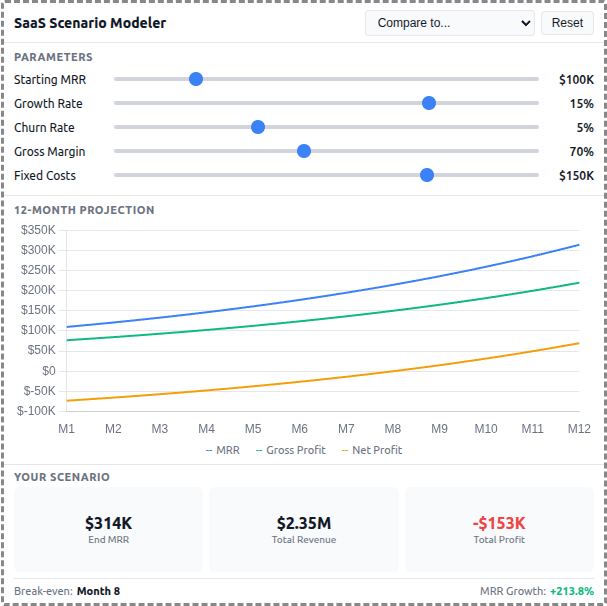
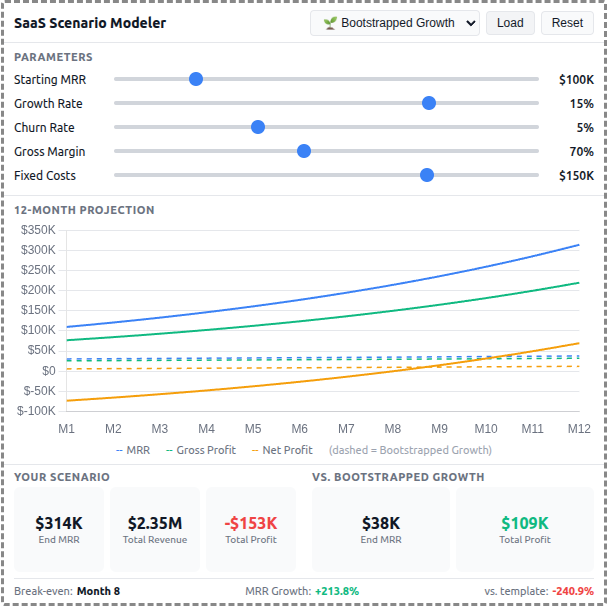
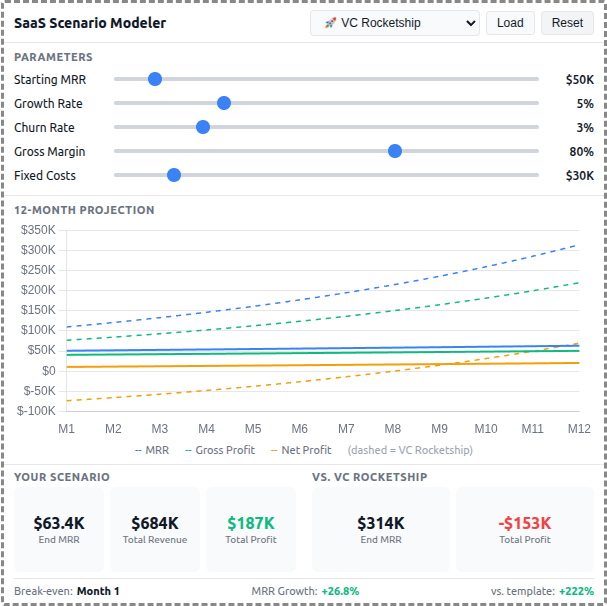
A React-based demo MCP App that lets users adjust SaaS business parameters and see real-time 12-month projections of revenue, costs, and profitability with comparison against pre-built scenario templates.
 |
 |
 |
Features
- Interactive Parameters: 5 sliders for Starting MRR, Growth Rate, Churn Rate, Gross Margin, and Fixed Costs
- 12-Month Projections: Line chart showing MRR, Gross Profit, and Net Profit over time
- Scenario Templates: 5 pre-built business strategies (Bootstrapped, VC Rocketship, Cash Cow, Turnaround, Efficient Growth)
- Template Comparison: Overlay dashed lines to compare your scenario against any template
- Summary Metrics: Key metrics including Ending MRR, Total Revenue, Total Profit, and break-even month
- Theme Support: Adapts to light/dark mode preferences
Running
-
Install dependencies:
npm install -
Build and start the server:
npm run start:http # for Streamable HTTP transport # OR npm run start:stdio # for stdio transport -
View using the
basic-hostexample or another MCP Apps-compatible host.
Architecture
Server (server.ts)
Exposes a single get-scenario-data tool that returns:
- 5 pre-built scenario templates with parameters, projections, and summaries
- Default input values for the sliders
- Optionally computes custom projections when
customInputsare provided
The tool is linked to a UI resource via _meta[RESOURCE_URI_META_KEY].
App (src/)
- Built with React for reactive slider updates and derived state management
- Uses Chart.js for the line chart visualization
- All projection calculations run client-side for instant slider feedback
- Components:
SliderRow,MetricCard,ProjectionChart - Template comparison shown as dashed overlay lines on the chart