| Filename | Latest commit message | Latest commit date |
|---|---|---|
 a0dcf16843
The Windows WSL job is the critical path of every CI run (589 to 752 s). Its checkout sits on the Windows drive, which WSL reaches over 9P, and writing node_modules there is what makes npm ci take about three minutes where the Linux job takes 23 s. The step now copies the tree onto the distro's ext4 filesystem before installing and building, as Microsoft's WSL guidance recommends for I/O-heavy work. The e2e job downloaded the full Chromium build (about 165 MB) on every run, but a headless run with no channel launches chromium-headless-shell and never opens it. `--only-shell` skips that download. Every tsconfig now lists the @types packages it uses (node, bun, vite/client, dom-speech-recognition) instead of relying on TypeScript auto-including everything under node_modules/@types. On TypeScript 5.9 this is a no-op: identical diagnostics across all 48 projects and byte-identical emitted .d.ts files. It is a prerequisite for TypeScript 7, which drops the auto-inclusion; with these lists the Go compiler passes all 48 projects, so that upgrade becomes a version bump once TypeDoc supports it. Two cache-based approaches were evaluated and rejected: an npm cache for the WSL job (npm ci is slow there because of 9P, not downloads, and a prefix-restored cache grows without bound) and a Playwright browser cache (Playwright's docs advise against it; the download is under 10 s). |
||
| .. | ||
| src | ||
| .gitignore | ||
| grid-cell.png | ||
| main.ts | ||
| mcp-app.html | ||
| package.json | ||
| README.md | ||
| screenshot.png | ||
| server.ts | ||
| tsconfig.json | ||
| tsconfig.server.json | ||
| vite.config.ts | ||


Example: Sheet Music Server
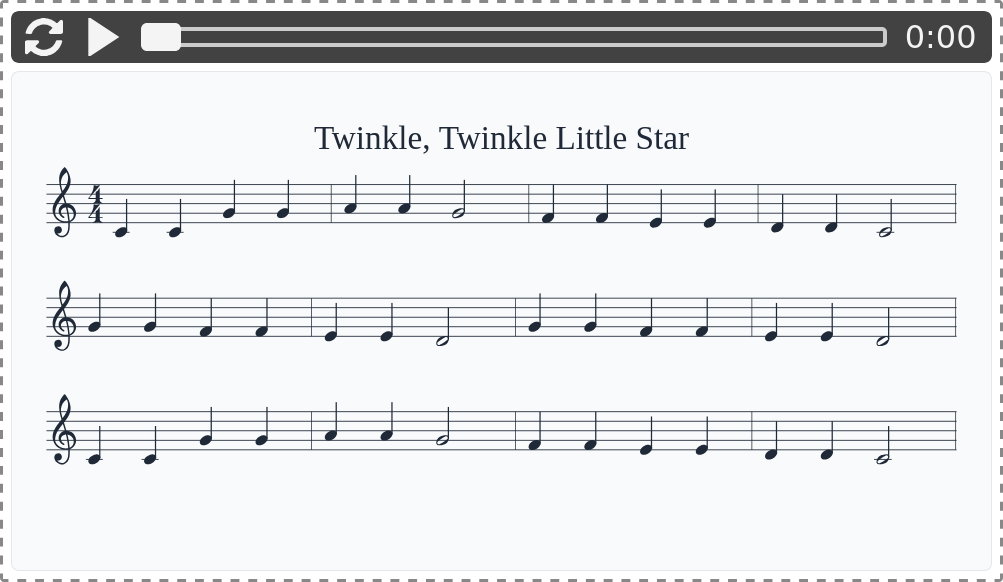
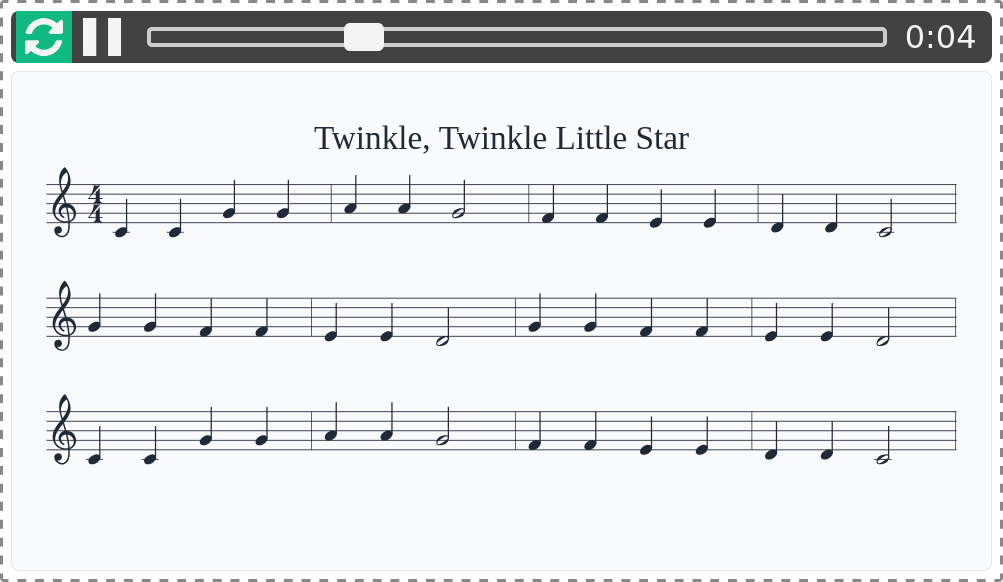
A demo MCP App that renders ABC notation as sheet music with interactive audio playback using the abcjs library.
 |
 |
MCP Client Configuration
Add to your MCP client configuration (stdio transport):
{
  "mcpServers": {
    "sheet-music": {
      "command": "npx",
      "args": [
        "-y",
        "--silent",
        "--registry=https://registry.npmjs.org/",
        "@modelcontextprotocol/server-sheet-music",
        "--stdio"
      ]
    }
  }
}
Local Development
To test local modifications, use this configuration (replace ~/code/ext-apps with your clone path):
{
  "mcpServers": {
    "sheet-music": {
      "command": "bash",
      "args": [
        "-c",
        "cd ~/code/ext-apps/examples/sheet-music-server && npm run build >&2 && node dist/index.js --stdio"
      ]
    }
  }
}
Features
- Audio Playback: Built-in audio player with play/pause and loop controls
- Sheet Music Rendering: Displays ABC notation as properly formatted sheet music
Running
-
Install dependencies:
npm install -
Build and start the server:
npm run start:http # for Streamable HTTP transport # OR npm run start:stdio # for stdio transport -
View using the
basic-hostexample or another MCP Apps-compatible host.
Tool Input
When calling the play-sheet-music tool, provide ABC notation:
{
  "abcNotation": "X:1
T:C Major Scale
M:4/4
L:1/4
K:C
C D E F | G A B c |"
}
ABC Notation Examples
C Major Scale:
X:1
T:C Major Scale
M:4/4
L:1/4
K:C
C D E F | G A B c |
Twinkle, Twinkle Little Star:
X:1
T:Twinkle, Twinkle Little Star
M:4/4
L:1/4
K:C
C C G G | A A G2 | F F E E | D D C2 |
G G F F | E E D2 | G G F F | E E D2 |
C C G G | A A G2 | F F E E | D D C2 |
Architecture
Server (server.ts)
Exposes a single play-sheet-music tool that accepts:
abcNotation: ABC notation string to render
The tool validates the ABC notation server-side using the abcjs parser and returns any parse errors. The actual rendering happens client-side when the UI receives the tool input.
App (src/mcp-app.ts)
- Receives ABC notation via
ontoolinputhandler - Uses abcjs for audio playback controls and sheet music rendering (in
renderAbc())