| Filename | Latest commit message | Latest commit date |
|---|---|---|
 a0dcf16843
The Windows WSL job is the critical path of every CI run (589 to 752 s). Its checkout sits on the Windows drive, which WSL reaches over 9P, and writing node_modules there is what makes npm ci take about three minutes where the Linux job takes 23 s. The step now copies the tree onto the distro's ext4 filesystem before installing and building, as Microsoft's WSL guidance recommends for I/O-heavy work. The e2e job downloaded the full Chromium build (about 165 MB) on every run, but a headless run with no channel launches chromium-headless-shell and never opens it. `--only-shell` skips that download. Every tsconfig now lists the @types packages it uses (node, bun, vite/client, dom-speech-recognition) instead of relying on TypeScript auto-including everything under node_modules/@types. On TypeScript 5.9 this is a no-op: identical diagnostics across all 48 projects and byte-identical emitted .d.ts files. It is a prerequisite for TypeScript 7, which drops the auto-inclusion; with these lists the Go compiler passes all 48 projects, so that upgrade becomes a version bump once TypeDoc supports it. Two cache-based approaches were evaluated and rejected: an npm cache for the WSL job (npm ci is slow there because of 9P, not downloads, and a prefix-restored cache grows without bound) and a Playwright browser cache (Playwright's docs advise against it; the download is under 10 s). |
||
| .. | ||
| src | ||
| .gitignore | ||
| grid-cell.png | ||
| main.ts | ||
| mcp-app.html | ||
| package.json | ||
| README.md | ||
| screenshot.png | ||
| server.ts | ||
| test-input.json | ||
| tsconfig.json | ||
| tsconfig.server.json | ||
| vite.config.ts | ||


Example: Three.js App
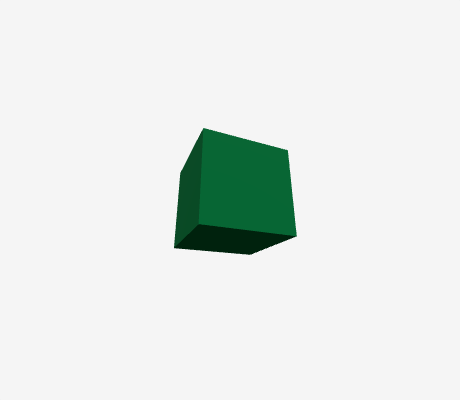
Interactive 3D scene renderer using Three.js. Demonstrates streaming code preview and full MCP App integration.
MCP Client Configuration
Add to your MCP client configuration (stdio transport):
{
  "mcpServers": {
    "threejs": {
      "command": "npx",
      "args": [
        "-y",
        "--silent",
        "--registry=https://registry.npmjs.org/",
        "@modelcontextprotocol/server-threejs",
        "--stdio"
      ]
    }
  }
}
Local Development
To test local modifications, use this configuration (replace ~/code/ext-apps with your clone path):
{
  "mcpServers": {
    "threejs": {
      "command": "bash",
      "args": [
        "-c",
        "cd ~/code/ext-apps/examples/threejs-server && npm run build >&2 && node dist/index.js --stdio"
      ]
    }
  }
}
Features
- Interactive 3D Rendering: Execute JavaScript code to create and animate Three.js scenes
- Streaming Preview: See the scene build in real-time as code is being written
- Built-in Helpers: Pre-configured
OrbitControls, post-processing effects (bloom), and render passes - Documentation Tool:
learn_threejsprovides API docs and code examples on demand
Running
-
Install dependencies:
npm install -
Build and start the server:
npm run start:http # for Streamable HTTP transport # OR npm run start:stdio # for stdio transport -
View using the
basic-hostexample or another MCP Apps-compatible host.
Tool Input
To test the example, copy the contents of test-input.json into the tool input field in basic-host.
The test input creates a simple scene with a rotating cube:
const scene = new THREE.Scene();
const camera = new THREE.PerspectiveCamera(60, width / height, 0.1, 100);
camera.position.set(2, 2, 2);

const renderer = new THREE.WebGLRenderer({ canvas, antialias: true });
renderer.setSize(width, height);
renderer.shadowMap.enabled = true;

const cube = new THREE.Mesh(
  new THREE.BoxGeometry(),
  new THREE.MeshStandardMaterial({ color: 0x00ff88 }),
);
cube.castShadow = true;
cube.position.y = 0.5;
scene.add(cube);

const floor = new THREE.Mesh(
  new THREE.PlaneGeometry(5, 5),
  new THREE.MeshStandardMaterial({ color: 0x222233 }),
);
floor.rotation.x = -Math.PI / 2;
floor.receiveShadow = true;
scene.add(floor);

const light = new THREE.DirectionalLight(0xffffff, 2);
light.position.set(3, 5, 3);
light.castShadow = true;
scene.add(light);
scene.add(new THREE.AmbientLight(0x404040));

function animate() {
  requestAnimationFrame(animate);
  cube.rotation.y += 0.01;
  renderer.render(scene, camera);
}
animate();
Available Three.js Globals
When writing custom code, these globals are available:
THREE; // Three.js library
canvas; // Pre-created canvas element
width; // Canvas width
height; // Canvas height
OrbitControls; // Camera controls
EffectComposer; // Post-processing composer
RenderPass; // Render pass
UnrealBloomPass; // Bloom effect
Architecture
Server (server.ts)
Exposes two tools:
show_threejs_scene- Renders a 3D scene from JavaScript codelearn_threejs- Returns documentation and code examples for Three.js APIs
Supports Streamable HTTP and stdio transports.
App (src/threejs-app.tsx)
React component that:
- Receives tool inputs via the MCP App SDK
- Displays streaming preview from
toolInputsPartial.codeas code arrives - Executes final code from
toolInputs.codewhen complete - Renders to a pre-created canvas with configurable height
Performance
Visibility-Based Pause
Animation automatically pauses when the view scrolls out of view:
- Uses
IntersectionObserverto track visibility (browser-native, no polling) - Wraps
requestAnimationFrameto skip frames when not visible - Animation loop stops completely → zero CPU usage while hidden
- Queued callbacks resume instantly when scrolled back into view
This is transparent to user code - just use requestAnimationFrame normally.
Transparent Background
Supports alpha transparency for seamless host UI integration:
const renderer = new THREE.WebGLRenderer({
  canvas,
  antialias: true,
  alpha: true,
});
renderer.setClearColor(0x000000, 0); // Fully transparent
This is the default - 3D objects composite directly over the host background.