 2755438dba
New example demonstrating interactive 3D scene rendering with: - show_threejs_scene tool with streaming code preview - learn_threejs documentation tool - Full WidgetProps interface for MCP App integration - Reusable mcp-app-wrapper.tsx pattern Also adds bun.lockb to .gitignore. 🤖 Generated with [Claude Code](https://claude.com/claude-code) Co-Authored-By: Claude <noreply@anthropic.com>
137 lines
3.5 KiB
Markdown
137 lines
3.5 KiB
Markdown
# Three.js MCP Server
|
|
|
|
Interactive 3D scene renderer using Three.js. Demonstrates streaming code preview and full MCP App integration.
|
|
|
|
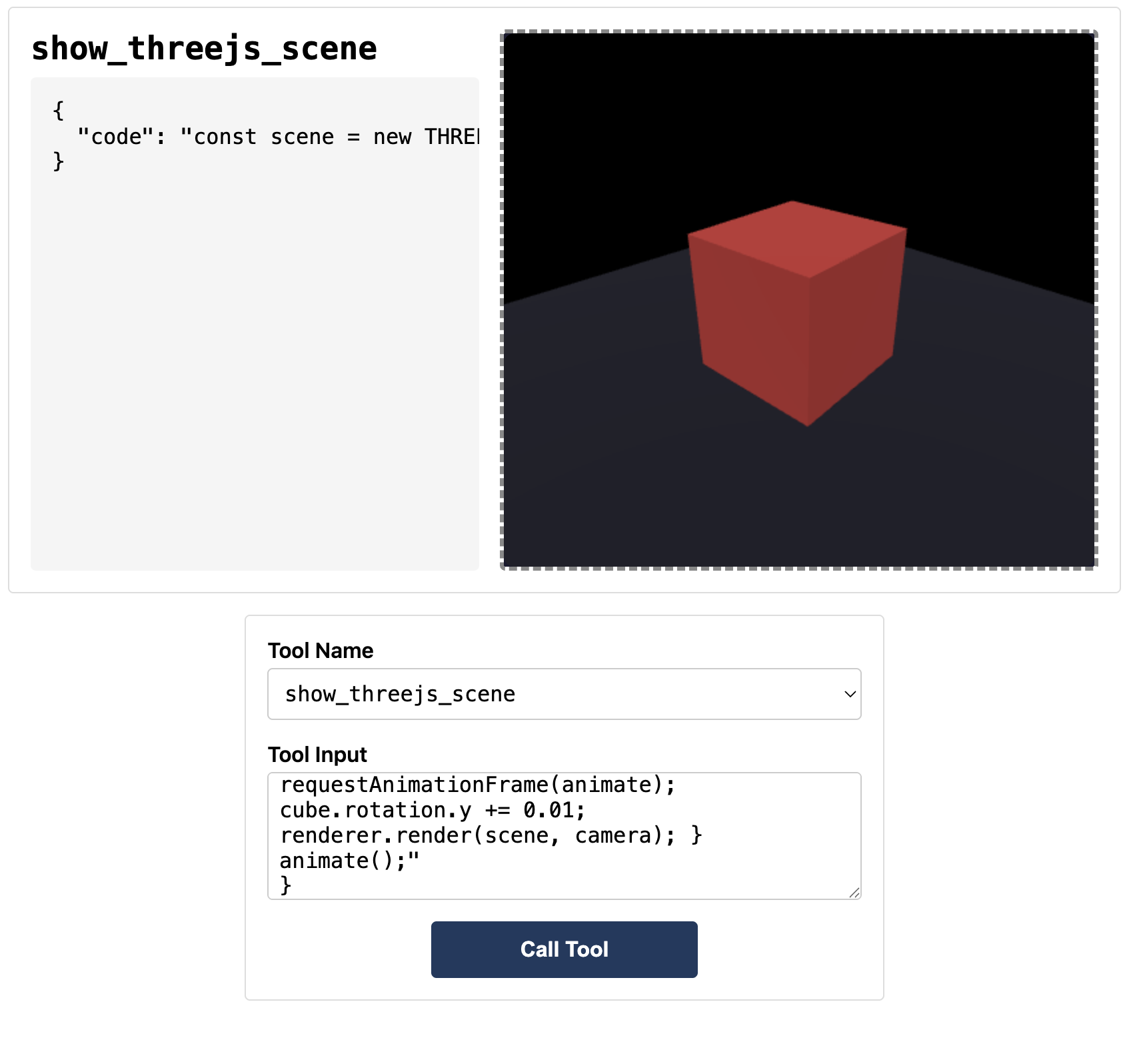
|
|
|
|
## Tools
|
|
|
|
| Tool | Description |
|
|
| -------------------- | ------------------------------------ |
|
|
| `show_threejs_scene` | Render 3D scene from JavaScript code |
|
|
| `learn_threejs` | Get documentation and examples |
|
|
|
|
## Quick Start
|
|
|
|
```bash
|
|
# Build
|
|
npm run build
|
|
|
|
# Run (stdio mode for Claude Desktop)
|
|
bun server.ts --stdio
|
|
|
|
# Run (HTTP mode for basic-host)
|
|
bun server.ts
|
|
```
|
|
|
|
## Code Structure
|
|
|
|
```
|
|
threejs-server/
|
|
├── server.ts # MCP server with tools
|
|
├── mcp-app.html # Entry HTML
|
|
└── src/
|
|
├── mcp-app-wrapper.tsx # Generic MCP App wrapper (reusable)
|
|
├── threejs-app.tsx # Three.js widget component
|
|
└── global.css # Styles
|
|
```
|
|
|
|
## Key Files
|
|
|
|
### `src/mcp-app-wrapper.tsx`
|
|
|
|
Generic wrapper handling MCP connection. Provides `WidgetProps` interface:
|
|
|
|
```tsx
|
|
interface WidgetProps<TToolInput> {
|
|
toolInputs: TToolInput | null; // Complete tool input
|
|
toolInputsPartial: TToolInput | null; // Streaming partial input
|
|
toolResult: CallToolResult | null; // Tool execution result
|
|
hostContext: McpUiHostContext | null; // Theme, viewport, locale
|
|
callServerTool: App["callServerTool"]; // Call MCP server tools
|
|
sendMessage: App["sendMessage"]; // Send chat messages
|
|
sendOpenLink: App["sendOpenLink"]; // Open URLs in browser
|
|
sendLog: App["sendLog"]; // Debug logging
|
|
}
|
|
```
|
|
|
|
### `src/threejs-app.tsx`
|
|
|
|
Widget component receiving all props. Uses:
|
|
|
|
- `toolInputs.code` - JavaScript to execute
|
|
- `toolInputsPartial.code` - Streaming preview
|
|
- `toolInputs.height` - Canvas height
|
|
|
|
### `server.ts`
|
|
|
|
MCP server with:
|
|
|
|
- `show_threejs_scene` tool linked to UI resource
|
|
- `learn_threejs` documentation tool
|
|
- stdio + HTTP transport support
|
|
|
|
## Available Three.js Globals
|
|
|
|
```javascript
|
|
THREE; // Three.js library
|
|
canvas; // Pre-created canvas
|
|
(width, height); // Canvas dimensions
|
|
OrbitControls; // Camera controls
|
|
EffectComposer; // Post-processing
|
|
RenderPass; // Render pass
|
|
UnrealBloomPass; // Bloom effect
|
|
```
|
|
|
|
## Test Input
|
|
|
|
Copy contents of `test-input.json` to test in basic-host (`http://localhost:8080`).
|
|
|
|
## Example Code
|
|
|
|
```javascript
|
|
const scene = new THREE.Scene();
|
|
const camera = new THREE.PerspectiveCamera(60, width / height, 0.1, 100);
|
|
camera.position.set(2, 2, 2);
|
|
|
|
const renderer = new THREE.WebGLRenderer({ canvas, antialias: true });
|
|
renderer.setSize(width, height);
|
|
renderer.shadowMap.enabled = true;
|
|
|
|
const cube = new THREE.Mesh(
|
|
new THREE.BoxGeometry(),
|
|
new THREE.MeshStandardMaterial({ color: 0x00ff88 }),
|
|
);
|
|
cube.castShadow = true;
|
|
cube.position.y = 0.5;
|
|
scene.add(cube);
|
|
|
|
const floor = new THREE.Mesh(
|
|
new THREE.PlaneGeometry(5, 5),
|
|
new THREE.MeshStandardMaterial({ color: 0x222233 }),
|
|
);
|
|
floor.rotation.x = -Math.PI / 2;
|
|
floor.receiveShadow = true;
|
|
scene.add(floor);
|
|
|
|
const light = new THREE.DirectionalLight(0xffffff, 2);
|
|
light.position.set(3, 5, 3);
|
|
light.castShadow = true;
|
|
scene.add(light);
|
|
scene.add(new THREE.AmbientLight(0x404040));
|
|
|
|
function animate() {
|
|
requestAnimationFrame(animate);
|
|
cube.rotation.y += 0.01;
|
|
renderer.render(scene, camera);
|
|
}
|
|
animate();
|
|
```
|
|
|
|
## Creating a New Widget
|
|
|
|
1. Copy this example
|
|
2. Rename `threejs-app.tsx` to your widget name
|
|
3. Define your `ToolInput` interface
|
|
4. Implement your widget using the `WidgetProps`
|
|
5. Update `server.ts` with your tools
|