 c5b2543115
Install instructions now list the split base MCP SDK packages at ^2.0.0
by role (core comes in transitively, server only for server authors),
require Node 20+, and state that the wire protocol is unchanged so 2.x
Views and 1.x hosts interoperate. The agent skills lose the exact
prerelease wording and add-app-to-server gains a v1 to v2 import
mapping. docs/migrate-to-2.md lists the breaking changes, the peer
matrix and the host-side error deltas.
3.1 KiB
3.1 KiB
Transcript Server
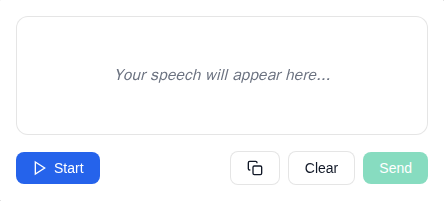
An MCP App Server for live speech transcription using the Web Speech API.
MCP Client Configuration
Add to your MCP client configuration (stdio transport):
{
  "mcpServers": {
    "transcript": {
      "command": "npx",
      "args": [
        "-y",
        "--silent",
        "--registry=https://registry.npmjs.org/",
        "@modelcontextprotocol/server-transcript",
        "--stdio"
      ]
    }
  }
}
Local Development
To test local modifications, use this configuration (replace ~/code/ext-apps with your clone path):
{
  "mcpServers": {
    "transcript": {
      "command": "bash",
      "args": [
        "-c",
        "cd ~/code/ext-apps/examples/transcript-server && npm run build >&2 && node dist/index.js --stdio"
      ]
    }
  }
}
Features
- Live Transcription: Real-time speech-to-text using browser's Web Speech API
- Transitional Model Context: Streams interim transcriptions to the model via
ui/update-model-context, allowing the model to see what the user is saying as they speak - Audio Level Indicator: Visual feedback showing microphone input levels
- Send to Host: Button to send completed transcriptions as a
ui/messageto the MCP host - Start/Stop Control: Toggle listening on and off
- Clear Transcript: Reset the transcript area
Setup
Prerequisites
- Node.js 20+
- Chrome, Edge, or Safari (Web Speech API support)
Installation
npm install
Running
# Development mode (with hot reload)
npm run dev

# Production build and serve
npm run start
Usage
The server exposes a single tool:
transcribe
Opens a live speech transcription interface.
Parameters: None
Example:
{
  "name": "transcribe",
  "arguments": {}
}
How It Works
- Click Start to begin listening
- Speak into your microphone
- Watch your speech appear as text in real-time (interim text is streamed to model context via
ui/update-model-context) - Click Send to send the transcript as a
ui/messageto the host (clears the model context) - Click Clear to reset the transcript
Architecture
transcript-server/
├── server.ts          # MCP server with transcribe tool
├── server-utils.ts    # HTTP transport utilities
├── mcp-app.html       # Transcript UI entry point
├── src/
│   ├── mcp-app.ts     # App logic, Web Speech API integration
│   ├── mcp-app.css    # Transcript UI styles
│   └── global.css     # Base styles
└── dist/              # Built output (single HTML file)
Notes
- Microphone Permission: Requires
allow="microphone"on the sandbox iframe (configured viapermissions: { microphone: {} }in the resource_meta.ui) - Browser Support: Web Speech API is well-supported in Chrome/Edge, with Safari support. Firefox has limited support.
- Continuous Mode: Recognition automatically restarts when it ends, for seamless transcription
Future Enhancements
- Language selection dropdown
- Whisper-based offline transcription (see TRANSCRIPTION.md)
- Export transcript to file
- Timestamps toggle