- TypeScript 76.4%
- MDX 19.3%
- JavaScript 4.3%
| Filename | Latest commit message | Latest commit date |
|---|---|---|
 3af019144f
* fix(pdf-server): one bad form field no longer aborts saving the rest #577 dropped the per-field try/catch in buildAnnotatedPdfBytes when it swapped to type-dispatch, so the first field whose pdf-lib write throws (max-length text, missing /Yes appearance, radio buttonValue mapping to neither label nor index, ...) bubbled to the outer catch and silently dropped every subsequent field. Compounded by getAnnotatedPdfBytes passing every baseline field, so even an untouched problematic field in the PDF poisoned the whole save. - Re-wrap each field write in its own try/catch (warn + continue). - getAnnotatedPdfBytes now only sends fields whose value differs from baseline (still includes explicit ''/false sentinels for cleared fields so pdf-lib overwrites the original /V). - Regression test: a maxLength=2 text field fed a long string, followed by a normal field; assert the second one still lands. * fix(pdf-server): radio groups misclassified as PDFCheckBox save the chosen widget Some PDFs (e.g. third-party forms like the IRS f1040 family, and the demo Form.pdf) omit the /Ff Radio flag bit on button fields, so pdf-lib classifies a multi-widget radio as PDFCheckBox. The viewer stores pdf.js's buttonValue (the widget's on-state name, e.g. '0'/'1') as a string. The PDFCheckBox branch did 'if (value) field.check()', which always sets the FIRST widget's on-state - so any choice saved as the first option. When the value is a string on a PDFCheckBox, treat it as a radio on-value: write /V and per-widget /AS directly via the low-level acroField (mirroring PDFAcroRadioButton.setValue minus its first-widget-only onValues guard). Booleans keep check()/uncheck(). Test: build a radio fixture, clear the Radio flag so reload sees PDFCheckBox, save with '1', assert /V = /1 and second widget /AS = /1. * fix(pdf-server): clearing a radio from the panel unchecks all widgets clearFieldInStorage wrote the same string clearValue to every widget's storage, hitting pdf.js's inverted string-coercion bug (the one setFieldInStorage already works around): the wrong widget rendered checked. For radio, write {value:false} to every widget instead. * fix(pdf-server): only treat multi-widget PDFCheckBox as misclassified radio A single-widget checkbox getting a string value (e.g. 'Yes'/'Off' if something upstream stores the export string instead of boolean) was being routed through setButtonGroupValue, which no-ops when no widget's on-state matches the value - leaving the box unchanged. Gate the radio-path on widgets.length > 1; single-widget falls through to check()/uncheck() with liberal truthy/'Off' semantics. * fix(pdf-server): generate missing field appearances on save PDFs whose checkbox/radio widgets lack an /AP/N/<onValue> stream: check() sets /V and /AS but Preview/Acrobat can't render a state with no appearance, so the field looks unchanged. Call form.updateFieldAppearances() after the write loop so pdf-lib synthesizes defaults for dirty fields. * feat(pdf-server): save PDFOptionList (multiselect listbox) values Language field in Form.pdf is a PDFOptionList; the save loop skipped it. Parse the viewer's comma-joined string, select() the subset that exists in getOptions() (pdf-lib throws on unknowns and there's no edit-mode fallback like Dropdown has). * fix(pdf-server): capture all selected options on <select multiple> target.value on a multiselect is only the first option; join selectedOptions so the save path gets the full set. |
||
| .claude-plugin | ||
| .github/workflows | ||
| .husky | ||
| docs | ||
| examples | ||
| media | ||
| plugins/mcp-apps | ||
| scripts | ||
| specification | ||
| src | ||
| tests/e2e | ||
| .gitattributes | ||
| .gitignore | ||
| .npmrc | ||
| .prettierignore | ||
| .prettierrc.json | ||
| AGENTS.md | ||
| build.bun.ts | ||
| CLAUDE.md | ||
| CONTRIBUTING.md | ||
| LICENSE | ||
| package-lock.json | ||
| package.json | ||
| playwright.config.ts | ||
| README.md | ||
| RELEASES.md | ||
| SECURITY.md | ||
| tsconfig.json | ||
| typedoc.config.mjs | ||

MCP Apps
Build interactive UIs for MCP tools — charts, forms, dashboards — that render inline in Claude, ChatGPT and any other compliant chat client.
Why
·
Quickstart
·
API Docs
·
Spec
·
Contributing







Excalidraw built with MCP Apps, running in Claude
Table of Contents
- Build with Agent Skills
- Supported Clients
- Why MCP Apps?
- How It Works
- Getting Started
- Using the SDK
- Examples
- Specification
- Resources
- Contributing
Build with Agent Skills
The fastest way to build an MCP App is to let your AI coding agent do it. This repo ships four Agent Skills — install them once, then just ask:
| Skill | What it does | Try it |
|---|---|---|
create-mcp-app |
Scaffolds a new MCP App with an interactive UI from scratch | "Create an MCP App" |
migrate-oai-app |
Converts an existing OpenAI App to use MCP Apps | "Migrate from OpenAI Apps SDK" |
add-app-to-server |
Adds interactive UI to an existing MCP server's tools | "Add UI to my MCP server" |
convert-web-app |
Turns an existing web app into a hybrid web + MCP App | "Add MCP App support to my web app" |
Install the Skills
Claude Code — install via the plugin marketplace:
/plugin marketplace add modelcontextprotocol/ext-apps
/plugin install mcp-apps@modelcontextprotocol-ext-apps
Other agents — any AI coding agent that supports Agent Skills can use these skills. See the agent skills guide for manual installation instructions.
Once installed, verify by asking your agent "What skills do you have?" — you
should see create-mcp-app, migrate-oai-app, add-app-to-server, and
convert-web-app in the list. Then just ask it to create or migrate an app and
it will guide you through the rest.
Supported Clients




Note
MCP Apps is an extension to the core MCP specification. Host support varies — see the clients page for the full list.
Why MCP Apps?
MCP tools return text and structured data. That works for many cases, but not when you need an interactive UI, like a chart, form, design canvas or video player.
MCP Apps provide a standardized way to deliver interactive UIs from MCP servers. Your UI renders inline in the conversation, in context, in any compliant host.
How It Works
MCP Apps extend the Model Context Protocol by letting tools declare UI resources:
- Tool definition — Your tool declares a
ui://resource containing its HTML interface - Tool call — The LLM calls the tool on your server
- Host renders — The host fetches the resource and displays it in a sandboxed iframe
- Bidirectional communication — The host passes tool data to the UI via notifications, and the UI can call other tools through the host
Getting Started
npm install -S @modelcontextprotocol/ext-apps
New here? Start with the Quickstart Guide to build your first MCP App.
Using the SDK
The SDK serves three roles: app developers building interactive Views, host developers embedding those Views, and MCP server authors registering tools with UI metadata.
| Package | Purpose | Docs |
|---|---|---|
@modelcontextprotocol/ext-apps |
Build interactive Views (App class, PostMessageTransport) | API Docs → |
@modelcontextprotocol/ext-apps/react |
React hooks for Views (useApp, useHostStyles, etc.) | API Docs → |
@modelcontextprotocol/ext-apps/app-bridge |
Embed and communicate with Views in your chat client | API Docs → |
@modelcontextprotocol/ext-apps/server |
Register tools and resources on your MCP server | API Docs → |
There's no supported host implementation in this repo (beyond the examples/basic-host example).
The MCP-UI client SDK offers a fully-featured MCP Apps framework used by a few hosts. Clients may choose to use it or roll their own implementation.
Examples
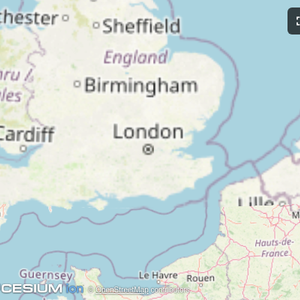
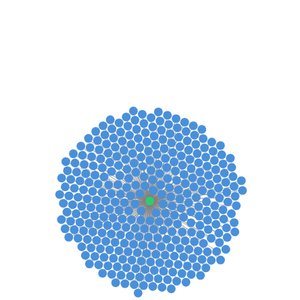
The
examples/
directory contains demo apps showcasing real-world use cases.
 |
 |
 |
| Map | Three.js | ShaderToy |
 |
 |
 |
| Sheet Music | Wiki Explorer | Cohort Heatmap |
 |
 |
 |
| Scenario Modeler | Budget Allocator | Customer Segmentation |
 |
 |
 |
| System Monitor | Transcript | Video Resource |
 |
 |
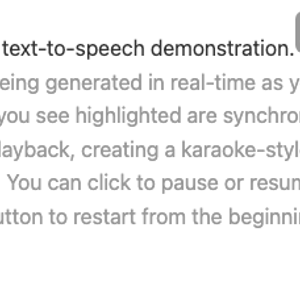 |
| PDF Server | QR Code (Python) | Say Demo |
Starter Templates
 |
The same app built with different frameworks — pick your favorite! React · Vue · Svelte · Preact · Solid · Vanilla JS |
Running the Examples
With basic-host
To run all examples locally using basic-host (the reference host implementation included in this repo):
git clone https://github.com/modelcontextprotocol/ext-apps.git
cd ext-apps
npm install
npm start
Then open http://localhost:8080/.
With MCP Clients
Every Node.js example is published as @modelcontextprotocol/server-<name>. To
add one to an MCP client that supports stdio (Claude Desktop, VS Code, etc.),
use this pattern:
{
  "mcpServers": {
    "<name>": {
      "command": "npx",
      "args": ["-y", "@modelcontextprotocol/server-<name>", "--stdio"]
    }
  }
}
For example, to add the map server: @modelcontextprotocol/server-map. The
Python examples (qr-server, say-server) use uv run instead — see their
READMEs for details.
Local Development
To test local modifications with an MCP client, clone the repo, install, then point your client at a local build:
{
  "mcpServers": {
    "<name>": {
      "command": "bash",
      "args": [
        "-c",
        "cd ~/code/ext-apps/examples/<name>-server && npm run build >&2 && node dist/index.js --stdio"
      ]
    }
  }
}
Specification
| Version | Status | Link |
|---|---|---|
| 2026-01-26 | Stable | specification/2026-01-26/apps.mdx |
| draft | Development | specification/draft/apps.mdx |
Resources
Contributing
Contributions are welcome! Please read CONTRIBUTING.md for guidelines on how to get started, submit pull requests, and report issues.