- TypeScript 76.4%
- MDX 19.3%
- JavaScript 4.3%
| Filename | Latest commit message | Latest commit date |
|---|---|---|
 574a768e09
* feat: add script to generate 300x300 grid-cell.png screenshots for examples
- Add generate-grid-screenshots.spec.ts Playwright test to capture screenshots
- Add npm run generate:screenshots command (Docker-based for Santa compatibility)
- Add sharp dependency for image resizing with centered-fill mode
- Generate grid-cell.png for 14 example servers (only React for basic-server-* series)
The screenshots are 300x300 PNG images cropped with centered fill mode,
suitable for use in a grid layout showcasing the examples.
* docs: add example gallery grid to README
Add a 3-column visual grid showcasing 14 example MCP Apps with:
- Thumbnail screenshots (300x300 grid-cell.png)
- Clickable links to example directories
- Hover tooltips with brief descriptions
Organized by visual impact: 3D/WebGL examples first, then
visualizations, charts, monitoring, and starter templates.
* fix: use aspect-fit instead of crop for screenshots
Change from fit: 'cover' (crops) to fit: 'contain' (letterbox)
so the full app content is visible without cropping.
* feat: improve screenshot generation
- Constrain viewport to 500px width for consistent rendering
- Wait 5 seconds for full app load (tiles, animations, data)
- Screenshot just the inner iframe (no extra whitespace)
- Save both screenshot.png (full-size) and grid-cell.png (300x300 thumbnail)
- Use contain mode to preserve aspect ratio
* fix: use cover mode with top alignment for grid thumbnails
No letterboxing - crops to fill 300x300, aligned to top so headers
and important content are always visible.
* feat: improve screenshot gallery
- Remove integration-server from gallery (it's for E2E testing only)
- Add 30s extra wait for Map and Video servers to load fully
- Improve Three.js default scene: isometric rotation + better lighting
- Update README: Starter Templates row with links to all framework variants
(React, Vue, Svelte, Preact, Solid, Vanilla JS)
- Regenerate all screenshots with updated settings
* fix: improve README gallery layout
- Fix uneven column widths by using minimal separator
- Move Starter Templates to separate 2-cell table with description
- Add screenshot.png to top of each example README (13 examples)
- Shorten tooltips for cleaner table
* revert to document.write again; cesiumjs doesn't like srcdoc, period.
* fix: map-server screenshot now renders properly
- Merged ochafik/post-fixes which reverts sandbox from srcdoc to document.write
(CesiumJS doesn't work with srcdoc iframes)
- Fixed map-server name in screenshot test ('Map Server' not 'CesiumJS Map Server')
- Simplified screenshot generation script (removed complex debugging code)
- Increased map-server wait time to 45s for reliable tile loading
- Regenerated all 13 screenshots
* fix: remove redundant screenshots from READMEs
Remove the simple \ line from READMEs that
already had nicer HTML table screenshots. Keep it only for examples
that didn't have existing screenshots.
* docs: move gallery to Examples section
- Move screenshot gallery from top of README to Examples section
- Remove redundant list of basic examples (now shown visually in gallery)
- Clean up duplicate run instructions
* fix: remove empty header row from starter templates table
* fix: remove empty header rows from both tables
* fix: add prettier-ignore to prevent table header expansion
* feat: use custom screenshot for video-resource-server
- Use better screenshot from PR #253 comment showing actual video playback
- Skip video-resource-server in screenshot generation script
- Add SKIP_SERVERS set for manually maintained screenshots
* fix: revert unrelated map-server name change
* fix: use correct server name 'CesiumJS Map Server' in screenshot test
|
||
| .github/workflows | ||
| .husky | ||
| docs | ||
| examples | ||
| scripts | ||
| specification/draft | ||
| src | ||
| tests/e2e | ||
| .gitattributes | ||
| .gitignore | ||
| .prettierignore | ||
| .prettierrc.json | ||
| AGENTS.md | ||
| build.bun.ts | ||
| CLAUDE.md | ||
| CONTRIBUTING.md | ||
| LICENSE | ||
| package-lock.json | ||
| package.json | ||
| playwright.config.ts | ||
| README.md | ||
| RELEASES.md | ||
| tsconfig.json | ||
| typedoc.json | ||
@modelcontextprotocol/ext-apps


This repo contains the SDK and specification for MCP Apps Extension (SEP-1865).
MCP Apps are a proposed standard inspired by MCP-UI and OpenAI's Apps SDK to allow MCP Servers to display interactive UI elements in conversational MCP clients / chatbots.
How It Works
MCP Apps extend the Model Context Protocol to let servers deliver interactive UIs to MCP hosts. Here's how it works:
- Tool call — The LLM calls a tool on your server
- UI Resource — The tool's definition links to a predeclared
ui://resource containing its HTML interface - Host renders — The host fetches the resource and displays it in a sandboxed iframe
- Bidirectional communication — The host passes tool data to the UI via notifications, and the UI can call other tools through the host
This enables dashboards, forms, visualizations, and other rich experiences inside chat interfaces.
Overview
This SDK serves two audiences:
App Developers
Build interactive UIs that run inside MCP-enabled chat clients.
- SDK for Apps:
@modelcontextprotocol/ext-apps— API Docs - React hooks:
@modelcontextprotocol/ext-apps/react— API Docs
Host Developers
Embed and communicate with MCP Apps in your chat application.
- SDK for Hosts:
@modelcontextprotocol/ext-apps/app-bridge— API Docs
There's no supported host implementation in this repo (beyond the examples/basic-host example).
We have contributed a tentative implementation of hosting / iframing / sandboxing logic to the MCP-UI repository, and expect OSS clients may use it, while other clients might roll their own hosting logic.
Installation
npm install -S @modelcontextprotocol/ext-apps
Or edit your package.json manually:
{
  "dependencies": {
    "@modelcontextprotocol/ext-apps": "^0.0.1"
  }
}
Examples
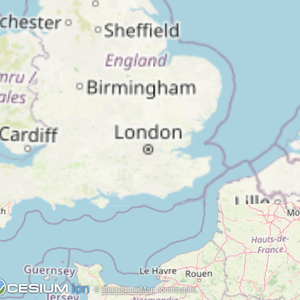 |
 |
 |
| Map | Three.js | ShaderToy |
 |
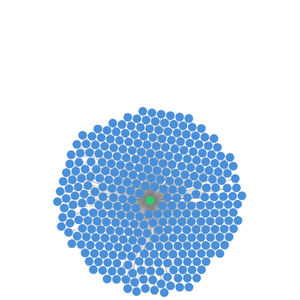 |
 |
| Sheet Music | Wiki Explorer | Cohort Heatmap |
 |
 |
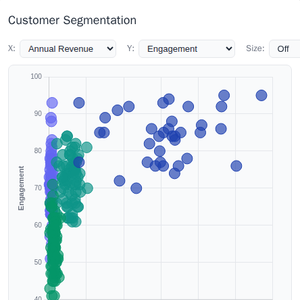 |
| Scenario Modeler | Budget Allocator | Customer Segmentation |
 |
 |
 |
| System Monitor | Transcript | Video Resource |
Starter Templates
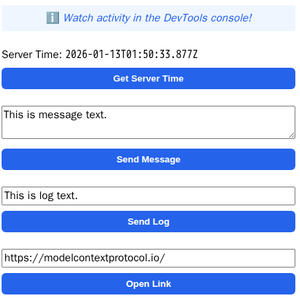 |
The same app built with different frameworks — pick your favorite! React · Vue · Svelte · Preact · Solid · Vanilla JS |
The examples/ directory contains additional demo apps showcasing real-world use cases.
To run all examples:
npm install
npm start
Then open http://localhost:8080/.