- TypeScript 76.4%
- MDX 19.3%
- JavaScript 4.3%
| Filename | Latest commit message | Latest commit date |
|---|---|---|
 68c58b60b7
* feat(pdf-server): refit on inline→fullscreen + pinch-to-zoom in fullscreen
Two related fixes for the fullscreen reading experience:
1) Inline → fullscreen left the page at the cramped inline scale.
computeFitToWidthScale() returned null when the natural page
already fit (availableWidth >= pageWidth), so going from a
narrow inline iframe (~67%) to a wide fullscreen container
produced null → no rescale. Now caps at min(1.0, fit) so the
refit handler sees 1.0 ≠ 0.67 and re-renders. Display-mode
handling moves before the containerDimensions refit so the
.fullscreen padding lands before we measure clientWidth, and
the inline→fullscreen edge triggers refit explicitly (some
hosts send displayMode without containerDimensions).
2) Pinch-to-zoom in fullscreen. Two input paths:
- wheel + ctrlKey → trackpad pinch (Chrome/FF/Edge/Safari).
exp(-deltaY/100) per pdf.js; 150ms settle then commit.
- two-finger touch → mobile. Distance ratio against touchstart;
commit on touchend, revert on touchcancel.
Both apply a CSS transform to .page-wrapper for live feedback,
then commit one renderPage() at gesture end (renderPage is
heavy: PDF.js raster + TextLayer + AnnotationLayer rebuild).
touch-action: pan-x pan-y on the fullscreen canvas-container
keeps native panning working while we own the pinch.
Incidental: resetZoom (Cmd+0) now snaps to fit, not blindly 1.0,
so it doesn't overflow a narrow inline iframe; ZOOM_MIN/MAX
constants; shared pageWrapperEl ref.
* test(pdf-viewer-zoom): start narrow — basic-host doesn't emit containerDimensions on resize
The first test loaded at 1400w then resized to 500w expecting the
viewer to refit, but basic-host only sends containerDimensions at
init (implementation.ts:297) — never on window resize. Start narrow
so the initial fit lands <100%, then widen + fullscreen. Matches
the webtop verification flow that confirmed 67% → 100%.
* fix(pdf-server): drive fullscreen refit from ResizeObserver, not host messages
The displayMode hook ran refitToWidth() but Claude Desktop resizes
the iframe element AFTER (or independently of) sending the displayMode
update — clientWidth was still the inline width when we measured.
ResizeObserver on the canvas-container fires after the iframe has
actually laid out at the new size, so the measurement is fresh.
Gated to width-growth only: in inline mode renderPage() →
requestFitToContent() → host shrinks iframe to page width, which
would otherwise loop the scale down to ZOOM_MIN. Growth-only covers
inline→fullscreen and window-widen without the feedback loop.
* fix(basic-host): emit containerDimensions on iframe resize
Per spec, hosts notify views of container dimension changes via
host-context-changed. basic-host only sent containerDimensions once
at init — never on window resize or after the fullscreen panel
toggle. ResizeObserver on the iframe sends {width, maxHeight: 6000}
on every layout change; height stays flexible so views can keep
driving it via sendSizeChanged.
Doesn't replace the viewer-side ResizeObserver (defensive against
hosts we don't control), but makes the reference host spec-compliant.
* fix(pdf-server): scale UP to fill width in fullscreen, not just down
The previous fit cap of 1.0 meant a 612pt page in a 1400px fullscreen
container stayed at 100% — natural size, acres of empty space.
Fullscreen now caps at ZOOM_MAX so the page fills the available
width. Inline keeps the 1.0 cap (the iframe sizes to the page via
sendSizeChanged; growing past 1.0 would just make the iframe huge).
Exit-fullscreen refits back down to ≤1.0; if userHasZoomed (so
refit no-ops) fall back to requestFitToContent so the iframe still
shrinks to whatever scale they left it at.
* test(pdf-viewer-zoom): expect fullscreen to fill width (>100%), pinch out
Fullscreen fit now scales up past 100%, so the entering-fullscreen
assertion is >inlineZoom+50, not =100. The pinch test pinches OUT
(deltaY>0) so it doesn't immediately hit ZOOM_MAX from a ~220%
starting point.
* fix(pdf-server): fullscreen fit-to-PAGE, not fit-to-width
Fit-to-width on a wide screen filled the width but left the page
scrolling vertically — "fits" should mean the whole page is visible.
computeFitScale (renamed) now returns min(widthFit, heightFit) in
fullscreen so the page sits centred without scroll. Inline keeps
fit-to-width capped at 1.0 (height is host-driven via sendSizeChanged).
ResizeObserver now reacts to height changes too in fullscreen — the
inline width-growth-only gate stays (requestFitToContent loop guard),
but in fullscreen requestFitToContent early-returns so any size change
is safe to refit on.
e2e: assert no overflow in fullscreen instead of a magic zoom %.
* fix(pdf-server): respect safe-area insets in fullscreen fit-to-page
The host's chat input / home indicator overlays the bottom of the
fullscreen iframe (reported via safeAreaInsets). The toolbar already
honoured top/left/right; the canvas-container now adds the bottom +
side insets to its padding so the page sits above the overlay.
computeFitScale subtracts padding, so fit-to-page lands clear.
ResizeObserver watches the content box, so inset changes re-trigger
the fit.
* fix(pdf-server): clear pinch transform in same frame as canvas resize
commitPinch cleared the CSS transform BEFORE renderPage's first
await — for one frame the page snapped back to the old rendered
size, then jumped forward when the canvas resized. renderPage now
clears the transform immediately after setting canvas.style.width/
height, so the size handoff is atomic.
Also bump the wheel settle timer 150→200ms; slow trackpad pinches
can leave >150ms gaps and would commit mid-gesture.
* fix(pdf-server): no blank flash on pinch commit; clamp Ctrl+mousewheel; basic-host observer cleanup
Three review follow-ups:
1) Snap on pinch release: setting canvasEl.width clears the backing
store, so between the resize and page.render() completing the
page was blank. Snapshot the old bitmap first and drawImage it
scaled as a placeholder; the real render paints over it. Gated
on a transform being present so page-nav renders aren't affected.
2) Ctrl + physical mouse wheel sent deltaY≈±100 → exp(±1)≈2.7× per
notch, slamming straight to ZOOM_MIN/MAX. Clamp per-event delta
to ±25 (≈±28% per notch); trackpad pinch deltas are ~±1-10 so
the clamp is a no-op there.
3) basic-host's iframe ResizeObserver had no disposal path. Chained
disconnect() into appBridge.onclose (Protocol base class hook).
* simplify(pdf-server): pinch snap was transform-origin mismatch, not bitmap
The snap on pinch release was the page jumping vertically:
transform-origin: center center scales around the wrapper's middle,
but the flex container is align-items: flex-start so on commit the
canvas grows from the TOP. Preview top edge moved up; committed top
edge stays put → jump down. transform-origin: 50% 0 matches the
layout anchor, no jump.
Drop the canvas-snapshot placeholder (over-engineered, wrong fix),
the dead transition='' lines (.page-wrapper has no CSS transition),
and the containerDimensions→refit hook (ResizeObserver covers actual
size changes; the host message isn't load-bearing).
|
||
| .claude-plugin | ||
| .github/workflows | ||
| .husky | ||
| docs | ||
| examples | ||
| media | ||
| plugins/mcp-apps | ||
| scripts | ||
| specification | ||
| src | ||
| tests/e2e | ||
| .gitattributes | ||
| .gitignore | ||
| .npmrc | ||
| .prettierignore | ||
| .prettierrc.json | ||
| AGENTS.md | ||
| build.bun.ts | ||
| CLAUDE.md | ||
| CONTRIBUTING.md | ||
| LICENSE | ||
| package-lock.json | ||
| package.json | ||
| playwright.config.ts | ||
| README.md | ||
| RELEASES.md | ||
| SECURITY.md | ||
| tsconfig.json | ||
| typedoc.config.mjs | ||

MCP Apps
Build interactive UIs for MCP tools — charts, forms, dashboards — that render inline in Claude, ChatGPT and any other compliant chat client.
Why
·
Quickstart
·
API Docs
·
Spec
·
Contributing







Excalidraw built with MCP Apps, running in Claude
Table of Contents
- Build with Agent Skills
- Supported Clients
- Why MCP Apps?
- How It Works
- Getting Started
- Using the SDK
- Examples
- Specification
- Resources
- Contributing
Build with Agent Skills
The fastest way to build an MCP App is to let your AI coding agent do it. This repo ships four Agent Skills — install them once, then just ask:
| Skill | What it does | Try it |
|---|---|---|
create-mcp-app |
Scaffolds a new MCP App with an interactive UI from scratch | "Create an MCP App" |
migrate-oai-app |
Converts an existing OpenAI App to use MCP Apps | "Migrate from OpenAI Apps SDK" |
add-app-to-server |
Adds interactive UI to an existing MCP server's tools | "Add UI to my MCP server" |
convert-web-app |
Turns an existing web app into a hybrid web + MCP App | "Add MCP App support to my web app" |
Install the Skills
Claude Code — install via the plugin marketplace:
/plugin marketplace add modelcontextprotocol/ext-apps
/plugin install mcp-apps@modelcontextprotocol-ext-apps
Other agents — any AI coding agent that supports Agent Skills can use these skills. See the agent skills guide for manual installation instructions.
Once installed, verify by asking your agent "What skills do you have?" — you
should see create-mcp-app, migrate-oai-app, add-app-to-server, and
convert-web-app in the list. Then just ask it to create or migrate an app and
it will guide you through the rest.
Supported Clients




Note
MCP Apps is an extension to the core MCP specification. Host support varies — see the clients page for the full list.
Why MCP Apps?
MCP tools return text and structured data. That works for many cases, but not when you need an interactive UI, like a chart, form, design canvas or video player.
MCP Apps provide a standardized way to deliver interactive UIs from MCP servers. Your UI renders inline in the conversation, in context, in any compliant host.
How It Works
MCP Apps extend the Model Context Protocol by letting tools declare UI resources:
- Tool definition — Your tool declares a
ui://resource containing its HTML interface - Tool call — The LLM calls the tool on your server
- Host renders — The host fetches the resource and displays it in a sandboxed iframe
- Bidirectional communication — The host passes tool data to the UI via notifications, and the UI can call other tools through the host
Getting Started
npm install -S @modelcontextprotocol/ext-apps
New here? Start with the Quickstart Guide to build your first MCP App.
Using the SDK
The SDK serves three roles: app developers building interactive Views, host developers embedding those Views, and MCP server authors registering tools with UI metadata.
| Package | Purpose | Docs |
|---|---|---|
@modelcontextprotocol/ext-apps |
Build interactive Views (App class, PostMessageTransport) | API Docs → |
@modelcontextprotocol/ext-apps/react |
React hooks for Views (useApp, useHostStyles, etc.) | API Docs → |
@modelcontextprotocol/ext-apps/app-bridge |
Embed and communicate with Views in your chat client | API Docs → |
@modelcontextprotocol/ext-apps/server |
Register tools and resources on your MCP server | API Docs → |
There's no supported host implementation in this repo (beyond the examples/basic-host example).
The MCP-UI client SDK offers a fully-featured MCP Apps framework used by a few hosts. Clients may choose to use it or roll their own implementation.
Examples
The
examples/
directory contains demo apps showcasing real-world use cases.
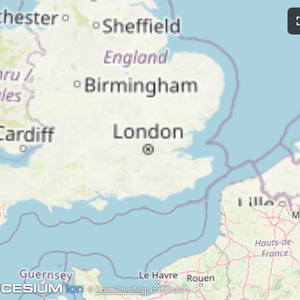 |
 |
 |
| Map | Three.js | ShaderToy |
 |
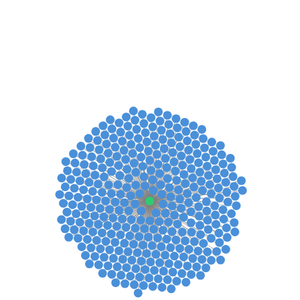 |
 |
| Sheet Music | Wiki Explorer | Cohort Heatmap |
 |
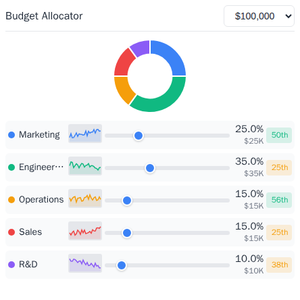 |
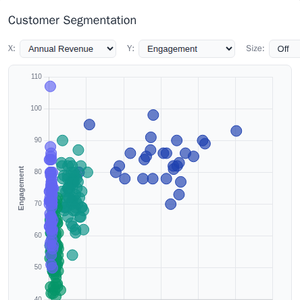 |
| Scenario Modeler | Budget Allocator | Customer Segmentation |
 |
 |
 |
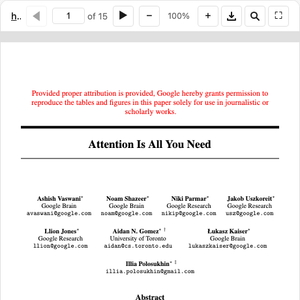
| System Monitor | Transcript | Video Resource |
 |
 |
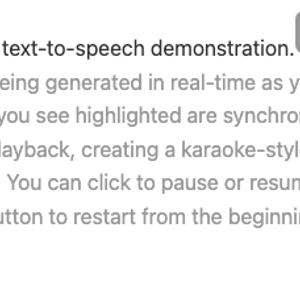 |
| PDF Server | QR Code (Python) | Say Demo |
Starter Templates
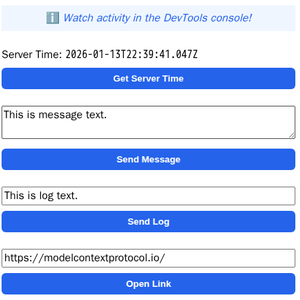 |
The same app built with different frameworks — pick your favorite! React · Vue · Svelte · Preact · Solid · Vanilla JS |
Running the Examples
With basic-host
To run all examples locally using basic-host (the reference host implementation included in this repo):
git clone https://github.com/modelcontextprotocol/ext-apps.git
cd ext-apps
npm install
npm start
Then open http://localhost:8080/.
With MCP Clients
Every Node.js example is published as @modelcontextprotocol/server-<name>. To
add one to an MCP client that supports stdio (Claude Desktop, VS Code, etc.),
use this pattern:
{
  "mcpServers": {
    "<name>": {
      "command": "npx",
      "args": ["-y", "@modelcontextprotocol/server-<name>", "--stdio"]
    }
  }
}
For example, to add the map server: @modelcontextprotocol/server-map. The
Python examples (qr-server, say-server) use uv run instead — see their
READMEs for details.
Local Development
To test local modifications with an MCP client, clone the repo, install, then point your client at a local build:
{
  "mcpServers": {
    "<name>": {
      "command": "bash",
      "args": [
        "-c",
        "cd ~/code/ext-apps/examples/<name>-server && npm run build >&2 && node dist/index.js --stdio"
      ]
    }
  }
}
Specification
| Version | Status | Link |
|---|---|---|
| 2026-01-26 | Stable | specification/2026-01-26/apps.mdx |
| draft | Development | specification/draft/apps.mdx |
Resources
Contributing
Contributions are welcome! Please read CONTRIBUTING.md for guidelines on how to get started, submit pull requests, and report issues.