- TypeScript 76.4%
- MDX 19.3%
- JavaScript 4.3%
| Filename | Latest commit message | Latest commit date |
|---|---|---|
 800f6d08fd
* fix(pdf-server): fail fast on never-polled viewer + surface batch errors
interact's get_screenshot/get_text waited the full 45s for a viewer that
never mounted (host went idle before iframe reached startPolling), then
timed out with a generic message. Now tracks viewsPolled and fails in ~8s
with a recovery hint. Batch errors were also ordered success-first —
hosts that flatten isError to content[0] showed "Queued: Filled N fields"
and dropped the actual failure entirely. Viewer side: poll even when PDF
load throws, and catch connect() rejection instead of silently blanking.
* fix(pdf-server): squash batch errors into one block, warn on phantom annotation updates
Three issues from a hung interact in production:
1. Batch error swallowed by host flattening. The earlier fix unshifted the
error before successes, but the prefix went on top of THAT — so
content[0] was just "Batch failed at step 2/2 (get_screenshot):" with
the actual timeout text in content[1], which the host dropped. Now all
text joins into one block; images survive after.
2. update_annotations silent no-op. The viewer's processCommands does
`if (!existing) continue` for unknown ids. If a prior add_annotations
failed mid-batch the model gets a happy "Queued" while nothing renders.
Track ids server-side; warn (not error — user might have drawn the
annotation manually in the iframe).
3. Per-def isolation in the viewer. A throw in addAnnotation killed the
whole processCommands batch including any get_pages later in the queue,
so submit_page_data never fired and the server waited the full 45s.
Now each def gets its own try/catch.
Also: stderr logging on interact failure (only — not chatty per-call) so
the next hang shows step timing in mcp-server-*.log instead of nowhere.
* fix(pdf-server): images first on success too, not just on error
The host's content[0] flattening drops images on successful batches just
the same: [add_annotations, get_screenshot] → content = ["Queued: ...",
<image>] → model sees only the text. Observed in audit logs where the
exact same iframe + viewUUID returned an image when the batch was
[get_screenshot, get_screenshot] but only text when add_annotations
came first.
Stable-sort images to the front. The Queued lines still arrive, just
after what the model actually asked to see.
* Revert "fix(pdf-server): images first on success too, not just on error"
This reverts commit 129a2dcd7a04e5bd116e59c4d6fc211db4203e2e.
* refactor(pdf-server): 1:1 batch results, drop isError when there's something to lose
LocalAgentMode SDK collapses isError:true results to a bare string of
content[0].text. The squash-everything-into-one-block defense from
0dbb8ed3 worked but lost the positional contract — the model couldn't
tell which command produced which result.
Cleaner: content[i] is the result of commands[i]. If a step fails the
batch stops there with that slot's text starting with "ERROR", and
content.length tells the model how far it got. No isError on multi-step
failures — there's no way to set it without the SDK eating the prior
images. Single-command failures keep isError:true since there's nothing
before content[0] to lose; the SDK's flatten-to-content[0].text is
exactly the ERROR text we want shown.
Tool description documents the contract.
* fix(pdf-server): isError only for single-command failures, not failedAt===0
failedAt===0 in a multi-step batch still has a positional contract to
honor — content.length=1 vs commandList.length=3 is a signal the model
loses if the SDK flattens the array to a string. The ERROR text encodes
"step 1/3" but the simpler rule ("batches never set isError") is
easier to document and reason about.
* fix(pdf-viewer): read live displayMode in requestFitToContent, guard tiny measurements
currentDisplayMode defaults to "inline" and handleHostContextChanged
only writes it `if (ctx.displayMode)`. If the host's initial context
omits the field — or the update lands one tick after a renderPage() —
requestFitToContent measures a near-empty pageWrapper and sends ~85px
(toolbar + padding only), shrinking a fullscreen iframe to a sliver.
Workaround was exit + re-enter fullscreen to force a context update.
Read app.getHostContext().displayMode directly (always fresh), and
separately refuse to send when pageWrapper measures smaller than the
toolbar — that's never a real layout, just an early render.
* revert(pdf-server): drop viewAnnotationIds — wrong about source of truth
The viewer's annotationMap is baseline (loadBaselineAnnotations from the
PDF) + diff restored from localStorage + manual edits + model adds.
viewAnnotationIds only tracks the last category, so the warning fires
for any update to an annotation the model didn't itself add — including
the entire restored state.
That's not "best-effort" miss rate, it's structurally wrong about
where the data lives. Model would learn to ignore the warning. The
viewer-side log.error on the silent skip (mcp-app.ts:4251) is the right
layer for this.
|
||
| .claude-plugin | ||
| .github/workflows | ||
| .husky | ||
| docs | ||
| examples | ||
| media | ||
| plugins/mcp-apps | ||
| scripts | ||
| specification | ||
| src | ||
| tests/e2e | ||
| .gitattributes | ||
| .gitignore | ||
| .npmrc | ||
| .prettierignore | ||
| .prettierrc.json | ||
| AGENTS.md | ||
| build.bun.ts | ||
| CLAUDE.md | ||
| CONTRIBUTING.md | ||
| LICENSE | ||
| package-lock.json | ||
| package.json | ||
| playwright.config.ts | ||
| README.md | ||
| RELEASES.md | ||
| SECURITY.md | ||
| tsconfig.json | ||
| typedoc.config.mjs | ||

MCP Apps
Build interactive UIs for MCP tools — charts, forms, dashboards — that render inline in Claude, ChatGPT and any other compliant chat client.
Why
·
Quickstart
·
API Docs
·
Spec
·
Contributing







Excalidraw built with MCP Apps, running in Claude
Table of Contents
- Build with Agent Skills
- Supported Clients
- Why MCP Apps?
- How It Works
- Getting Started
- Using the SDK
- Examples
- Specification
- Resources
- Contributing
Build with Agent Skills
The fastest way to build an MCP App is to let your AI coding agent do it. This repo ships four Agent Skills — install them once, then just ask:
| Skill | What it does | Try it |
|---|---|---|
create-mcp-app |
Scaffolds a new MCP App with an interactive UI from scratch | "Create an MCP App" |
migrate-oai-app |
Converts an existing OpenAI App to use MCP Apps | "Migrate from OpenAI Apps SDK" |
add-app-to-server |
Adds interactive UI to an existing MCP server's tools | "Add UI to my MCP server" |
convert-web-app |
Turns an existing web app into a hybrid web + MCP App | "Add MCP App support to my web app" |
Install the Skills
Claude Code — install via the plugin marketplace:
/plugin marketplace add modelcontextprotocol/ext-apps
/plugin install mcp-apps@modelcontextprotocol-ext-apps
Other agents — any AI coding agent that supports Agent Skills can use these skills. See the agent skills guide for manual installation instructions.
Once installed, verify by asking your agent "What skills do you have?" — you
should see create-mcp-app, migrate-oai-app, add-app-to-server, and
convert-web-app in the list. Then just ask it to create or migrate an app and
it will guide you through the rest.
Supported Clients




Note
MCP Apps is an extension to the core MCP specification. Host support varies — see the clients page for the full list.
Why MCP Apps?
MCP tools return text and structured data. That works for many cases, but not when you need an interactive UI, like a chart, form, design canvas or video player.
MCP Apps provide a standardized way to deliver interactive UIs from MCP servers. Your UI renders inline in the conversation, in context, in any compliant host.
How It Works
MCP Apps extend the Model Context Protocol by letting tools declare UI resources:
- Tool definition — Your tool declares a
ui://resource containing its HTML interface - Tool call — The LLM calls the tool on your server
- Host renders — The host fetches the resource and displays it in a sandboxed iframe
- Bidirectional communication — The host passes tool data to the UI via notifications, and the UI can call other tools through the host
Getting Started
npm install -S @modelcontextprotocol/ext-apps
New here? Start with the Quickstart Guide to build your first MCP App.
Using the SDK
The SDK serves three roles: app developers building interactive Views, host developers embedding those Views, and MCP server authors registering tools with UI metadata.
| Package | Purpose | Docs |
|---|---|---|
@modelcontextprotocol/ext-apps |
Build interactive Views (App class, PostMessageTransport) | API Docs → |
@modelcontextprotocol/ext-apps/react |
React hooks for Views (useApp, useHostStyles, etc.) | API Docs → |
@modelcontextprotocol/ext-apps/app-bridge |
Embed and communicate with Views in your chat client | API Docs → |
@modelcontextprotocol/ext-apps/server |
Register tools and resources on your MCP server | API Docs → |
There's no supported host implementation in this repo (beyond the examples/basic-host example).
The MCP-UI client SDK offers a fully-featured MCP Apps framework used by a few hosts. Clients may choose to use it or roll their own implementation.
Examples
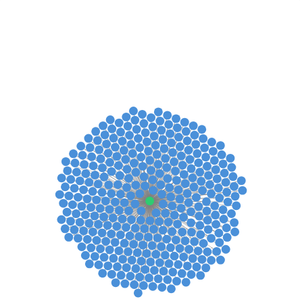
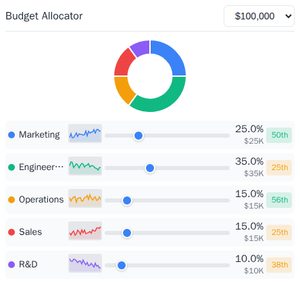
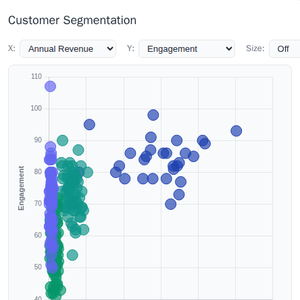
The
examples/
directory contains demo apps showcasing real-world use cases.
 |
 |
 |
| Map | Three.js | ShaderToy |
 |
 |
 |
| Sheet Music | Wiki Explorer | Cohort Heatmap |
 |
 |
 |
| Scenario Modeler | Budget Allocator | Customer Segmentation |
 |
 |
 |
| System Monitor | Transcript | Video Resource |
 |
 |
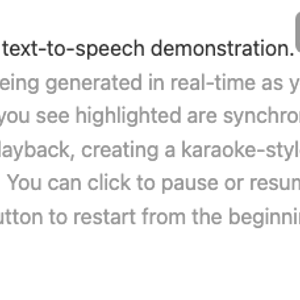 |
| PDF Server | QR Code (Python) | Say Demo |
Starter Templates
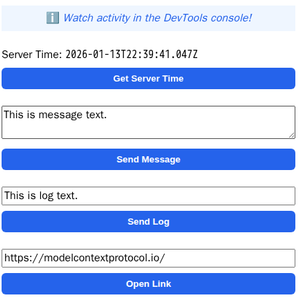 |
The same app built with different frameworks — pick your favorite! React · Vue · Svelte · Preact · Solid · Vanilla JS |
Running the Examples
With basic-host
To run all examples locally using basic-host (the reference host implementation included in this repo):
git clone https://github.com/modelcontextprotocol/ext-apps.git
cd ext-apps
npm install
npm start
Then open http://localhost:8080/.
With MCP Clients
Every Node.js example is published as @modelcontextprotocol/server-<name>. To
add one to an MCP client that supports stdio (Claude Desktop, VS Code, etc.),
use this pattern:
{
  "mcpServers": {
    "<name>": {
      "command": "npx",
      "args": ["-y", "@modelcontextprotocol/server-<name>", "--stdio"]
    }
  }
}
For example, to add the map server: @modelcontextprotocol/server-map. The
Python examples (qr-server, say-server) use uv run instead — see their
READMEs for details.
Local Development
To test local modifications with an MCP client, clone the repo, install, then point your client at a local build:
{
  "mcpServers": {
    "<name>": {
      "command": "bash",
      "args": [
        "-c",
        "cd ~/code/ext-apps/examples/<name>-server && npm run build >&2 && node dist/index.js --stdio"
      ]
    }
  }
}
Specification
| Version | Status | Link |
|---|---|---|
| 2026-01-26 | Stable | specification/2026-01-26/apps.mdx |
| draft | Development | specification/draft/apps.mdx |
Resources
Contributing
Contributions are welcome! Please read CONTRIBUTING.md for guidelines on how to get started, submit pull requests, and report issues.