 4ca20f21c4
* Restructure threejs-server README to match marketing examples - Update title format to "Example: Three.js App" - Constrain screenshot width using table layout - Add Features section with key capabilities - Reorganize Running section with Tool Input subsection - Add Architecture section describing server and app components - Remove implementation-focused sections (WidgetProps, Creating a New Widget) 🤖 Generated with [Claude Code](https://claude.com/claude-code) Co-Authored-By: Claude Opus 4.5 <noreply@anthropic.com> * Add bun as devDependency to example packages npm install now automatically installs bun, eliminating the need for separate installation instructions. Removed manual bun install step from customer-segmentation-server README. 🤖 Generated with [Claude Code](https://claude.com/claude-code) Co-Authored-By: Claude Opus 4.5 <noreply@anthropic.com> * Add start:http and start:stdio npm scripts to examples For the 6 examples supporting --stdio transport, add explicit scripts: - serve:http / serve:stdio for running the server - start:http / start:stdio for build + serve - start now aliases to start:http for backward compatibility Update READMEs to document both transport options. 🤖 Generated with [Claude Code](https://claude.com/claude-code) Co-Authored-By: Claude Opus 4.5 <noreply@anthropic.com> * Default basic-host SERVERS to localhost:3001/mcp - Change threejs-server default port from 3109 to 3001 for consistency - Add default SERVERS value in basic-host serve.ts - Document SERVERS env var in basic-host README 🤖 Generated with [Claude Code](https://claude.com/claude-code) Co-Authored-By: Claude Opus 4.5 <noreply@anthropic.com> * Improve Examples section in README Frame the three basic examples as foundational starting points and add a link to the examples directory for additional demo apps. 🤖 Generated with [Claude Code](https://claude.com/claude-code) Co-Authored-By: Claude Opus 4.5 <noreply@anthropic.com> --------- Co-authored-by: Claude Opus 4.5 <noreply@anthropic.com>
2.6 KiB
2.6 KiB
Example: Cohort Heatmap App
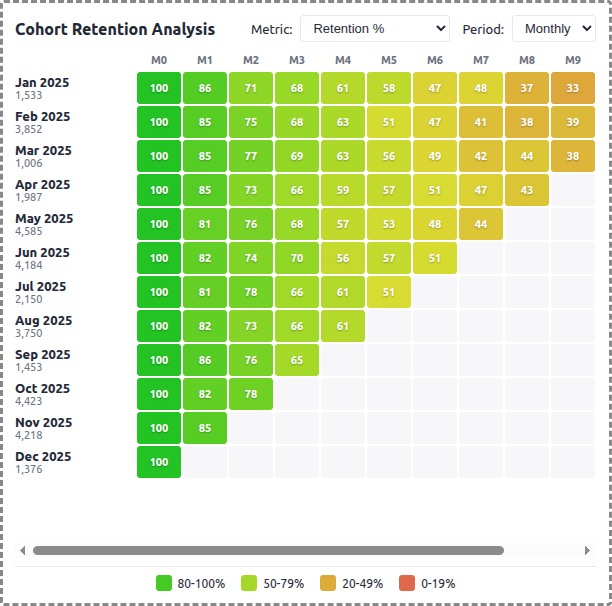
A demo MCP App that displays cohort retention data as an interactive heatmap, showing customer retention over time by signup month.
 |
 |
 |
Features
- Cohort Retention Heatmap: Color-coded grid showing retention percentages across cohorts and time periods
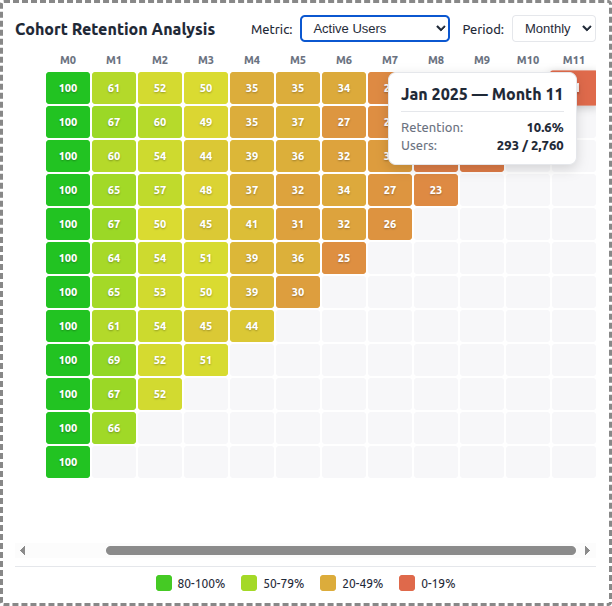
- Multiple Metrics: Switch between Retention %, Revenue Retention, and Active Users
- Period Types: View data by monthly or weekly intervals
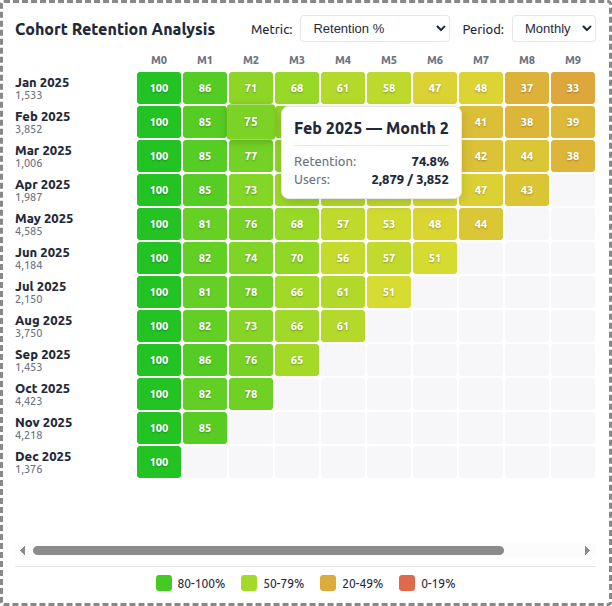
- Interactive Exploration: Hover cells for detailed tooltips, click to highlight rows/columns
- Color Scale: Green (high retention) through yellow to red (low retention)
- Theme Support: Adapts to light/dark mode preferences
Running
-
Install dependencies:
npm install -
Build and start the server:
npm run start:http # for Streamable HTTP transport # OR npm run start:stdio # for stdio transport -
View using the
basic-hostexample or another MCP Apps-compatible host.
Architecture
Server (server.ts)
Exposes a single get-cohort-data tool that returns:
- Cohort rows with signup month, original user count, and retention cells
- Period headers and labels
- Configurable parameters: metric type, period type, cohort count, max periods
The tool generates synthetic cohort data using an exponential decay model with configurable retention curves per metric type.
App (src/mcp-app.tsx)
- Uses React for the heatmap visualization
- Fetches data on mount and when filters change
- Displays retention percentages in a grid with HSL color interpolation
- Shows detailed tooltips on hover with user counts and exact retention values
- Supports row/column highlighting on cell click