 402d7b204d
* Server Settings: disambiguate EMA OAuth credential fields (#1692)

Under enterprise-managed authorization the OAuth Settings "Client ID" /
"Client Secret" fields hold the *resource authorization server* credentials
(EMA leg 3 — the Test Client from the xaa.dev resource registration), not the
app/IdP pair configured in Client Settings. The unqualified labels sat under a
toggle naming the enterprise IdP, pulling readers toward the wrong pair.

- When enterpriseManaged is on, relabel to "Resource AS Client ID" /
  "Resource AS Client Secret" and add a description naming the resource
  authorization server and pointing the app pair back to Client Settings.
- Document the Scopes delimiter: space-separated (RFC 6749), with a warning
  that commas produce one invalid token, plus a placeholder example.

Adds tests for both label states and the scopes hint, plus an
EnterpriseManagedOAuth story.

Co-Authored-By: Claude Opus 4.8 (1M context) <noreply@anthropic.com>
Claude-Session: https://claude.ai/code/session_01XNdjEPKLG637X8YmhDiEk5

* pr-screenshots: OAuth EMA field disambiguation proof shots (#1692)

Add before/after screenshots of the Server Settings → OAuth Settings fields
(EMA off = plain Client ID/Secret; EMA on = Resource AS Client ID/Secret) plus
the new space-separated Scopes hint, with a README section documenting them.

Co-Authored-By: Claude Opus 4.8 (1M context) <noreply@anthropic.com>
Claude-Session: https://claude.ai/code/session_01XNdjEPKLG637X8YmhDiEk5

* Address review: genericize EMA copy, reuse enterpriseManaged const (#1692)

- Drop the hardcoded xaa.dev staging host from the resource-AS field
  description (it's a general EMA concept, not env-specific); phrase it as
  "the resource authorization server's registered client credential (EMA leg
  3)". Also trims the copy's overlap with the checkbox description.
- Reuse the existing `enterpriseManaged` const for the EMA Checkbox's `checked`
  prop instead of recomputing `settings.enterpriseManaged ?? false`.
- Update the test assertion and pr-screenshots README/EMA-on screenshot to
  match the new copy.

Co-Authored-By: Claude Opus 4.8 (1M context) <noreply@anthropic.com>
Claude-Session: https://claude.ai/code/session_01XNdjEPKLG637X8YmhDiEk5

* Client Settings: mirror EMA disambiguation (IdP-qualified labels) (#1692)

The Server Settings OAuth fields now label the leg-3 resource-AS pair
explicitly; make Client Settings parallel so each modal names its pair and
points at where the other lives.

- Relabel the EMA credential fields to "IdP Client ID" / "IdP Client Secret"
  (parallel to Server Settings' "Resource AS Client ID/Secret"), so the label
  alone disambiguates without relying on the description.
- Add the reciprocal cross-reference to each description: these are the
  enterprise IdP pair (EMA legs 1–2), not the per-server resource authorization
  server credentials, which go in Server Settings → OAuth Settings.
- Update ClientSettingsForm/ClientSettingsModal tests for the new labels; add a
  pr-screenshots section + Client Settings screenshot.

Co-Authored-By: Claude Opus 4.8 (1M context) <noreply@anthropic.com>
Claude-Session: https://claude.ai/code/session_01XNdjEPKLG637X8YmhDiEk5

---------

Co-authored-by: Claude Opus 4.8 (1M context) <noreply@anthropic.com>
11 KiB
Server Settings OAuth field disambiguation under EMA (#1692) — proof screenshots
The Server Settings → OAuth Settings fields, rendered from the
ServerSettingsForm Storybook stories. Under enterprise-managed authorization
(EMA) these fields hold the resource authorization server credentials (leg 3 —
its registered client), not the app/IdP pair configured in Client Settings.
The unqualified labels sat directly under a toggle naming the enterprise IdP,
making it easy to paste the wrong pair. See #1692.
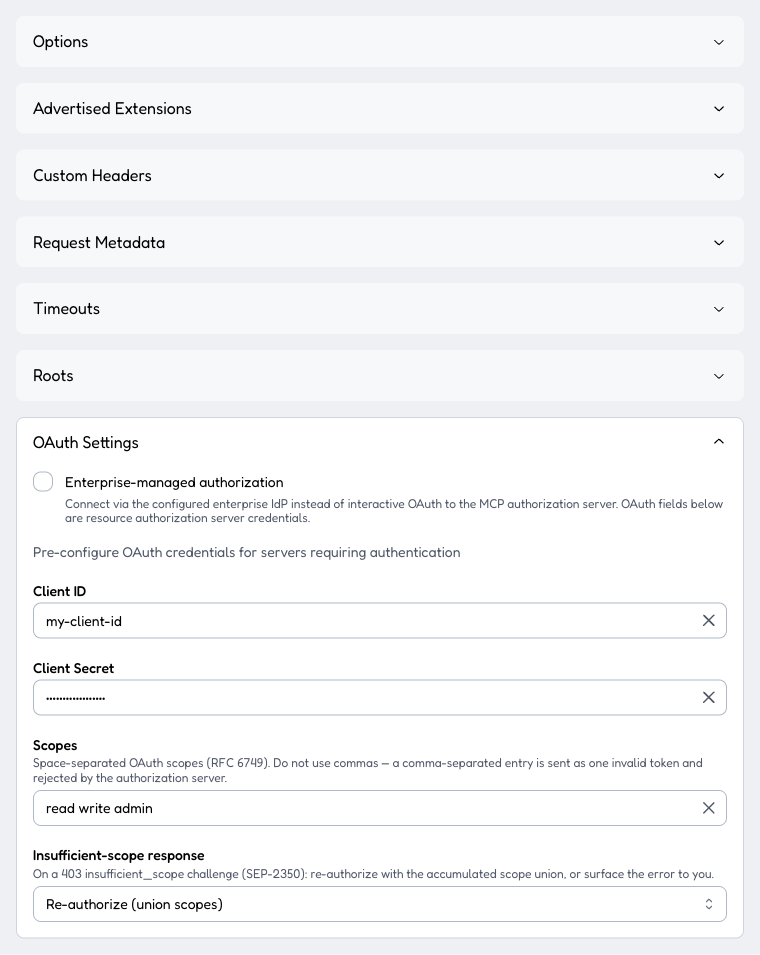
Enterprise-managed authorization off (the common case): the fields keep the
plain Client ID / Client Secret labels. The Scopes field now
documents its delimiter — "Space-separated OAuth scopes (RFC 6749). Do not use
commas — a comma-separated entry is sent as one invalid token and rejected by
the authorization server." — with a mcp tools:read env:read placeholder.
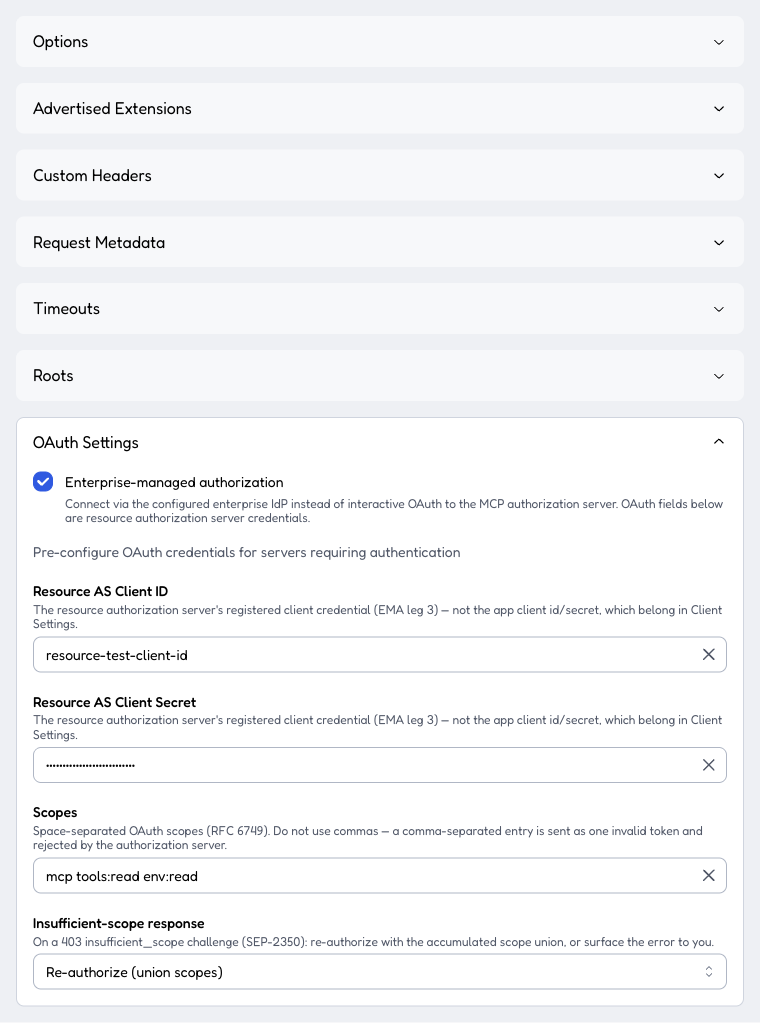
Enterprise-managed authorization on: the same two fields relabel to Resource AS Client ID / Resource AS Client Secret, each gaining a description that names the resource authorization server (its registered client, EMA leg 3) and points the app client id/secret back to Client Settings.
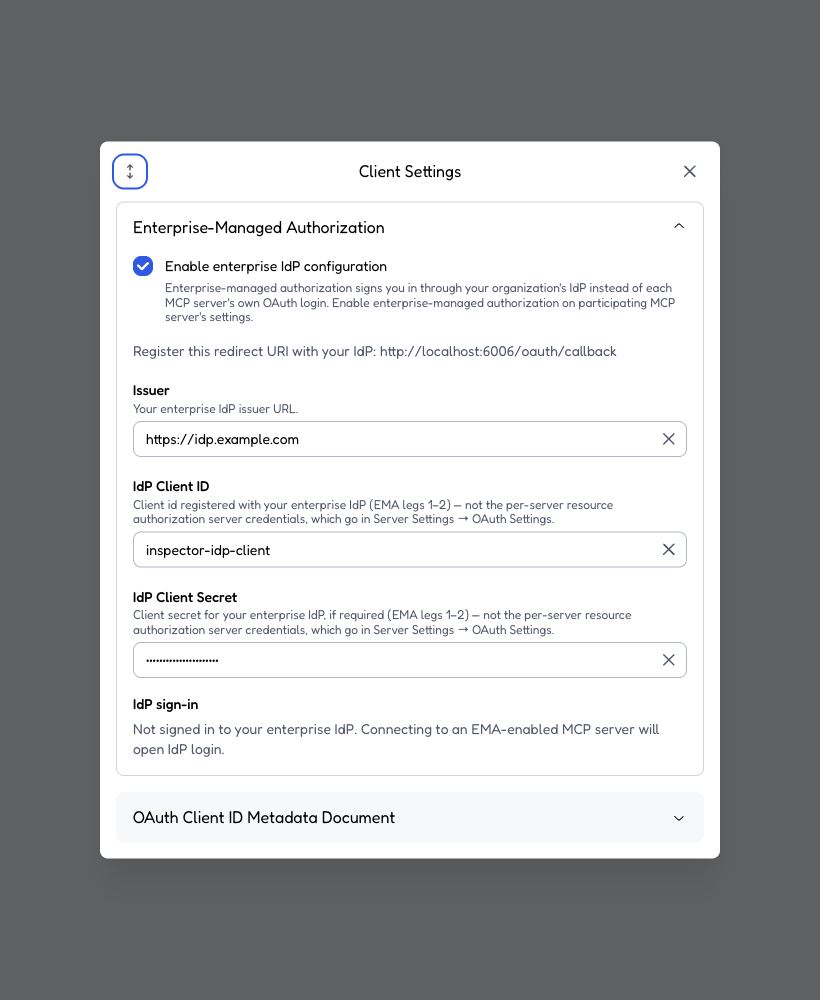
The reciprocal side in the Client Settings modal (Enterprise-Managed
Authorization section). Its credential fields are relabeled IdP Client ID /
IdP Client Secret — parallel to Server Settings' Resource AS … — and each
description now points the other way: these are the enterprise IdP pair (EMA
legs 1–2), not the per-server resource authorization server credentials,
which go in Server Settings → OAuth Settings. Together the two modals close the
loop: each names its pair and where the other lives.
Connection Info extensions + io.modelcontextprotocol/ui (#1740) — proof screenshots
End-to-end verification of the Phase 3 Connection Info UI against the legacy
advertised-extensions-http.json test server (port 3220), driven in a real
browser through the web client's remote-proxy transport.
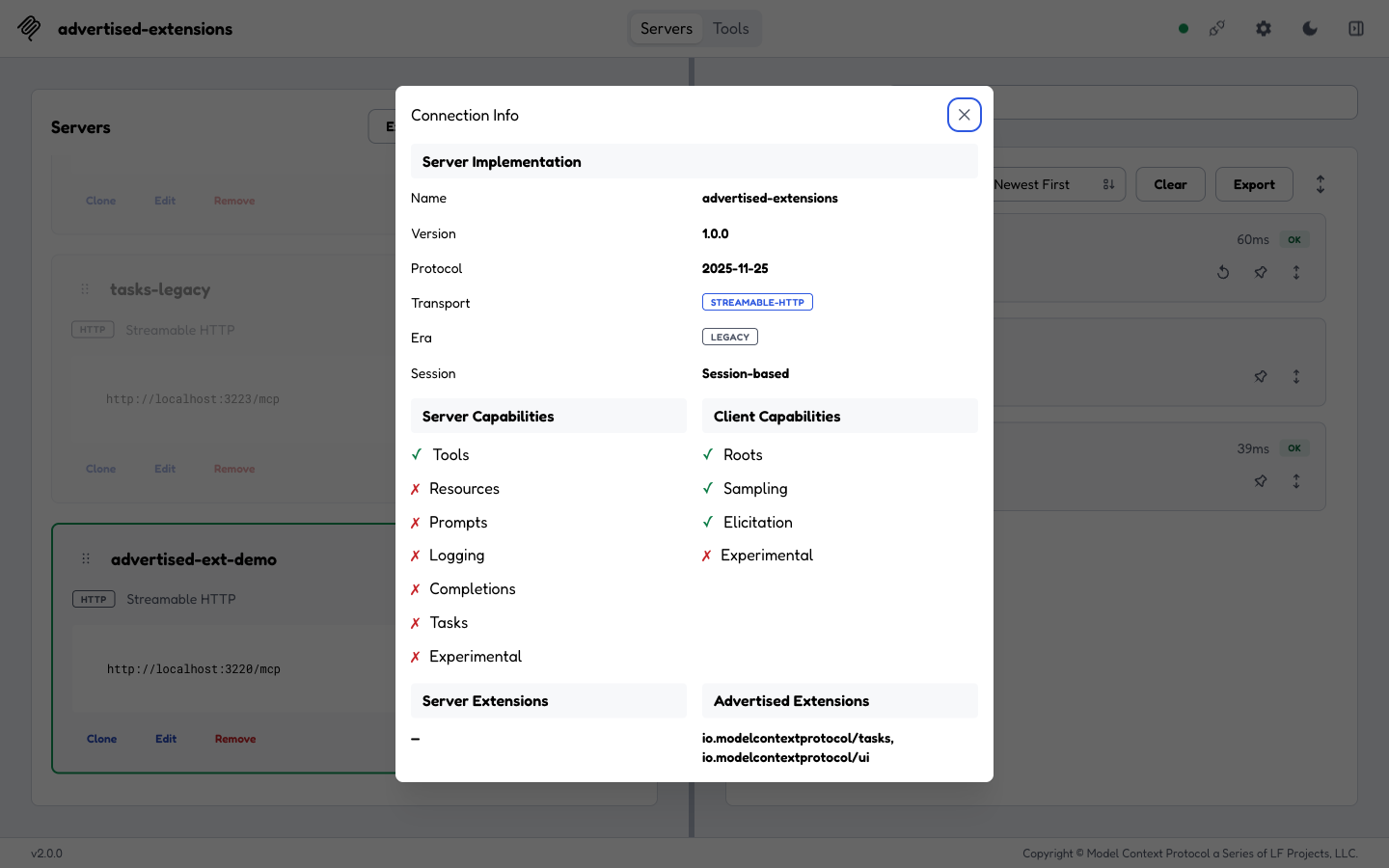
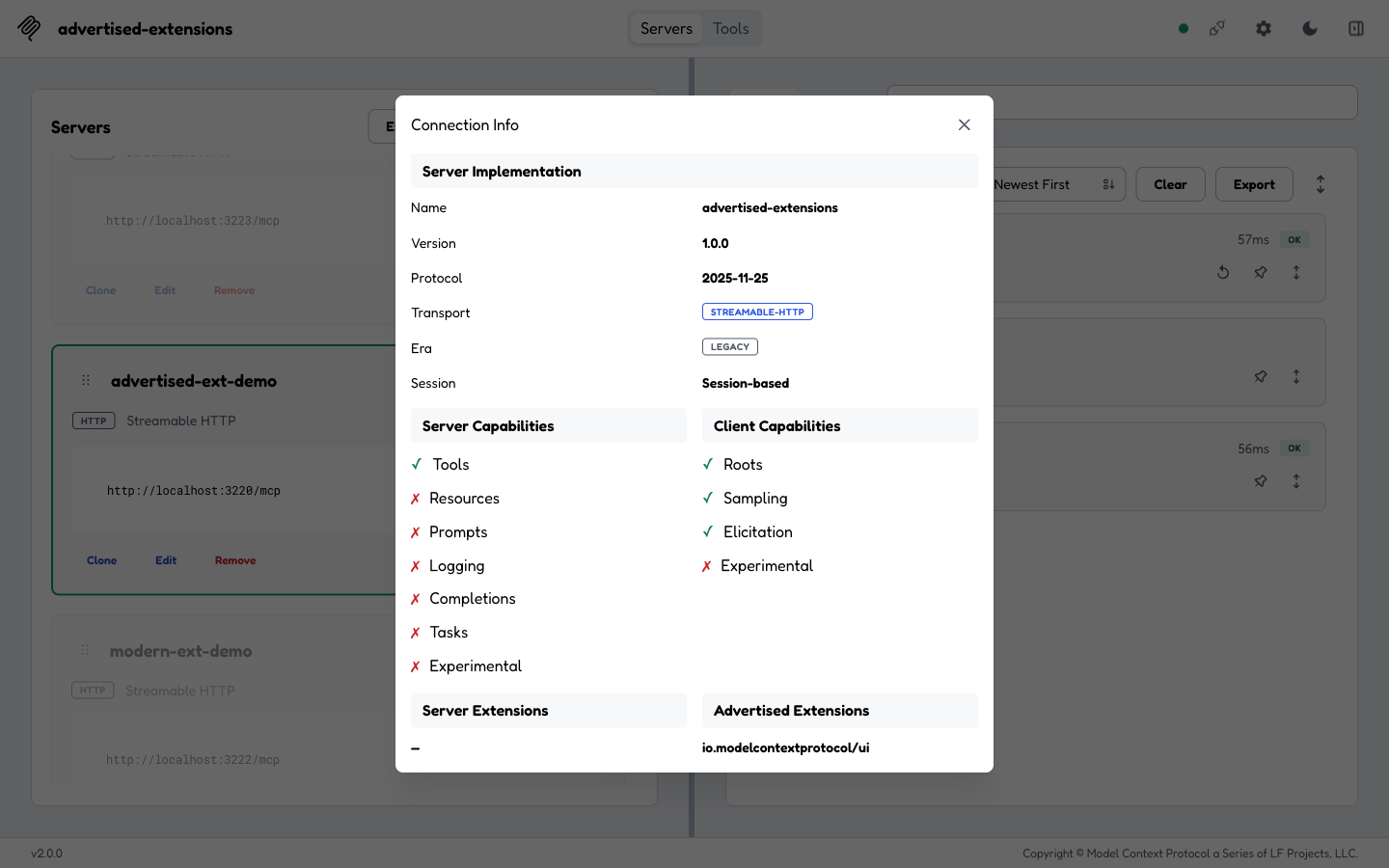
The Connection Info modal on a legacy connection (Era: LEGACY, no
Discovery section). The new Server Extensions / Advertised Extensions
two-column section renders — proving it is era-transparent (before #1740,
extensions only appeared in the modern-only Discovery section). Advertised
Extensions shows io.modelcontextprotocol/tasks, io.modelcontextprotocol/ui,
confirming the Inspector now advertises the MCP Apps ui extension. (Server
Extensions is — because this test server advertises none server-side.)
After unchecking Tasks in Server Settings → Advertised Extensions (Phase 2)
and reconnecting, the Advertised Extensions column shows only
io.modelcontextprotocol/ui — the display reflects the per-server override live,
and the ui advertisement persists (it is a separate registry entry).
Note: the Connection Info modal is populated from the connection's
initializeResult, which requiresserverInfo. On the modern test server used hereserverInfowasn't populated, so the modal stays closed on that modern connection — a pre-existing connection-layer behavior, independent of this PR (which only changes content inside the modal). The era-transparent Server Extensions path is covered by unit tests (ConnectionInfoContent.test.tsxrenders legacy server extensions with nodiscoverResult).
Advertised-extensions toggle (#1739) — proof screenshots
End-to-end verification of the advertised-extensions debugging knob against a
real legacy HTTP test server (test-servers/configs/advertised-extensions-http.json
on port 3220), driven in a real browser through the web client's remote-proxy
transport. The server registers echo (always) and get_weather gated on the
io.modelcontextprotocol/tasks extension (extensionGatedTools): the tool is
enabled on notifications/initialized only when the connected client declared
that extension.
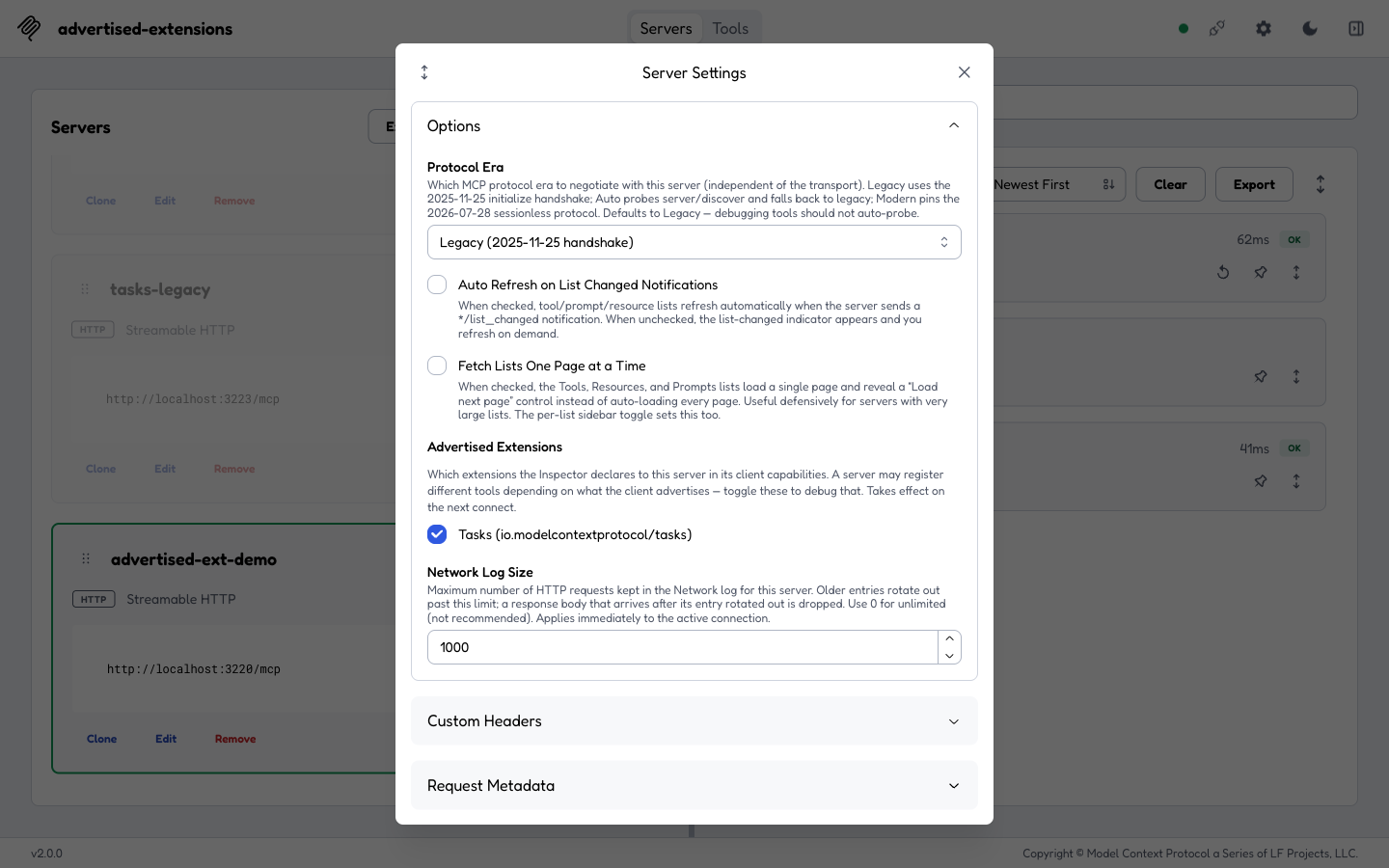
Server Settings → Advertised Extensions (the new section). With no override, Tasks (io.modelcontextprotocol/tasks) is checked — the registry default — so the Inspector advertises it in its client capabilities.
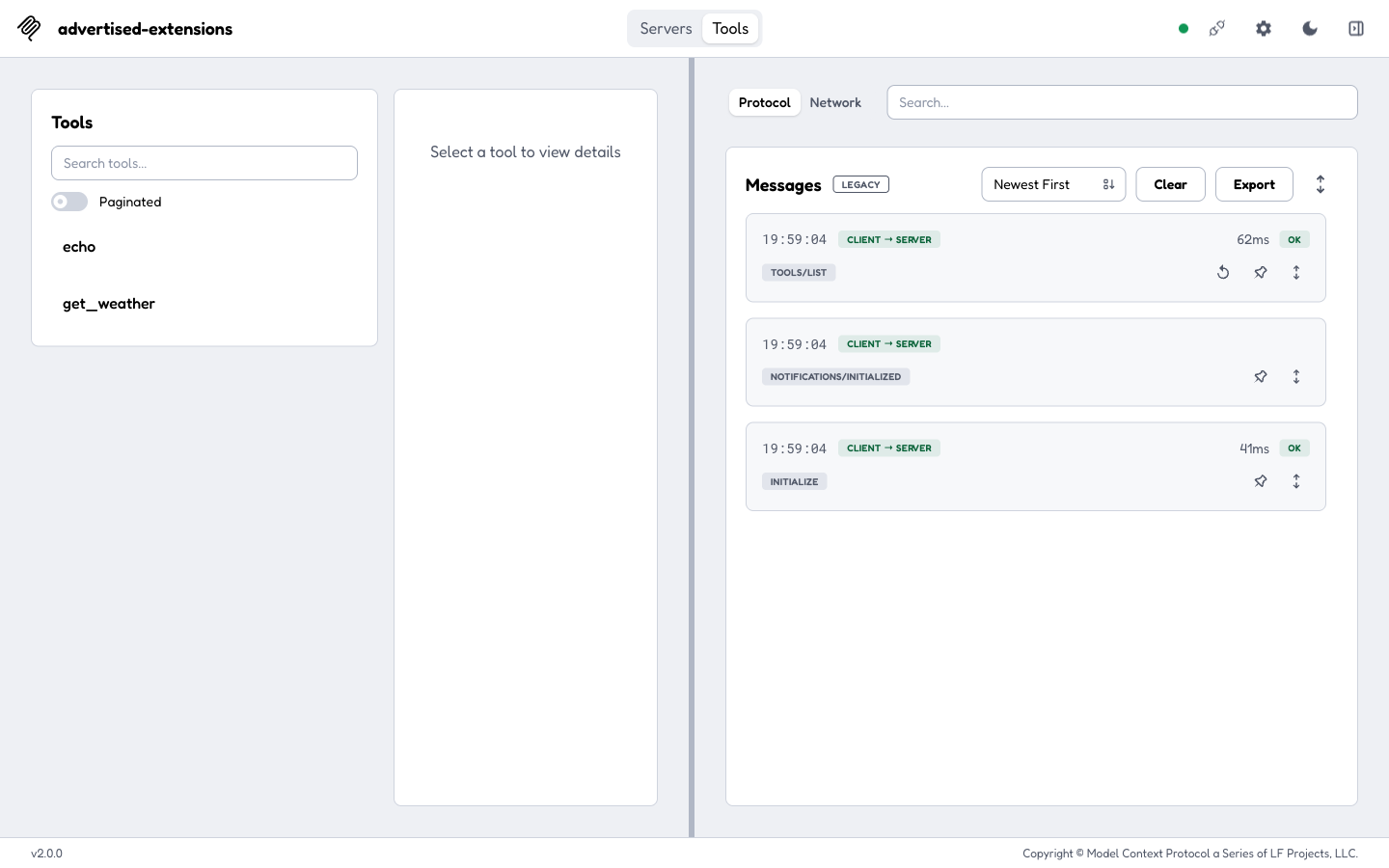
Connected with Tasks advertised. The server sees the declared extension on
initialized and enables the gated tool, so tools/list returns both echo
and get_weather.
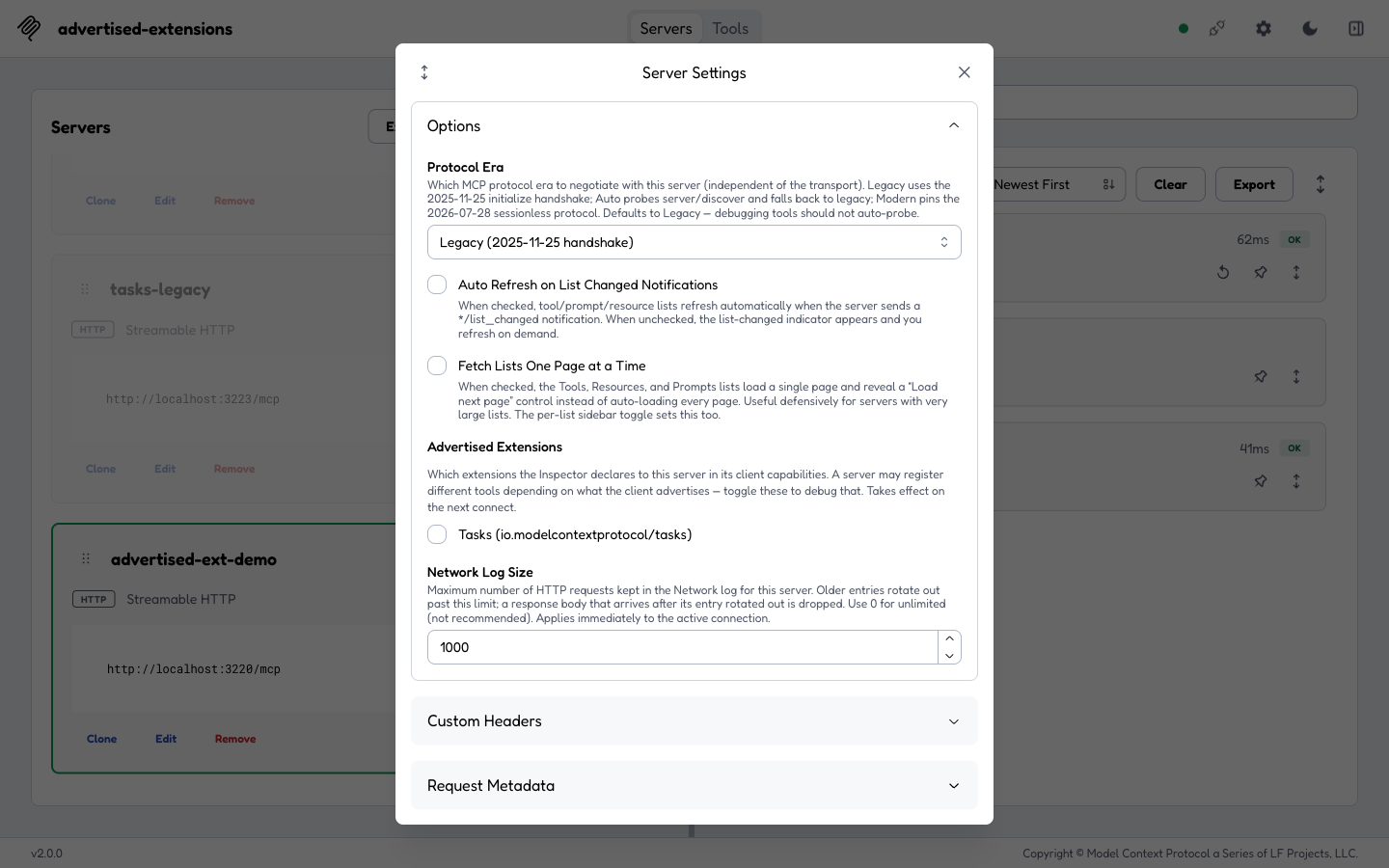
Unchecking Tasks writes the per-server advertisedExtensions override. The
change takes effect on the next connect (as the section note says).
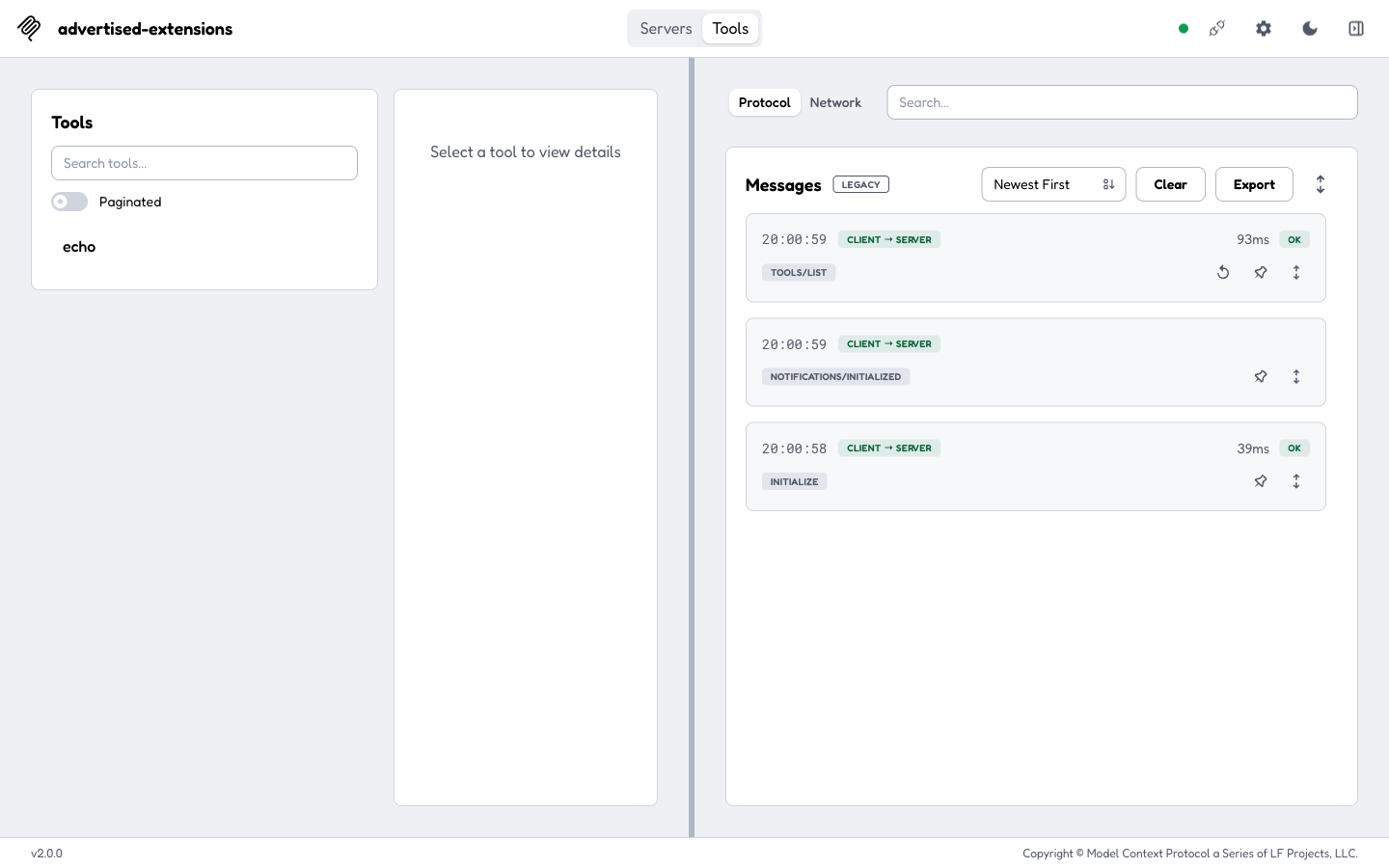
After reconnecting, the client advertises no extensions, so the server never
enables the gated tool — tools/list now returns only echo. The server's
tool registration demonstrably changed based on what the client advertised,
exactly the acceptance criterion for #1739.
x-mcp-header Tools tooling (#1632) — proof screenshots
End-to-end verification of the SEP-2243 x-mcp-header Tools tooling against a
real modern (2026-07-28) HTTP test server
(test-servers/configs/xmcpheader-modern-http.json on port 3120), driven in a
real browser through the web client's remote-proxy transport.
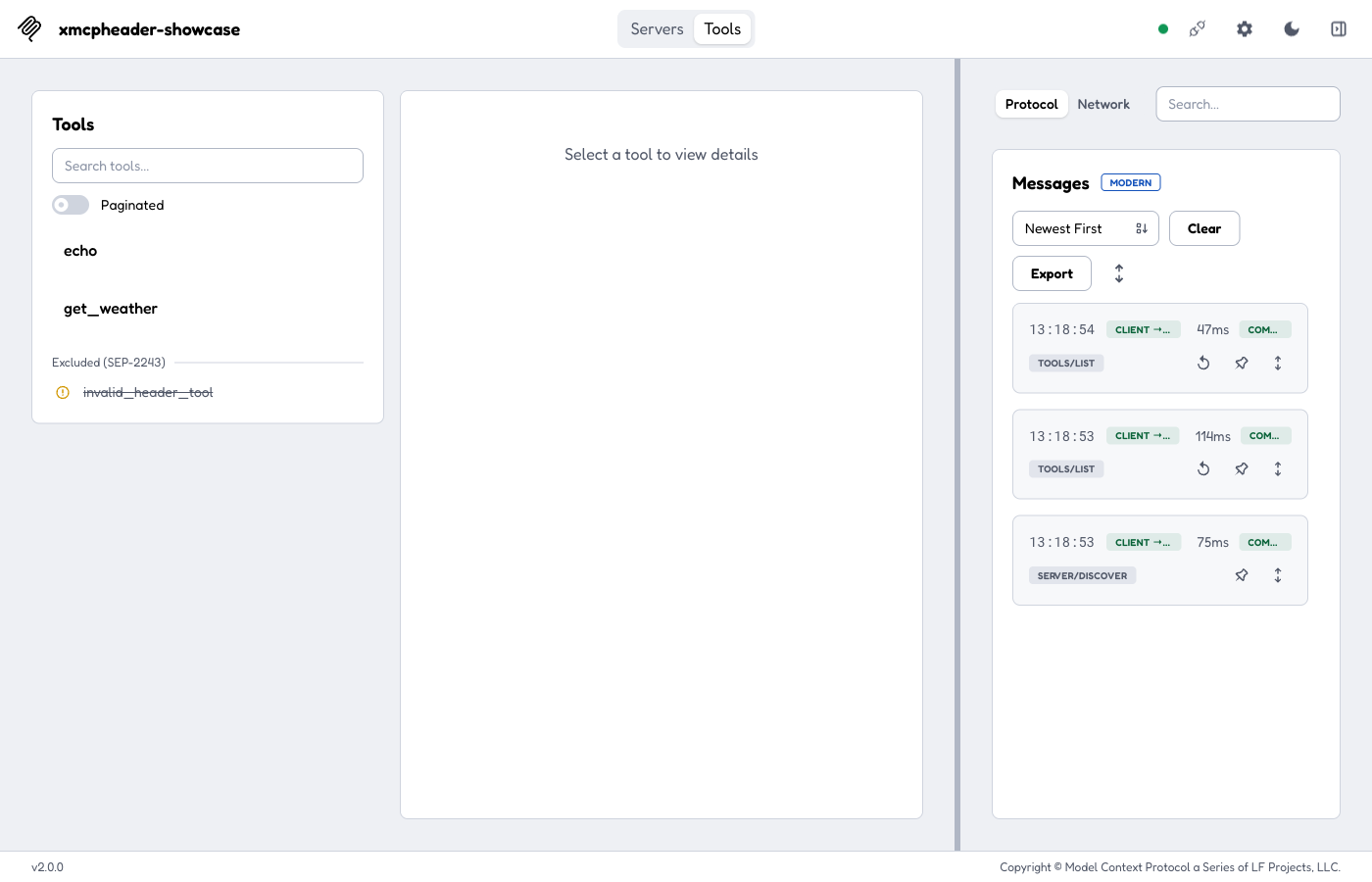
Connected with Protocol Era = Modern. invalid_header_tool is dropped from
tools/list by the SDK (its x-mcp-header annotation is invalid), so the
Inspector re-lists the raw list and surfaces it struck-through under an
"Excluded (SEP-2243)" divider — showing why a tool vanished rather than
silently omitting it.
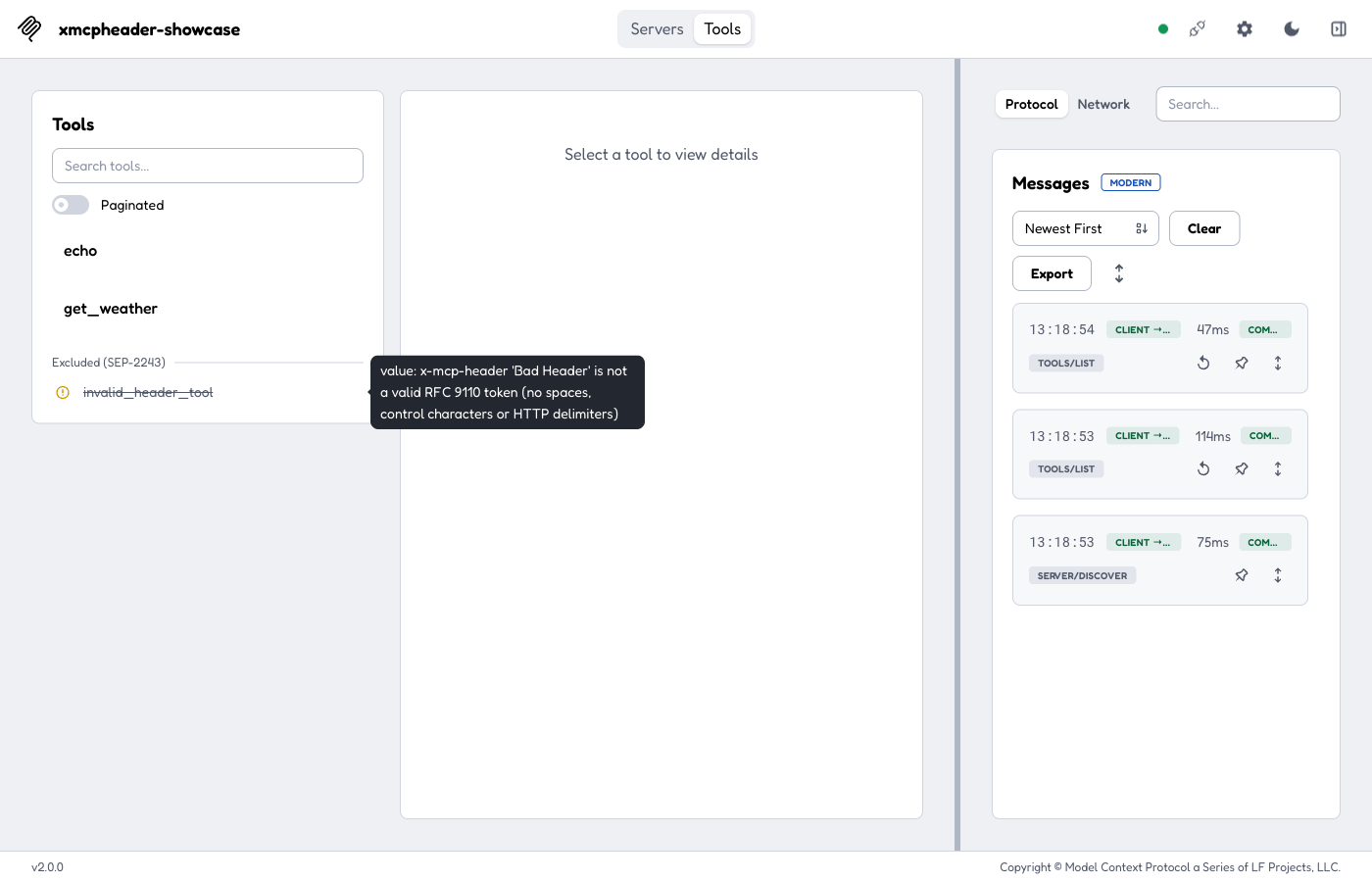
Hovering the excluded tool shows the exact scan reason: the header name
"Bad Header" contains a space, so it is not a valid RFC 9110 token.
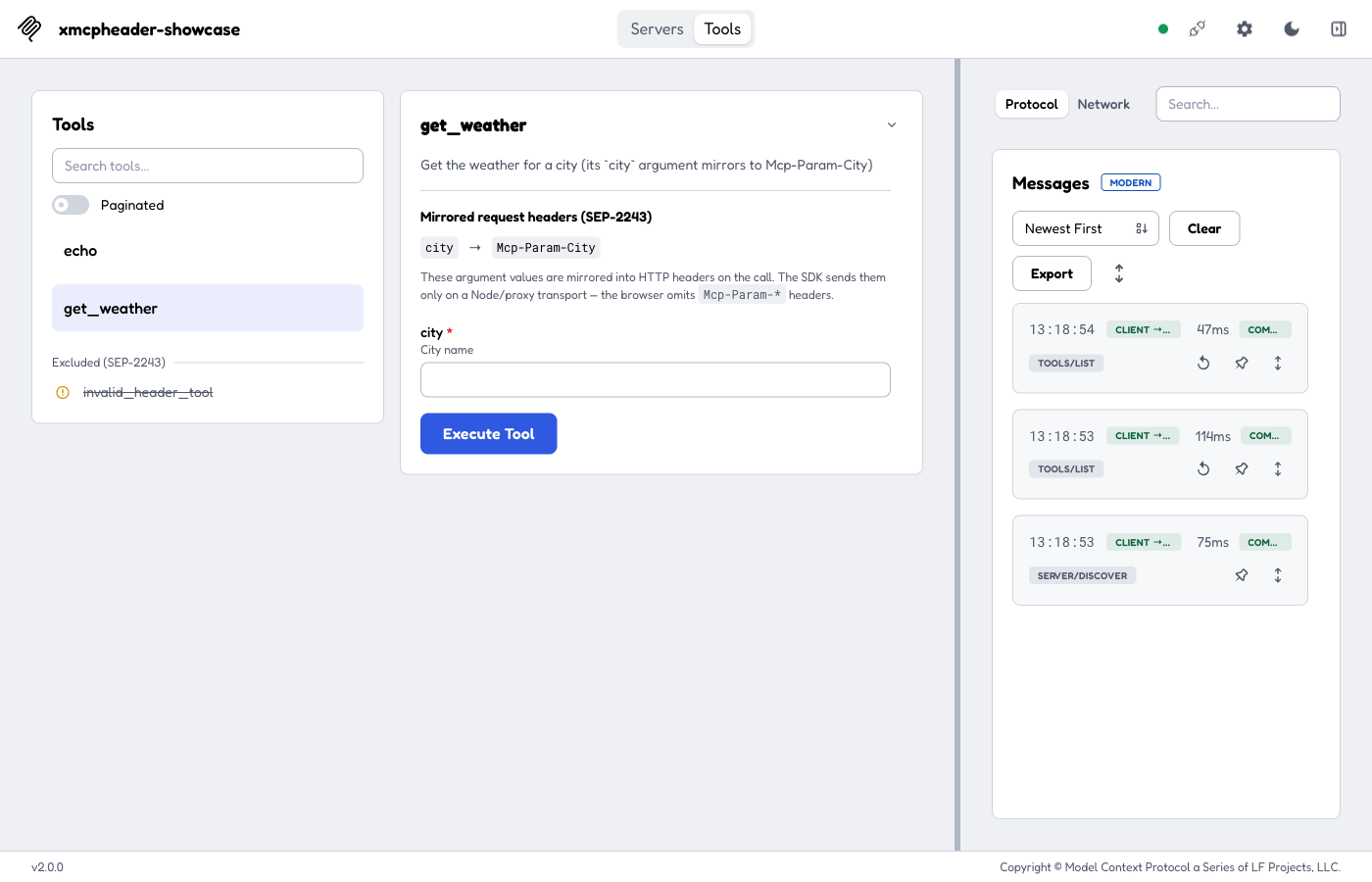
get_weather's detail panel shows the "Mirrored request headers (SEP-2243)"
section: its city argument mirrors to Mcp-Param-City, with the note that the
SDK omits Mcp-Param-* on the browser transport.
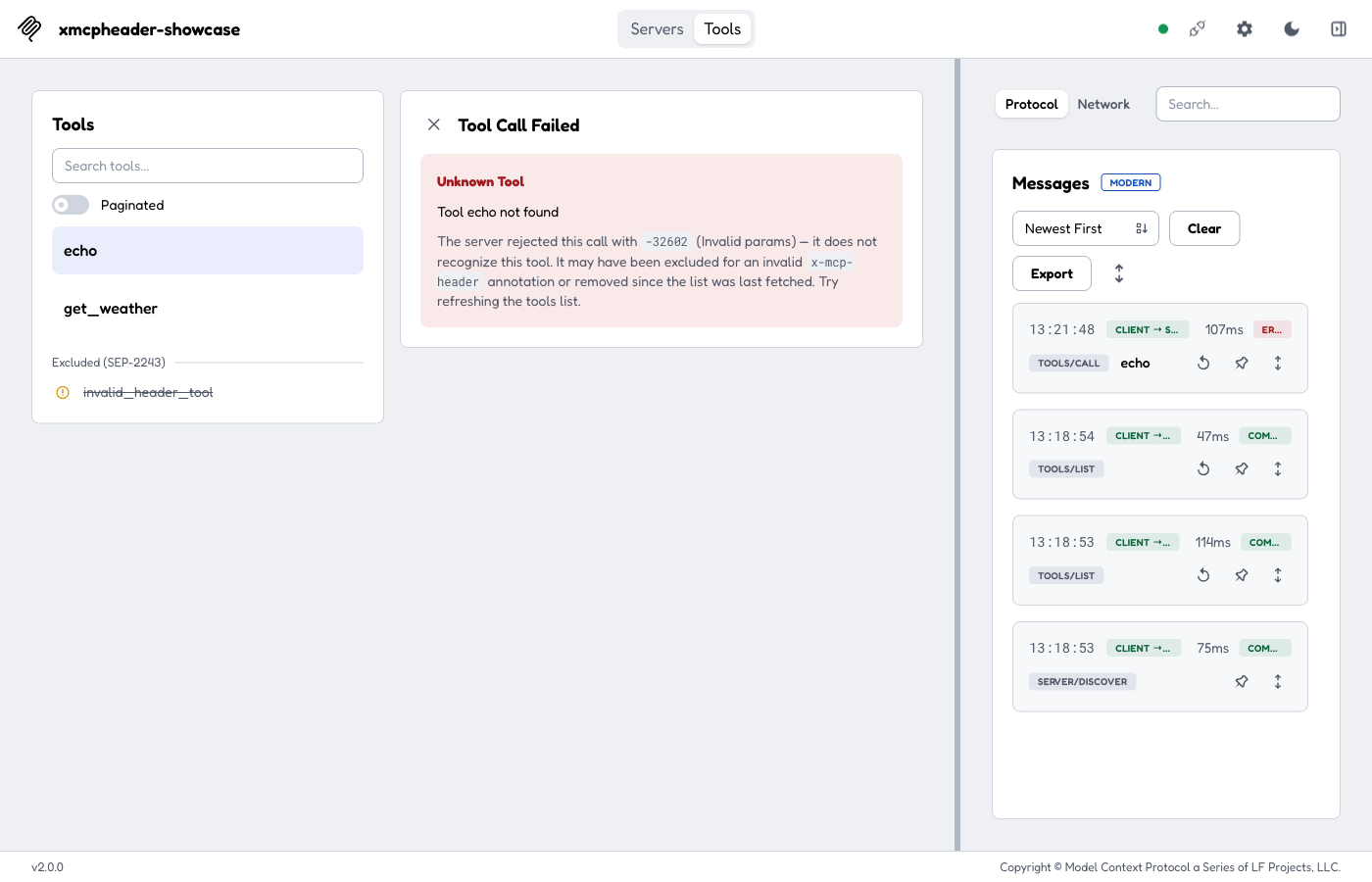
Calling a tool the server no longer recognizes rejects with -32602 (SDK v2)
instead of an isError result, and renders as an "Unknown Tool" error panel
with a targeted hint (reproduced by swapping the sessionless server to one
without echo while the cached list still showed it).
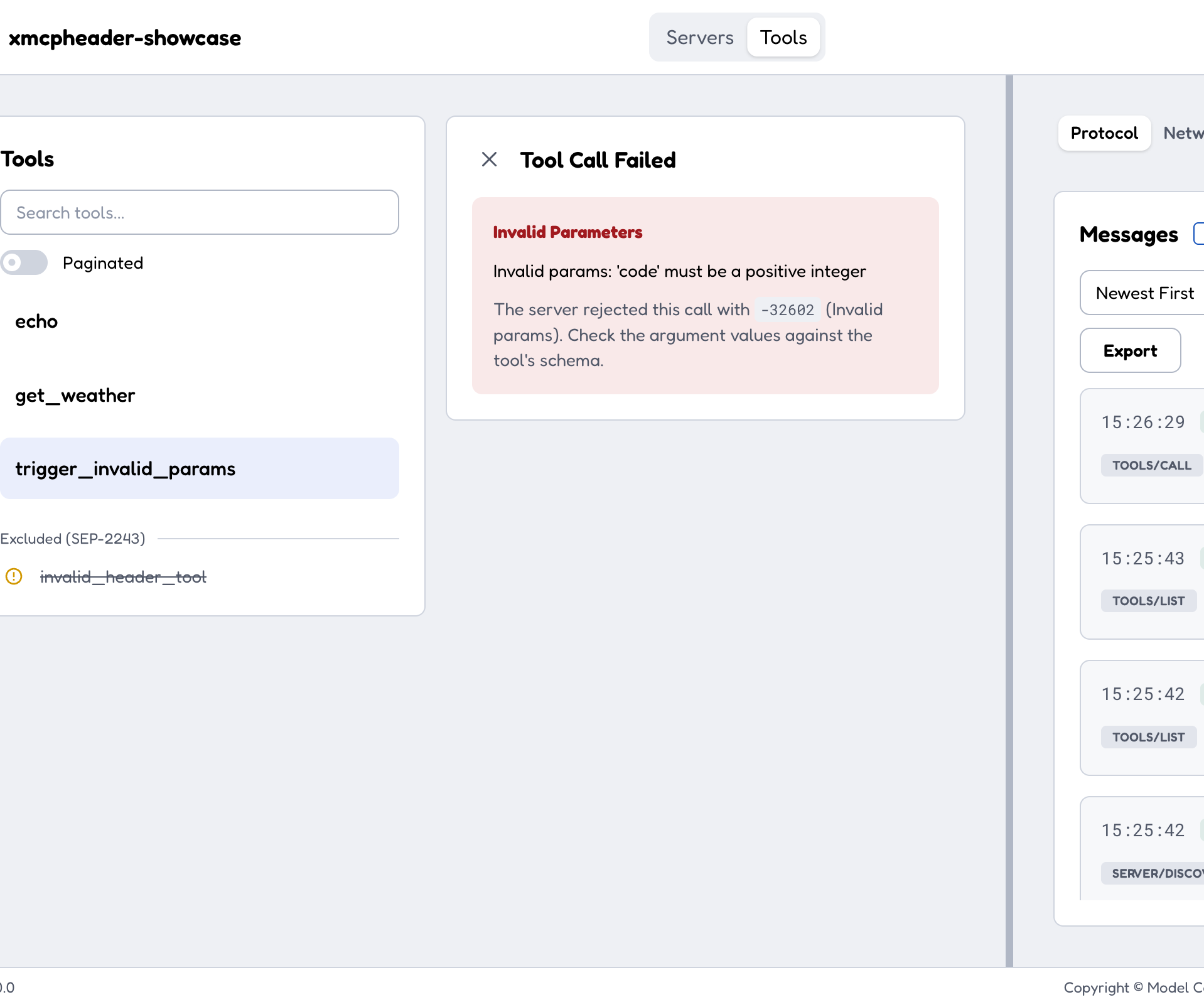
-32602 is the generic Invalid params code, so a known tool rejected for
bad arguments throws the same code as an unknown tool. The panel disambiguates
from the message: a -32602 that does not name an unknown tool renders under
"Invalid Parameters" (with a schema hint) rather than "Unknown Tool".
Triggered live via the trigger_invalid_params tool, which returns a real
-32602 JSON-RPC error whose message is not about a missing tool.
Tasks extension era fork (#1631) — proof screenshots
End-to-end verification of the Tasks era fork against two real test servers
(test-servers/configs/tasks-modern-http.json on port 3222 and
tasks-legacy-http.json on 3223), driven in a real browser through the web
client's remote-proxy transport.
Modern era (2026-07-28, io.modelcontextprotocol/tasks extension)
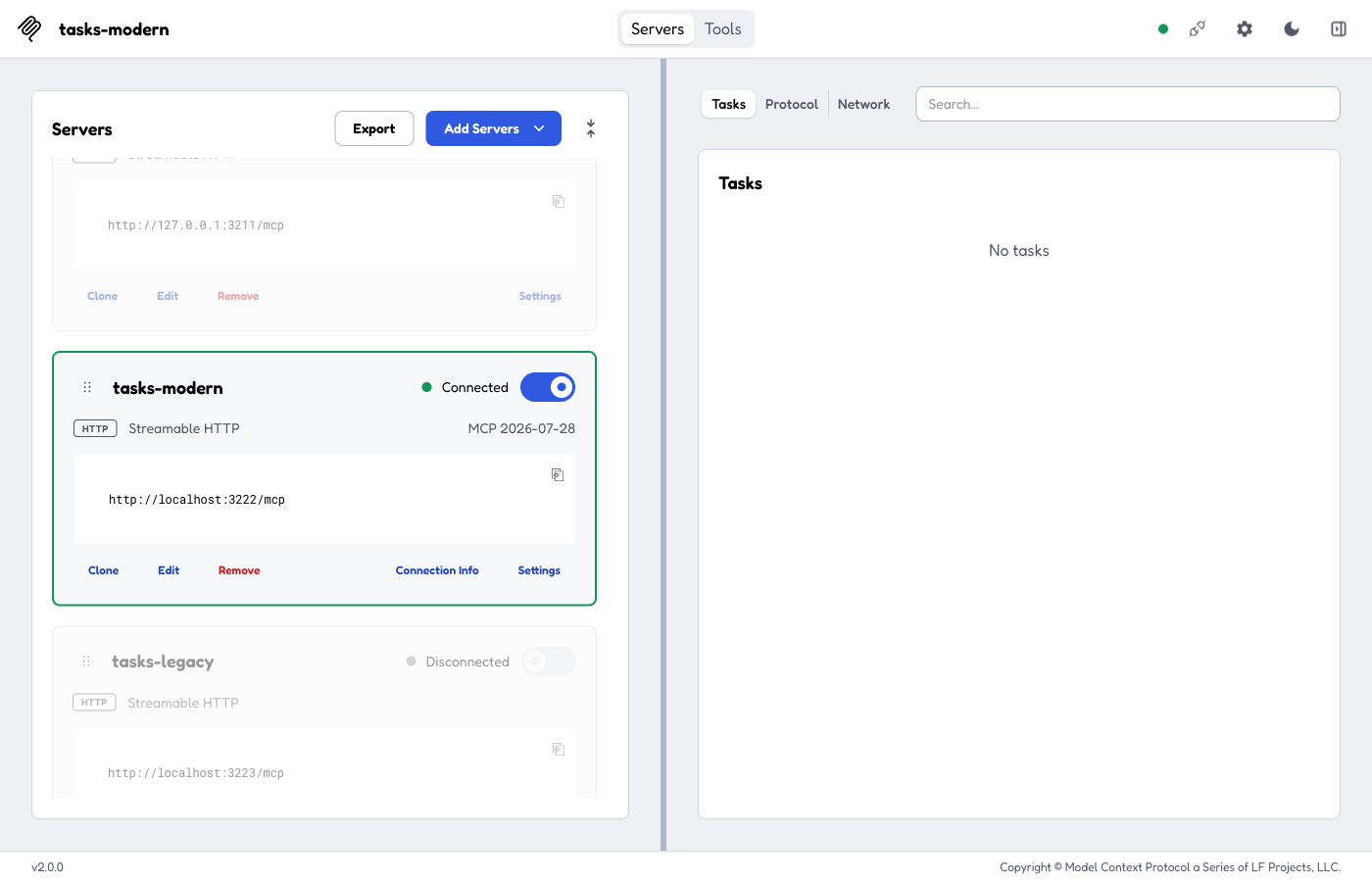
Connected with Protocol Era = Modern (MCP 2026-07-28). The Tasks tab
appears in the monitoring sidebar because the io.modelcontextprotocol/tasks
extension was negotiated (it is empty until a task runs).
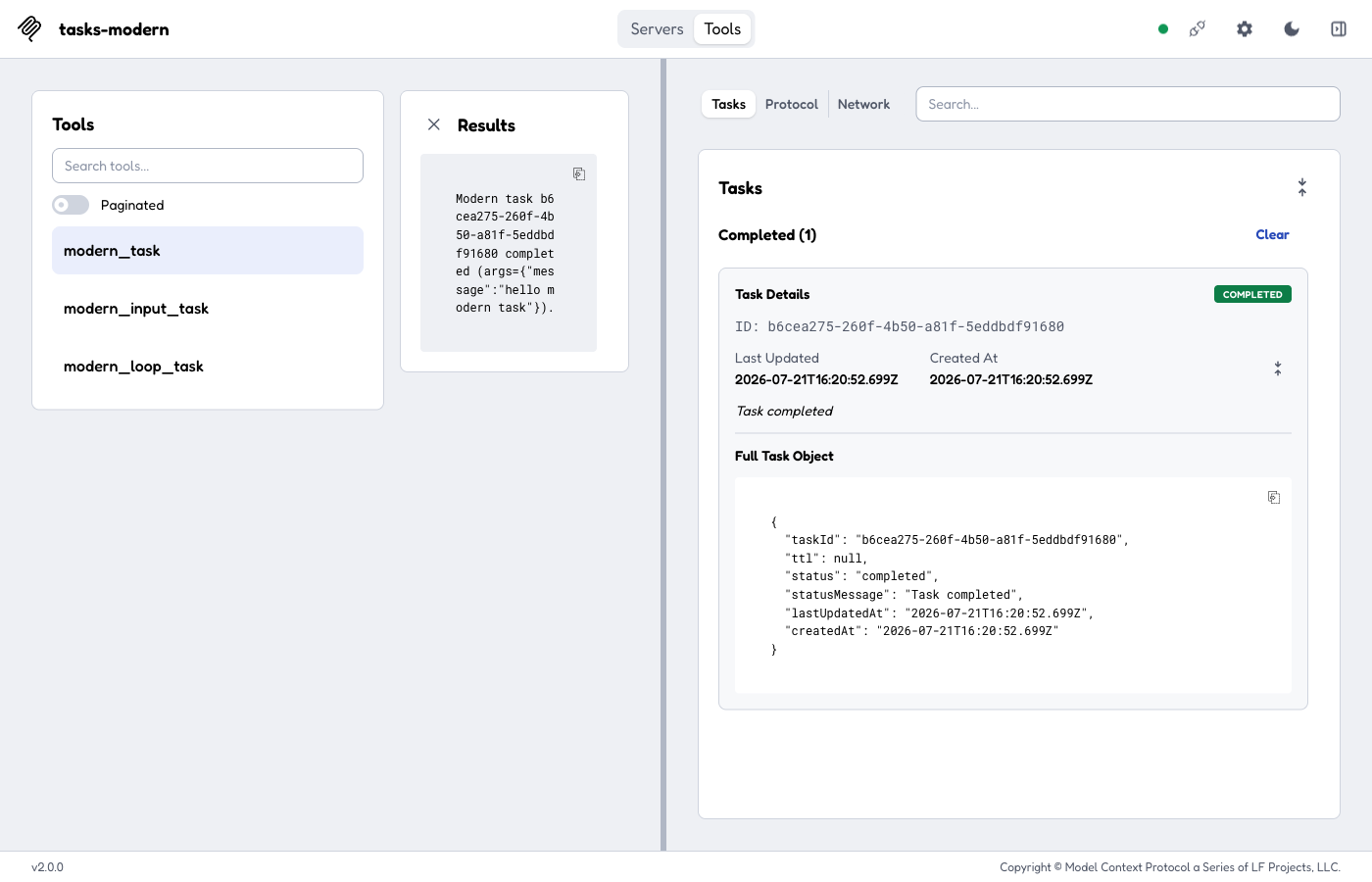
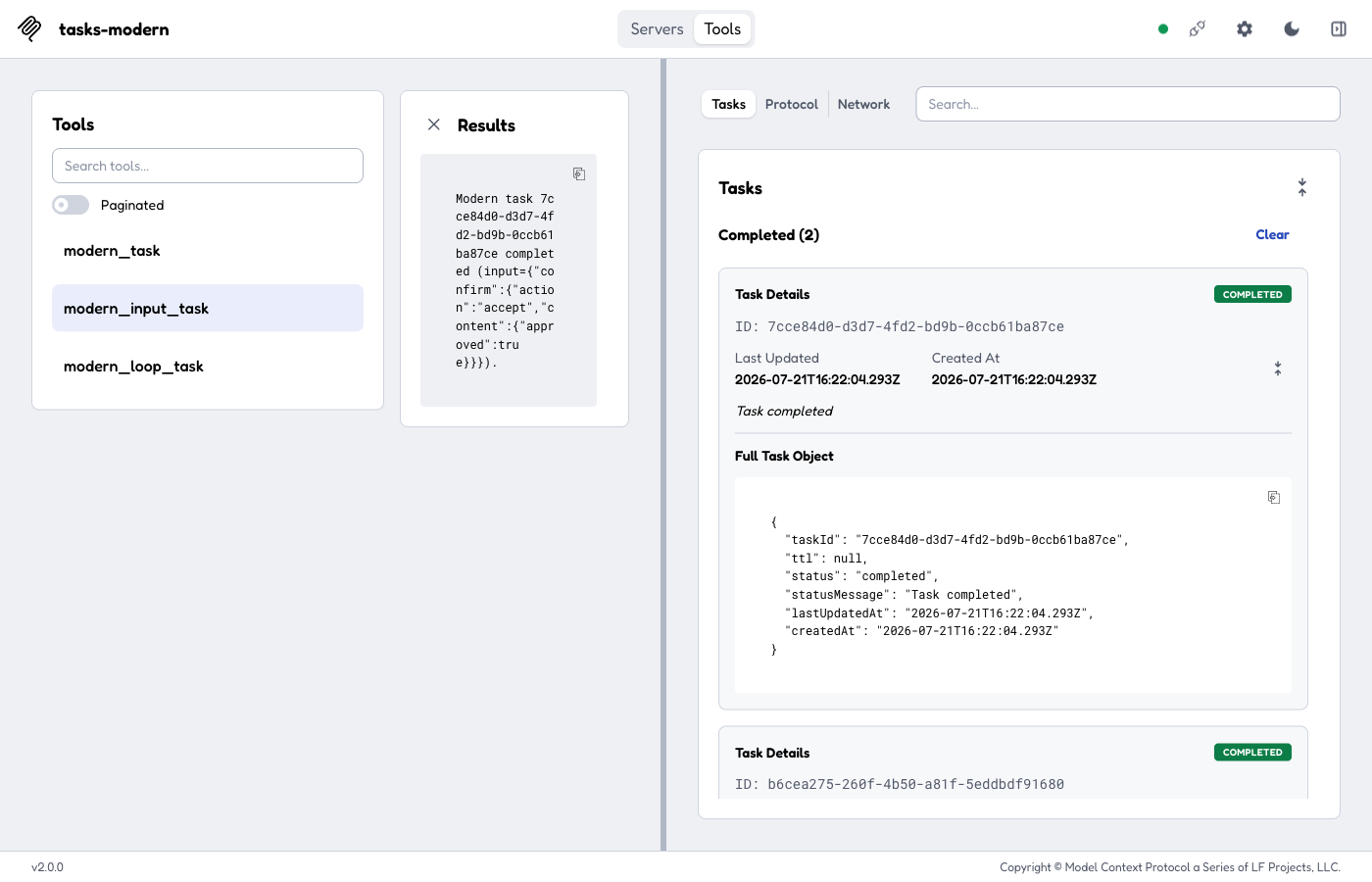
Connected with Protocol Era = Modern (MCP 2026-07-28). The Tasks tab is
gated on the negotiated io.modelcontextprotocol/tasks extension (not
capabilities.tasks). Running modern_task with Run as task on issues a
tools/call that returns a CreateTaskResult (resultType: "task"), then polls
tasks/get (no tasks/list); the completed task inlines its result (no
blocking tasks/result) — shown both in the Results panel and the Tasks card.
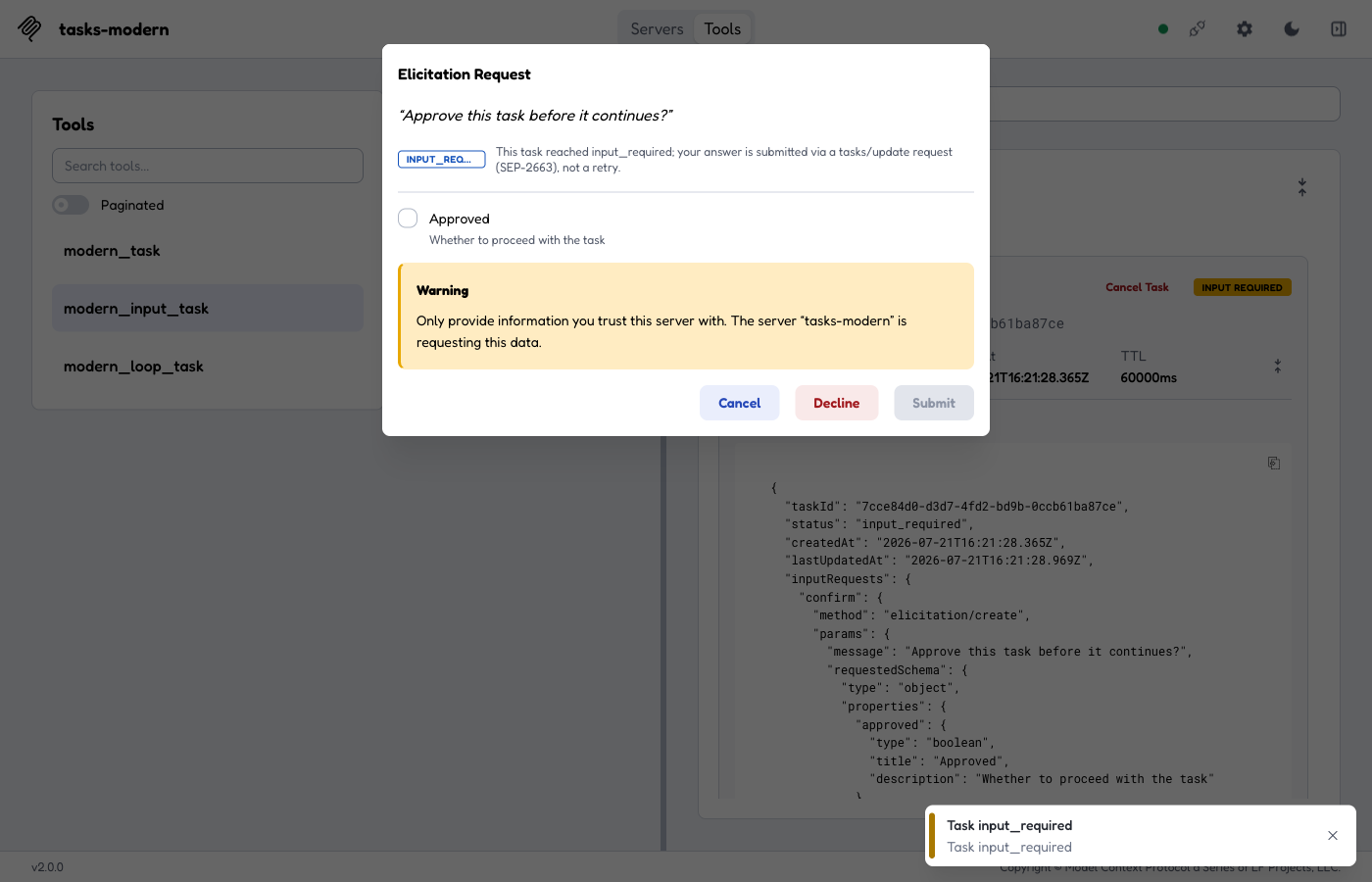
modern_input_task moves to input_required: the tasks/get response's
inputRequests map (visible in the task's Full Task Object) carries an embedded
elicitation/create, surfaced through the same pending-request modal the MRTR
path uses — note the accurate wording "your answer is submitted via a
tasks/update request (SEP-2663), not a retry". Answering it sends
tasks/update with the inputResponses, and the next poll completes the
task:
Legacy era (2025-11-25, contrast — unchanged)
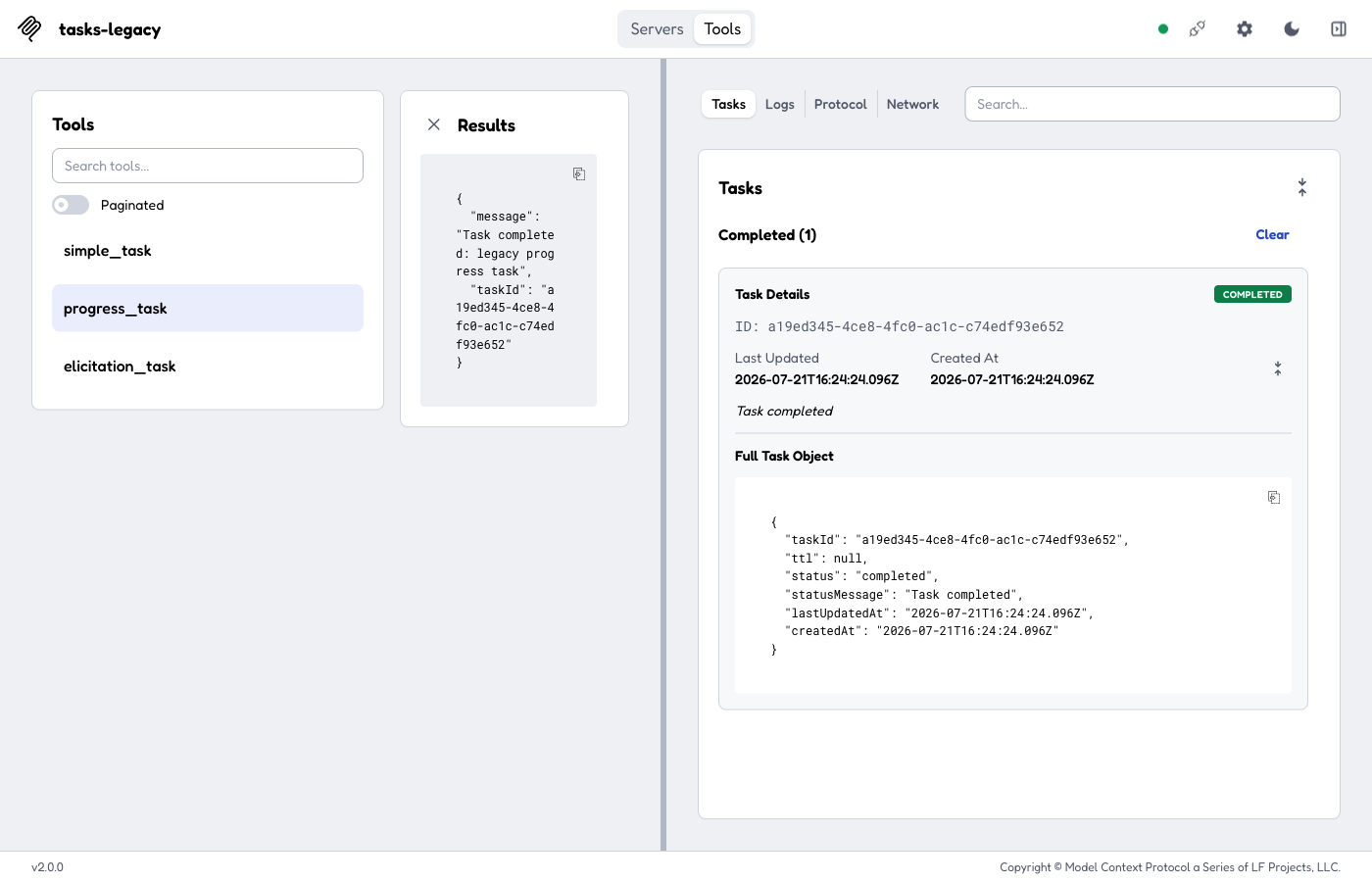
Connected with Protocol Era = Legacy. The Tasks tab is gated on
capabilities.tasks; simple_task is taskSupport: "required" so Run as
task is forced on. The legacy flow uses tasks/list to populate the list,
tasks/get to poll, and the blocking tasks/result to fetch the payload
({ "message": "Task completed: no message", "taskId": … }). Note the legacy-only
Logs tab (this server advertises logging), absent from the modern monitor
set.
Notes
- SDK v2 removed all tasks support and era-gates the
tasks/*spec methods out of the 2026-07-28 era on both the client (outbound) and server (inbound), and its codec rejects aresultType: "task"result outright. So the Inspector drives the extension itself: the task-creation frame is rewritten at the transport into aCallToolResultcarrying the handle (the trueresultType: "task"frame is still logged to the Protocol/Network tabs), andtasks/get/tasks/update/tasks/cancelride a raw-wire request channel that carries the full modern envelope and is consumed by the transport before the SDK Client sees it. The test server servestasks/*from an Express interceptor ahead of the SDK handler (the SDK's modern leg would answer them-32601). - On modern, task creation is server-directed (SEP-2663): the client declares
the extension once and any tool may return a task, so the Tools screen offers
Run as task for every tool on a modern connection (rather than gating on the
legacy per-tool
taskSupport).